Owner Installation Instructions NeoSlider
TM
- Sliding Gate Opener NES-24V3 31
Transmitter Listing Facility
The NeoSlider™ provides a transmitter listing facility which
enables the user to find a transmitter location within the memory.
Once located, a stored transmitter can be replaced, deleted,
edited, copied or, if the location is empty, a new transmitter can be
coded.
Method 1 - Go To The Start Of The List
Accessing The List Menu
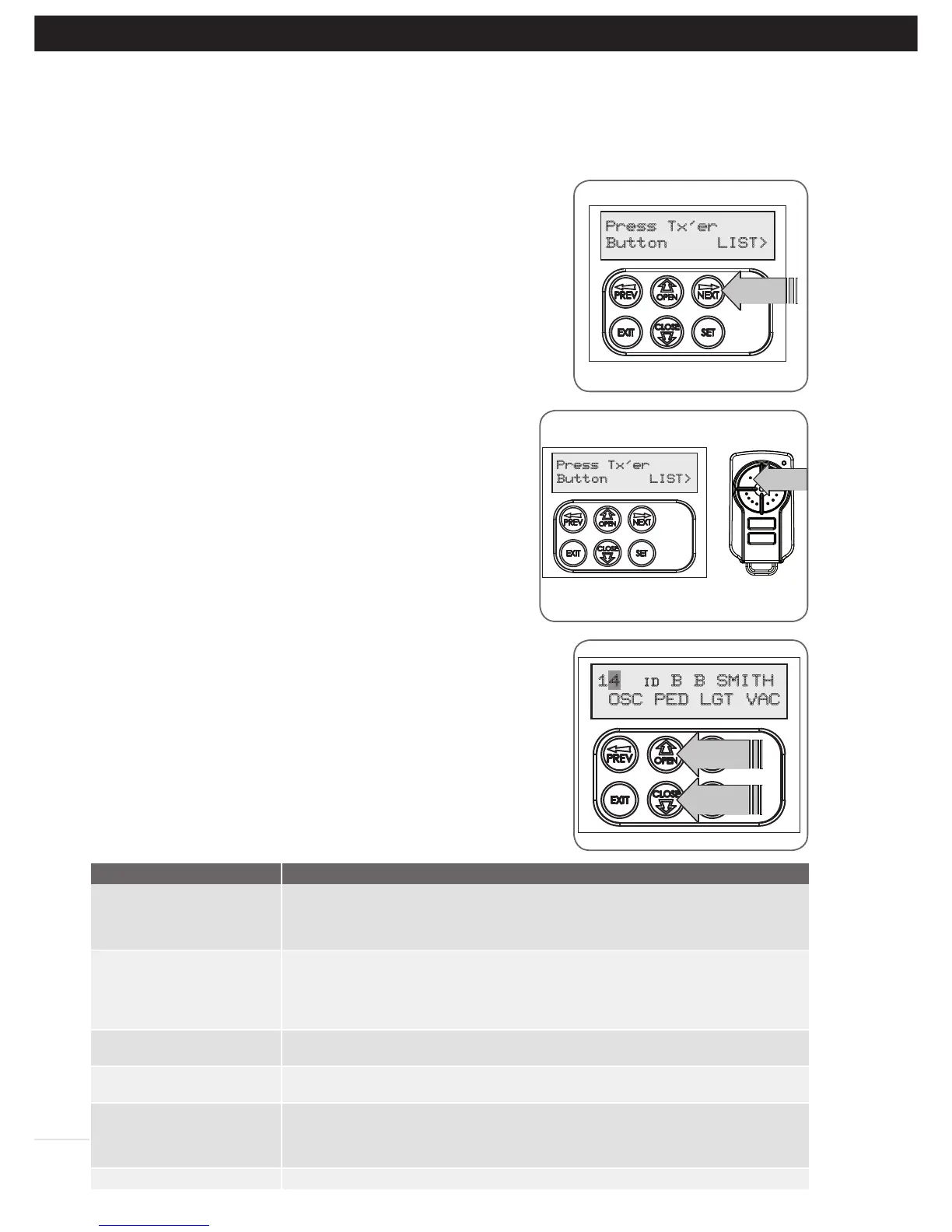
a. Press NEXT to navigate to Menu 1 (Fig. H.1).
b. Press SET to enter the transmitter edit procedure.
c. Press NEXT to enter the transmitter list and edit mode.
Method 2 - Use The Transmitter To Go Direct To The List
Accessing The List Menu
a. Press NEXT to navigate to Menu 1 (Fig. H.1).
b. Press SET to enter the transmitter edit procedure.
c. Press the transmitter once (Fig. H.2).
d. Press NEXT to view the transmitter parameters. This method is
used for quick navigation if the transmitter is available.
NOTE: “VIEW” will not be shown if the transmitter is not stored.
Once the list is displayed, it can be sorted by stored number, ID
Label or Serial Number. Use the NEXT or PREV buttons to select
the sorting method.
NOTE: When sorting by ID label or S/N, only stored transmitters
locations are displayed.
Navigating The List
a. Press the UP or DOWN arrows to navigate through the list
(Fig. H.3).
NOTE: Holding a button down will step through the list faster.
b. Press SET to display the menu of available functions.
Selecting An Operation
a. Press NEXT or PREV to cycle through the four menu options (Fig
H.4)
b. Press EXIT to return to the list.
c. Press SET to execute the menu’s operation.
Fig H.1
Fig H.2
Fig H.3
Fig H.4
Menu Option
Operation
Code Operation (location
empty)
If the code operation is selected on an empty transmitter location, the BASIC CODE
TRANSMITTER PROCEDURE will be initiated with the transmitter being saved in
the selected location. This is useful when managing transmitters using a scheme
which ties the store location to the transmitter’s owner.
Code Operation (location
used)
If the code operation is selected for a location that already contains a transmitter,
then the BASIC CODE TRANSMITTER PROCEDURE will be initiated and the new
transmitter will replace the existing one. Note that the button functions and name
of the existing transmitter will be transferred to the new transmitter. This procedure
is of great convenience when replacing a lost transmitter.
Delete Operation The delete operation is used to remove a transmitter from memory along with the
name and button function settings.
Edit Operation The edit operation displays the transmitter record for editing purposes. See
TRANSMITTER EDIT PROCEDURE (Appendix F) for details.
Copy Operation The copy operation is used to code multiple transmitters with the same button function
as that of the selected transmitter. Once selected an abbreviated code set routine is
initiated which repeats steps 2 & 3 of the BASIC CODE TRANSMITTER PROCEDURE for
each transmitter to be coded. Coding is terminated by pressing the EXIT button.
Exiting The List To exit the transmitter list, simply press EXIT to return to the Code menu.
H- Transmitter Managment
Appendix



 To Next Page