BCM50 System Start Up
44 NN40010-318 Issue 1.2 BCM50 Rls 6.0
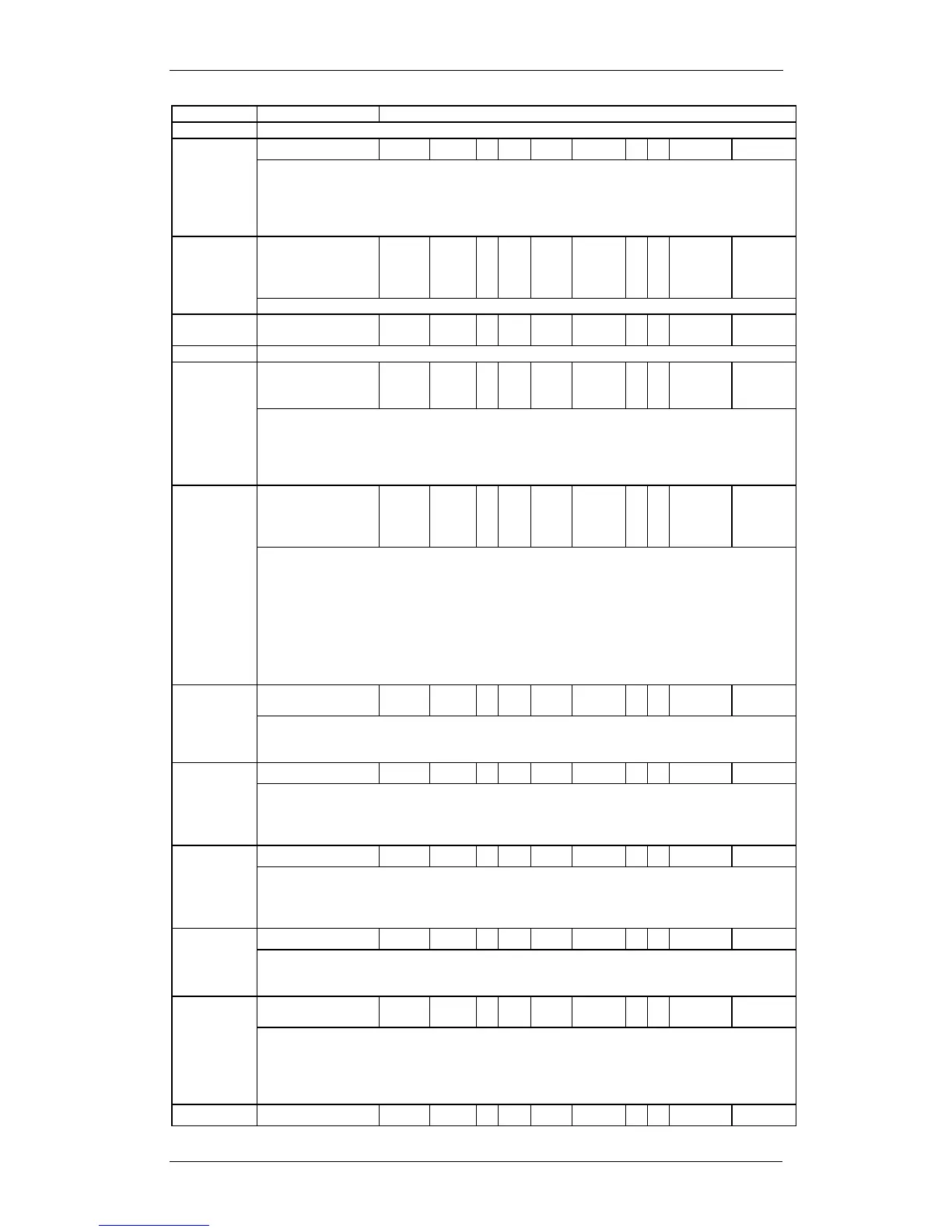
Appears only for NI protocol.
When you select SL-1 protocol, an additional setting, Protocol type, appears.
SL-1 protocol is a private networking protocol. This allows you to designate a BCM node
as a Network (controller). The default setting is User (client). In public network
configurations, the CO is generally considered the Network side or controller.
Applies to SL-1 protocol only.
B-channel
selection
sequence
Ascending
Sequential
Descending
Sequential
Defines how B-channel resources are selected for call processing.
Set the minimum duration of an answer signal before a call is considered to be answered.
60, 100, 260, 460,
or 600
milliseconds
Specify the duration of an Open Switch Interval (OSI) before a call on a supervised
external line is considered disconnected. This setting must match the setting for the line
at the central office (CO).
You must enable disconnect supervision by changing the Line Trunk mode attribute.
Under the Telephony Services sub-heading, choose Lines and Line/trunk Data.
Primary External
Secondary
External
Internal
Designates whether the DTM/BRI acts as a primary or secondary timing component for
an external timing source or as the internal timing source.
Note: A BRI module can be programmed with primary/secondary clock source, however,
it is recommended that a BRI module always be set to Internal if a DTM exists on the
system to be the Primary External clock source.
Warning: Changing the clock source may disconnect calls.
If you change the clock source for your system, you may cause your system DTM
interface(s) to reset, resulting in dropped calls. Choose a suitable time to change the
clock source and use the Page feature to inform users of possible service disruptions.
When you select this check box, the system sends a specified outgoing name display
(OLI) from the calling telephone.
Appears only for Protocols: SL-1, NI, DMS-100, DMS-250, or PRI QSIG.
This setting allows you to indicate MWI compatibility on the specific loop(s) that you are
using to connect to the central voice mail system on a Meridian 1 which has the MWI
package installed, with the RCAP setting set to MWI.
Appears only for SL-1 protocol.
Supports target lines in markets which use Overlap receiving signalling on the BRI trunks.
Overlap receiving must be configured for each BRI loop. After every digit is received at
the ISDN layer, Target Lines are checked for matches. If a full match is made, the call is
routed immediately to the target line without waiting for additional digits.
When Overlap receiving is enabled on the trunks, this number determines how many
incoming digits need to match the target line numbers to be considered a call for that
target line.
DPNSS cards connected to Embark switches have a different way of handling call
diversion, therefore, when you provision a DTM for DPNSS, you must indicate what type
of switch the lines are connected to.
When you select the Embark switch, calls are diverted using the Call Forwarding feature
instead of call diversion.



 To Next Page