3.2 Storage Device Installation
EzRecorder 310 supports 2.5 inch internal hard drive (HDD) and external USB hard drive. You can
choose to save the videos and snapshots either to an internal hard drive or an external USB drive.
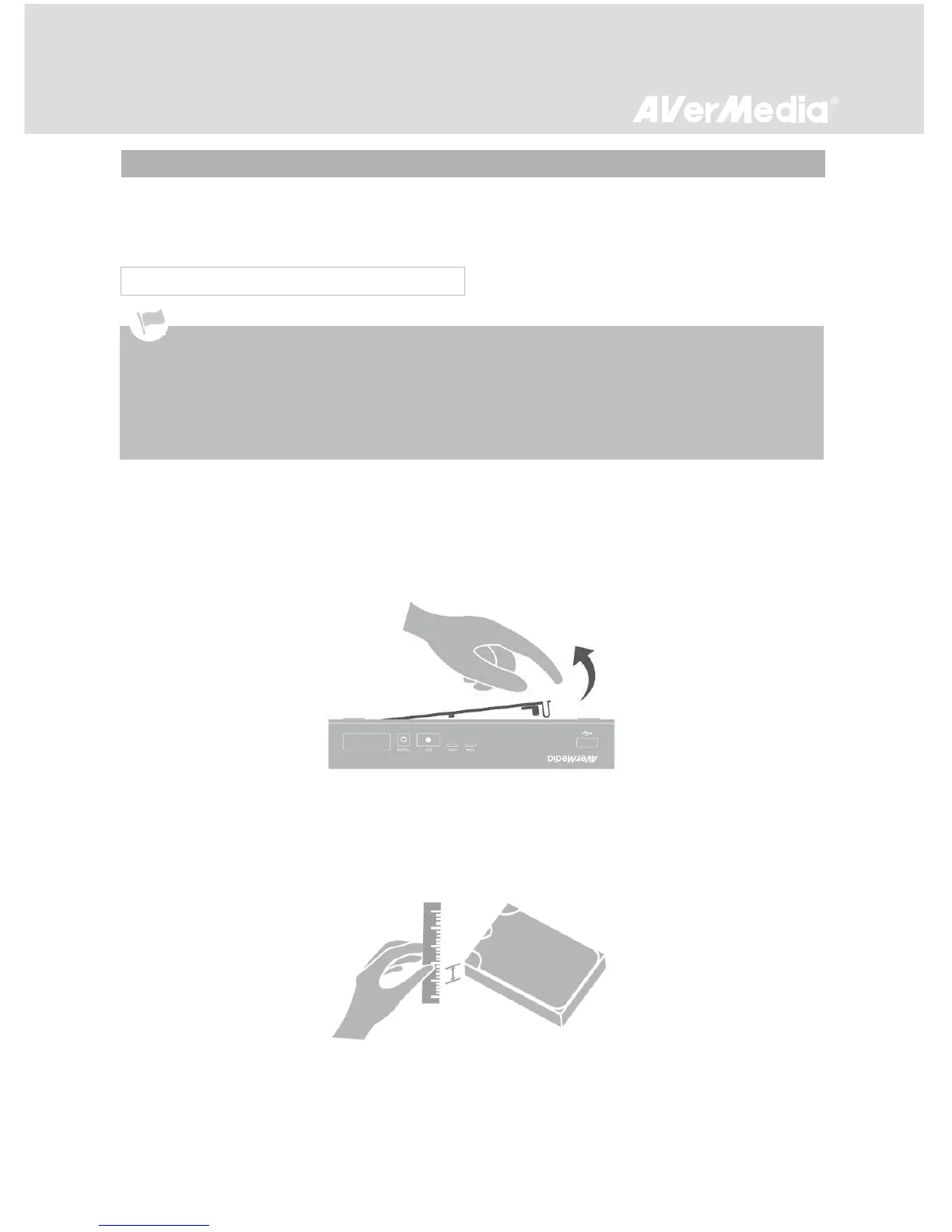
Step 1
Removing the HDD Lid
Use your fingertip to flip open the HDD lid, located on the bottom of EzRecorder 310. Lift off the lid and
set it aside.
Step 2
Measuring HDD Height
Use a ruler to measure the height of your HDD (7 mm, 9.5 mm, or 12.7 mm).
3.2.1 Internal HDD Installation
It is highly recommended to use a new unformatted hard drive or a hard drive formatted as NTFS file
system. The supported maximum storage capacity of the hard drive is 2 TB.
Before installing or removing the internal HDD, please disconnect the power supply from EzRecorder 310 to avoid
data loss.
Removing internal HDD immediately after powering-off may cause personal injury due to heat. Please wait until
the HDD cools down completely (it takes approximately 10 minutes) before any attempt to remove it.



 To Next Page