31
3 Select Bus 1 for MIDI Input and Bus 2 for MIDI Output.
4 Select Pro Tools PRE for MIDI Mode.
5 Click the red button in the upper-left corner of the window to close it.
6 Leave DADman running in the background while running Pro Tools.
Configure Pro Tools Software
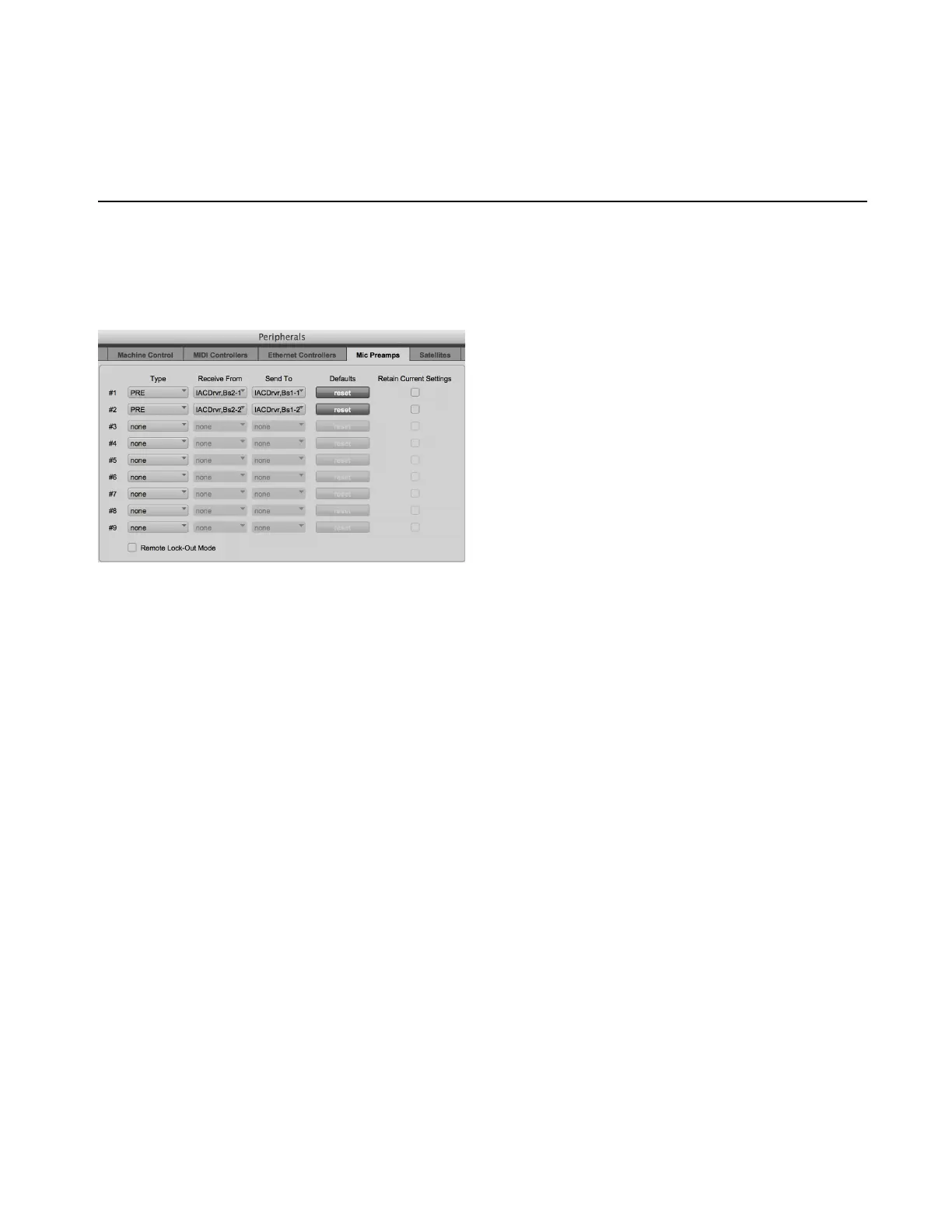
To configure Pro Tools for PRE control of MTRX units:
1 In Pro Tools, choose Setup > Peripherals.
2 Click the Mic Preamps tab.
3 Select Type > PRE for each Mic/Line AD card in the system starting with row 1 (there are eight channels of mic preamps per card).
4 Select Receive From > Predefined IAC Driver Bus 2 > Channel 1 in the pop-up menu for the first Mic/Line AD card in the system.
5 Select Send To > Predefined IAC Driver Bus 1 > Channel 1 in the pop-up menu for the first Mic/Line AD card in the system.
6 Repeat steps 4 and 5, but selecting the next Channel number for each additional Mic/Line AD card in the system (for example, a sec-
ond card would be set to
Receive From > Predefined IAC Driver Bus 2 > Channel 2 and Send To > Predefined IAC Driver Bus 1 >
Channel 2
, and so on).
7 Click OK.
8 Choose Setup > I/O Setup.
9 Click the Mic Preamps tab.
10 Click on the first channel where the MTRX is physically connected.
11 Repeat this step for each Mic/Line AD card in the system
12 Click OK.
Pro Tools Peripherals, Mic Preamps page



 To Next Page