33
Appendix C: Monitoring with MTRX and S6
Creating a Monitor Profile for Pro Tools | MTRX in DADman Software
The following instructions show how to create a monitor profile and configure inputs, outputs, fold-downs, and other parameters in DAD-
man software.
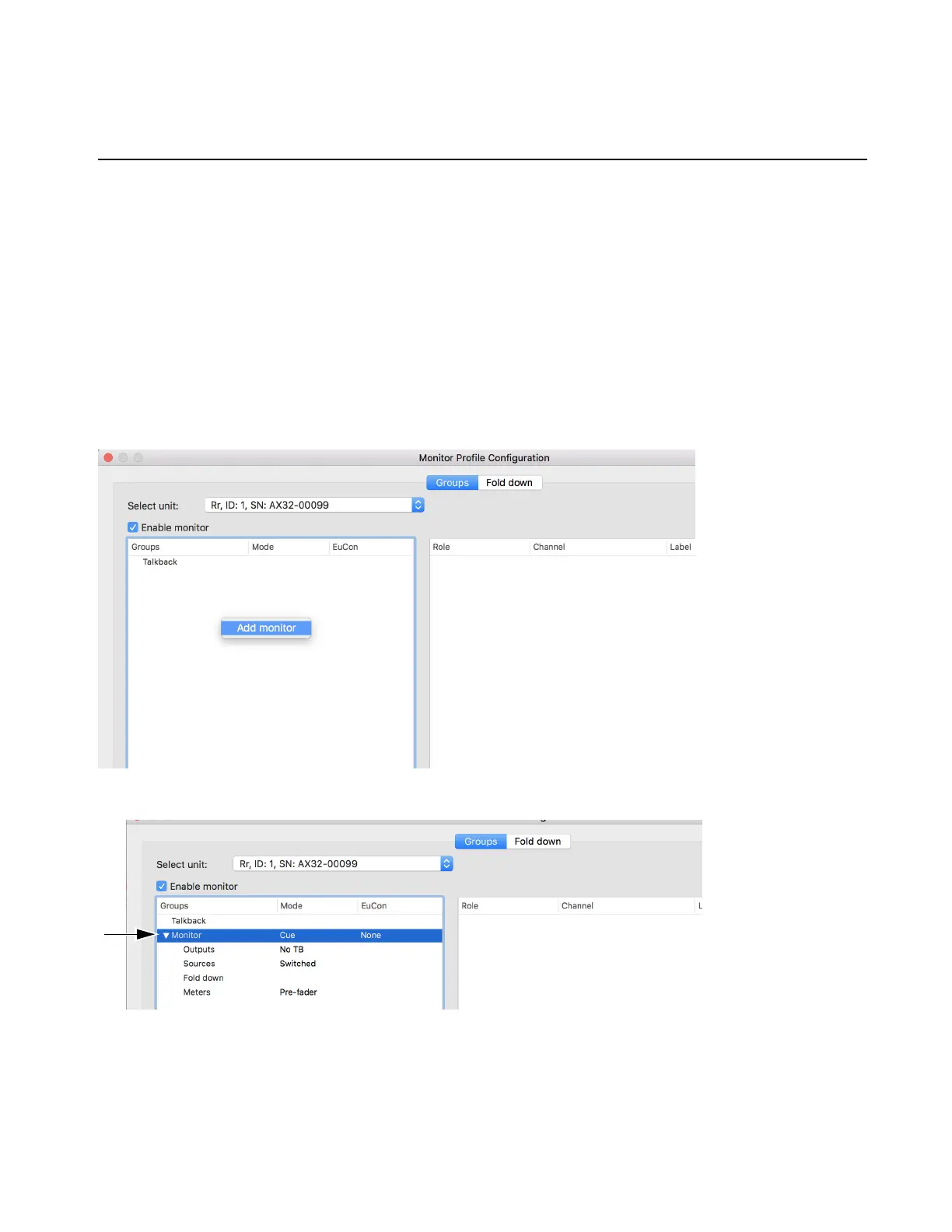
To create a new
profile:
1 Launch DADman software.
2 Choose Settings > Monitor Profile.
3 Click Groups (the Groups page is not shown).
4 Select the unit you will use for monitoring.
5 Select Enable monitor.
6 Right-click in the empty area and click Add Monitor.
7 Expand the disclosure triangle on the Monitor to reveal Outputs, Sources, Fold Down, and Meters.
8 Click to highlight Sources then right-click to choose Add new source.



 To Next Page