55
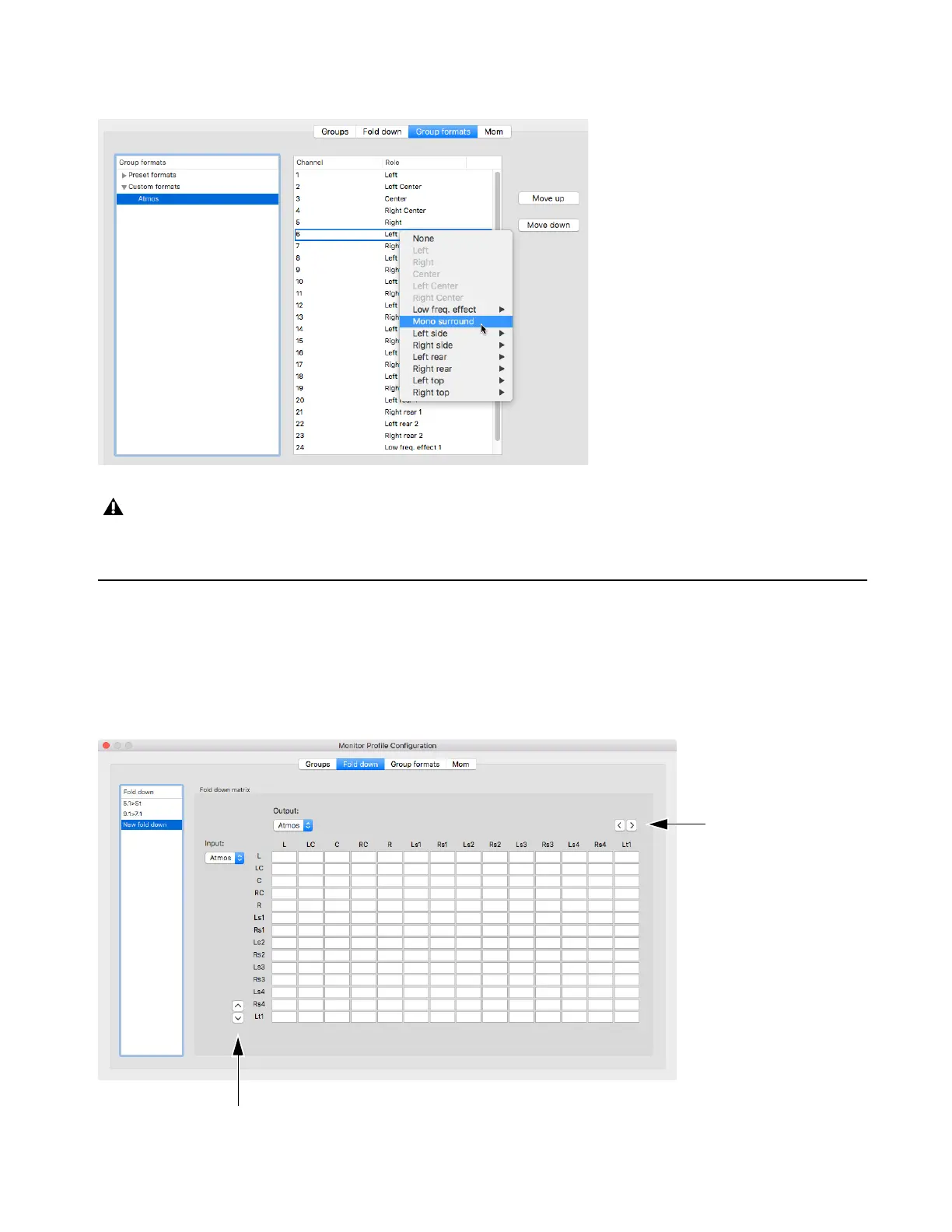
The Custom Group formats can also be created or edited by selecting parameters directly in the column view as shown in the following
picture.
Fold-down and Speaker Match
DADman lets you define a summing matrix (fold-down), mainly to playback a higher channel count signal as source on a speaker set
with fewer channels, such as 5.1 to stereo or stereo to mono. You can match between any of the formats. Also, speaker up-match lets
you playback lower channel immersive formats on more speakers in a higher channel count speaker set-up.
The following figure shows the fold-down and speaker match configuration window. The two pairs of button scroll right/left and
up/down in the fold-down matrix respectively.
Formats with cross-over filters for active speakers, such as left and right in an immersive set-up, can also be created when working
creatively with the group configurations. Note that the system does not provide protection if incompatible speaker configuration pro-
files are loaded sourcing (such as tweeter speakers), which can be easily destroyed if correct filtering is not applied to the signals.



 To Next Page