32
Controlling MTRX from Pro Tools
(or from a Control Surface)
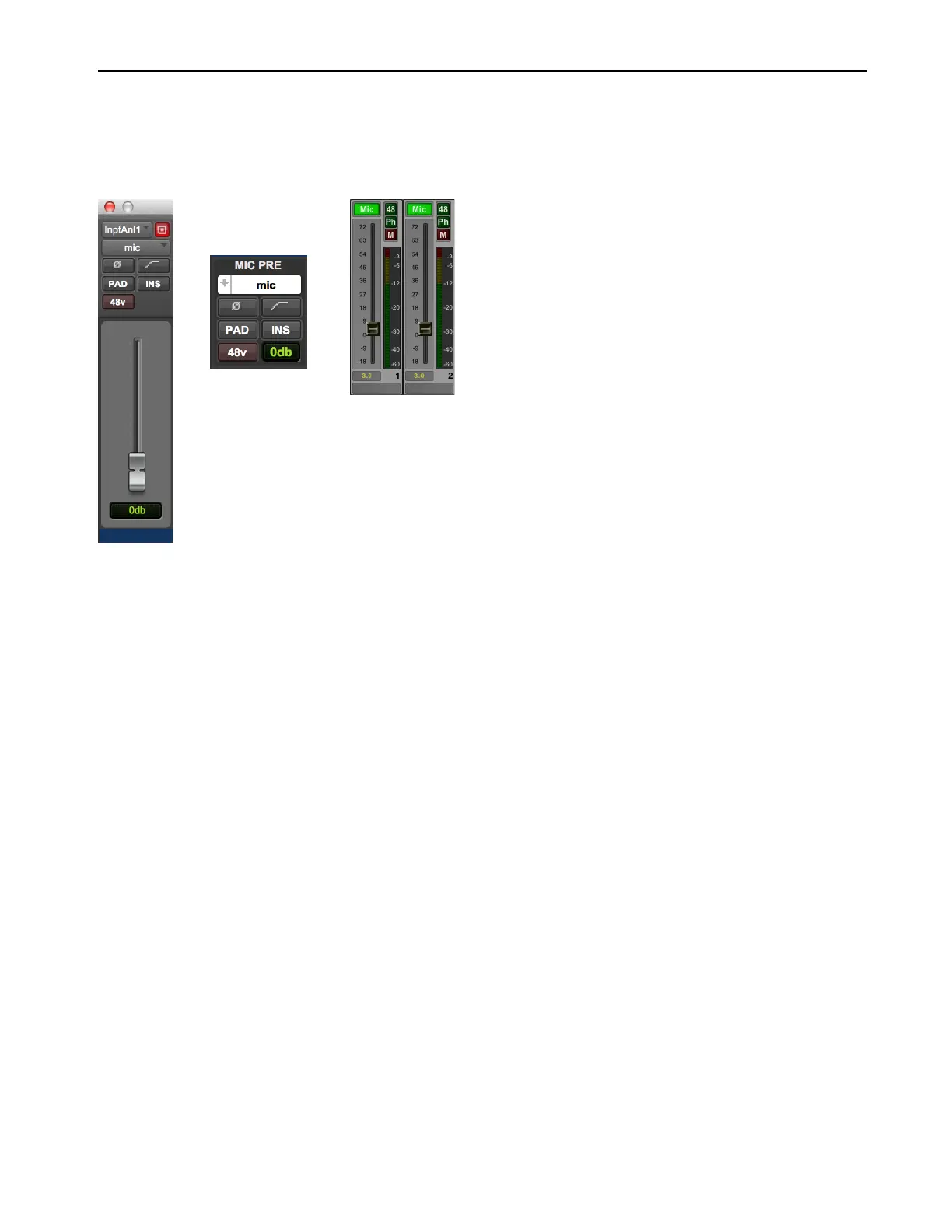
Once configured, Pro Tools can control MTRX Mic Preamp settings on a channel-by-channel basis. Enable Mic Preamps view in either
the Edit or Mix window to access these controls (
View > Mix Window Views > Mic Preamps or View > Edit Window Views > Mic Pre-
amps
). All adjustments made in Mic Preamps view in Pro Tools are mirrored in DADman.
From Pro Tools Mic Preamps view you can control the following MTRX Mic Pre parameters:
Mic/DI
Select the microphone input setting for the corresponding channel in MTRX.
Line
Selects line input.
ø
Inverts the phase of the mic input.
Filter
No effect.
Pad
Moves the fader 18 dB down. In pad mode the level of the mic pre can be adjusted in a range from –18 dB to +51 dB.
Insert
No effect.
48v
Enables phantom power for the mic input.
Fader
0–69 dB range.
Pro Tools Mic Pre window (left), Pro Tools Mic Pre view (middle), and DADman Channel strip (right)



 To Next Page