52
Configuring Bass Management
The configuration of the Bass Management system is done in the Monitor Profile Configuration window. A Bass Management config-
uration can be made for all speaker output sets, where the speaker format comprises one or more LFE/SUB channels. In relation to the
format conventions a translation is made between what is the LFE channel in the signal source, and what are the subwoofer speakers in
the speaker setup, and in that relation the mapping between LFE, Bass managed speaker channels and subwoofer speakers is also made.
For example, the traditional subwoofer setup for a 5.1 speaker system has the subwoofer connected to the LFE source channel, but Bass
Management can be applied as well filtering the low frequency from the surround speakers to the subwoofer speaker. This is the Basic
Bass Management configuration also applied in Pro Mon.
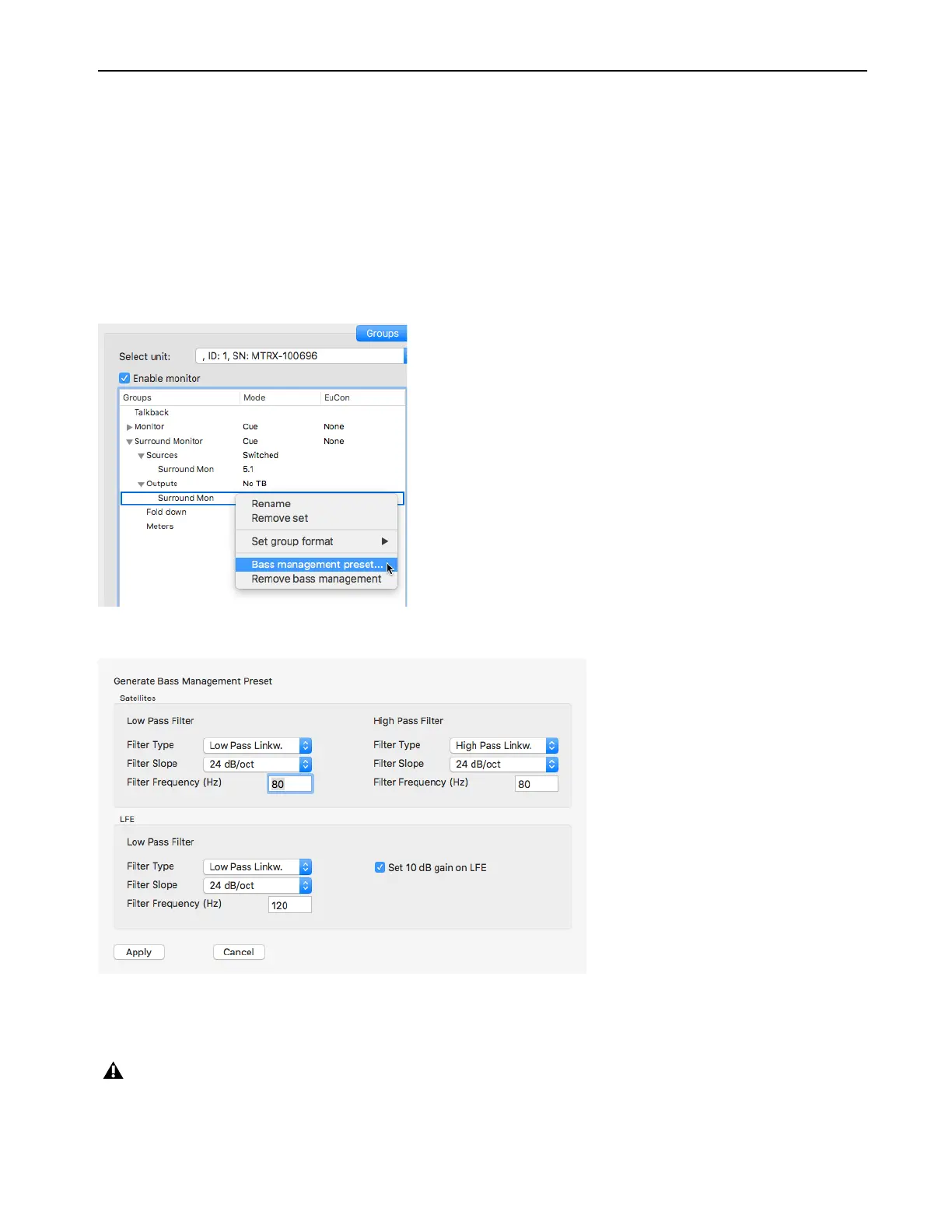
In order to configure the Bass Management setup in general or to make a starting point for a more complex Bass Management system,
such as with multiple subwoofer speakers, configuration is done in the Bass Management configuration window selected for the relevant
speaker set, as shown in the following picture.
When selecting
Bass Management preset an editing window will appear as shown in the following picture.
All speakers in the profile will have applied a high pass filter, and the summing for the SUB woofer will have the applied the low pass
filter with the entered parameters. The Summing of the LFE source will have applied the selected low pass filter as well. A 10 dB gain
on the LFE channel can be applied as well.
Note if 10 dB is applied to the LFE channel it will be active on the output speaker setting, and all sources selected to the speaker set
will get the additional gain on the LFE channel. Alternatively the raise in LFE gain can also be set in the input configuration for the
sources where this is needed.



 To Next Page