56
Saving and Loading Monitor Profile Settings
The monitor profile can be saved and recalled in the file menu. Note that in the preferences menu the last saved monitor profile can be
set to load automatically when DADman opens. The monitor profile file stores all monitor settings, EQ and format configurations
loaded and active in DADman. When a profile is loaded all monitor setting are restored also the settings for the SPQ card. In Pro Mon
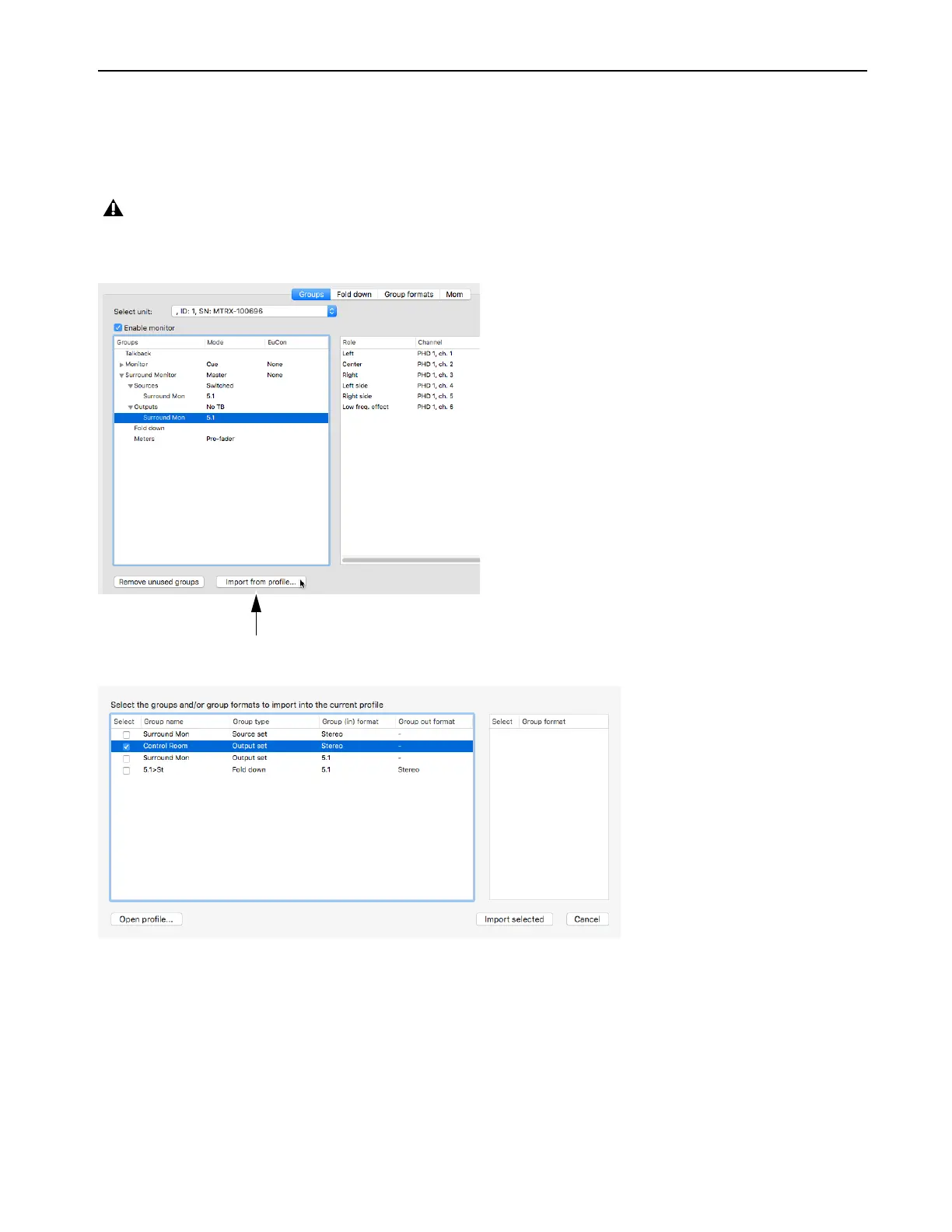
3 it is possible to load parts from an other profile into the current profile
The monitor profile can be loaded partially by using the
Input from profile function shown in the following picture.
This opens the import window as shown in the following picture.
In order to import a monitor profile, a file has to be selected using the
Open profile function. When the file is opened the available groups
and formats are shown, and the ones to be loaded in the actual monitor profile of DADman should be selected. You can load the fol-
lowing
Groups types and Group formats.
Note that a profile which is loaded will assume that the I/O resources loaded are available in the actual unit. If this is not the case
the I/O configurations will be left blank.



 To Next Page