40 41
Playing desired scene
40 41
Confirming the current PLAYING TIME
DVD Operation
■ Storing a MARKER in memory is similar to marking your page in a book. It allows you to quickly
return to any point on the disc.
Storing a marker in the memory.
Press [MARK] during play and press [ENTER] at the
starting point to be viewed (listened to) again.
1
Recalling/Clearing a marker
Press [MARK] during playback. Press […,†,œ , √]
to select the marker to be recalled/cleared.
Press [ENTER] to recall a marker. Or press [CLEAR]
to clear a marker.
2
Storing markers in memory to be viewed (listened to) again
If you want to search wth a disc time, press
[SEARCH] button one time.
In case of PBC OFF, the screen like the right figure
appears. Please enter the new time to be searched
using the [NUMBER] button. PLAY starts from the
selected position.
* If it is PBC ON, pressing the disc time converts PBC
to OFF mode automatically.
1
If you want to search with a track number, press
the [SEARCH] button three times.
Please enter the new track number to be searched
using the [NUMBER] buttons.
3
If you want to search with a track time, press
[SEARCH] button twice.
Please enter the new track time to be searched using
the [NUMBER] button.
2
Searching VCD with a track number, disc time or track time
DISC GO TO :
- -:- -
TRACK GO TO :
- -:- -
SELECT TRACK: : /20
- -
BOOKMARK
Press <ENTER> Key To Mark
BOOKMARK
TT:01 CH:02 TIME 0:02:27
Press <ENTER> Key To Play
Press <CLEAR> Key To Clean
1 2 3
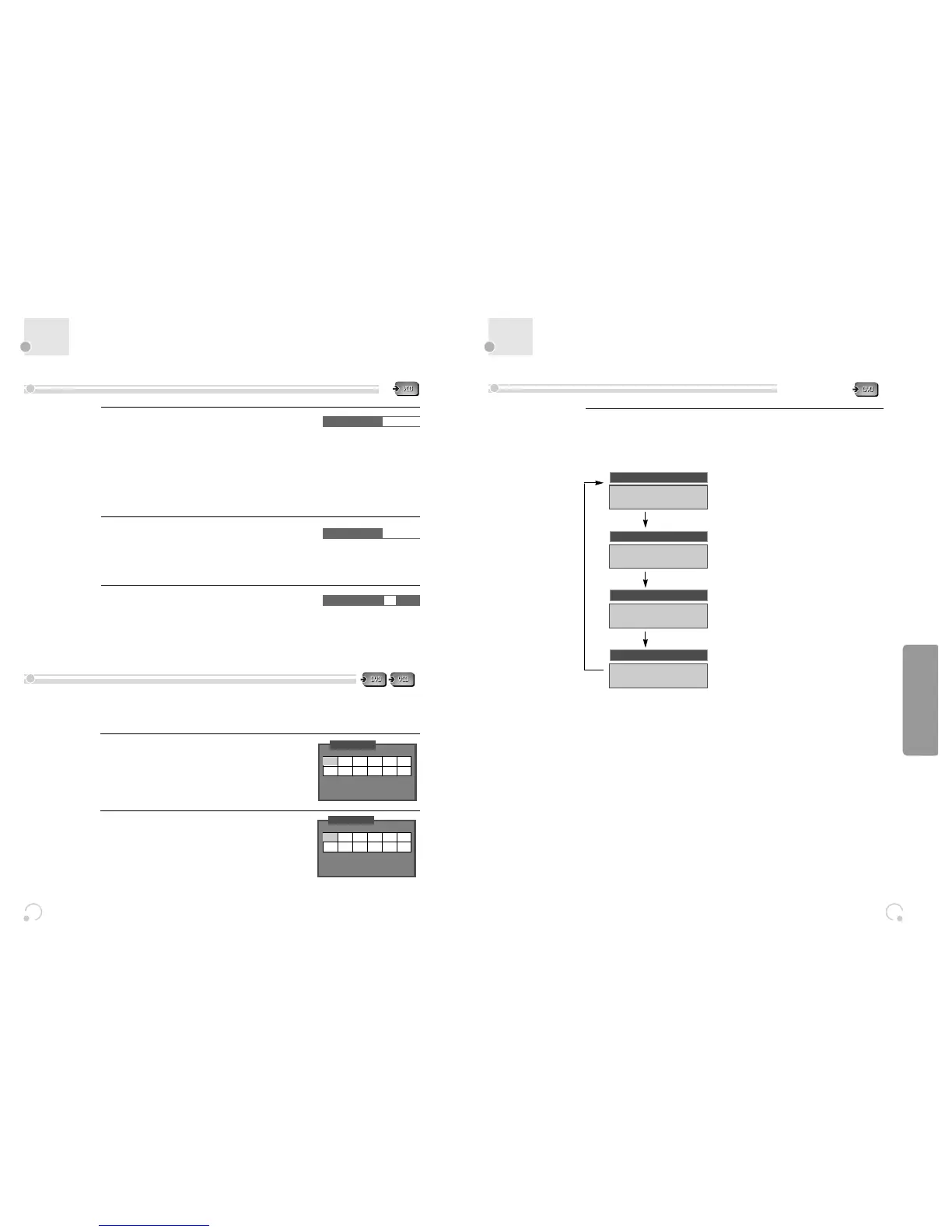
While in playing, press [DISPLAY] button.
It shows the current playing time.
Each time you press [DISPLAY] button in playback mode, DISPLAY is change as below.
Confirming the current playing time of DVD disc
TITLE ELAPSED
TT 01/02 CH 01/10
0:00:57
TT 01/02 CH 01/10
0:10:05
TT 01/02 CH 01/10
0:05:56
TT 01/02 CH 01/10
1:53:25
TITLE REMAIN
CHAPTER ELAPSED
CHAPTER REMAIN


 To Next Page