5352
Audio Setup
DIGITAL OUT
DYNAMIC RANGE
BITSTREAM
LANGUAGE
VIDEO
AUDIO
OTHERS
ENTER
SETUP
LANGUAGE
VIDEO
AUDIO
OTHERS
ENTER
SETUP
DIGITAL OUT
DYNAMIC RANGE
BITSTREAM
✓
LPCM
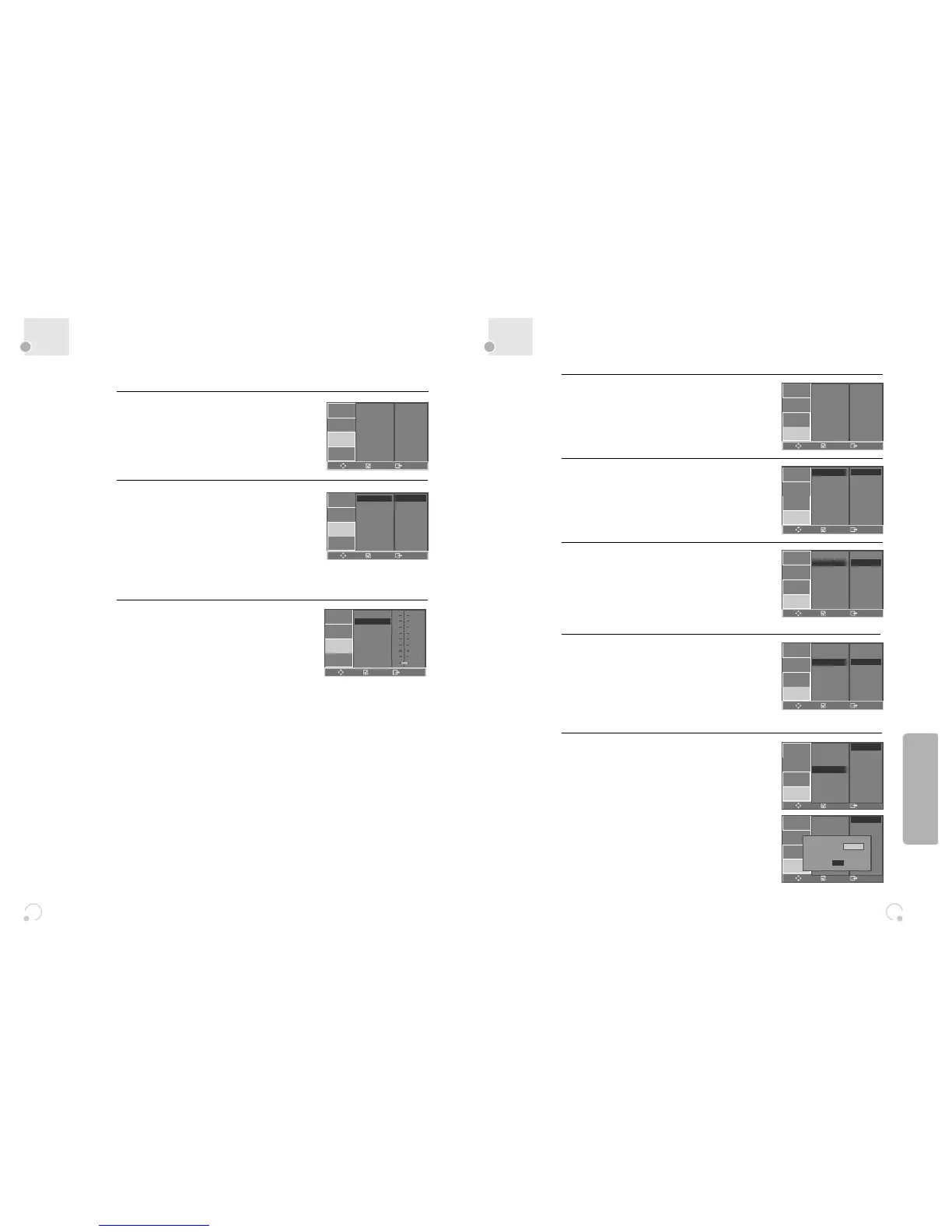
Select the Digital Output.
Set audio output to coaxial. You can set the
outgoing digital signal to BITSTREAM or LPCM:
• BITSTREAM : The raw audio signal recorded
on the disc goes to the digital audio output.
• LPCM : The decoded audio signal goes to
the digital audio output.
2
Select the Dynamic Range.
You can set the Dynamic Range using the […†]
button.
• Off : You can hear the sound as it was
originally recorded on the disc.
• Full : You can hear loud sounds softer and
soft sounds louder.
3
■ A user may select audio menu according to a user’s speaker set.
While STOP or Resume STOP, press [SETUP]
button.
1
LANGUAGE
VIDEO
AUDIO
OTHERS
ENTER
SETUP
DIGITAL OUT
DYNAMIC RANGE
FULL
3/4
1/2
1/4
OFF
Others Setup Features
Select character display window.
Select "On" to make OSD (On Screen Display)
language displayed in screen.
2
Select screensaver.
If bright scenes continue to be displayed in
screen, TV can be damaged. Set the screensaver
to "On", the screensaver functions
automatically and DVD logo moves continuously if
the resume stop, stop, open status is maintained
for about 5 minutes.
3
Restoring DEFAULTS.
This feature resets every function to its original
Factory Defaults except the Parental Control
settings.
4
Select Parental.
Press [√] button when the cursor is located in
PARENTAL.
Select the Parental Level using the […†]
button, and press the [ENTER] button.
These 8 levels of parental control, protect
children from watching violence, sexual scenes
and other objectionable material.
When “PASSWORD” appears on the screen,
input the password. Then press [ENTER] button.
5
While STOP or RESUME STOP, press [SETUP]
button.
1
OSD
SCREEN SAVER
DEFAULTS
PARENTAL
PASSWORD
ON
ON
RESET
8 ADULT
CHANGE
LANGUAGE
VIDEO
AUDIO
OTHERS
ENTER
SETUP
LANGUAGE
VIDEO
AUDIO
OTHERS
ENTER
SETUP
OSD
SCREEN SAVER
DEFAULTS
PARENTAL
PASSWORD
ON
✓
OFF
LANGUAGE
VIDEO
AUDIO
OTHERS
ENTER
SETUP
OSD
SCREEN SAVER
DEFAULTS
PARENTAL
PASSWORD
ON
✓
OFF
LANGUAGE
VIDEO
AUDIO
OTHERS
ENTER
SETUP
OSD
SCREEN SAVER
DEFAULTS
PARENTAL
PASSWORD
RESET
✓
LANGUAGE
VIDEO
AUDIO
OTHERS
ENTER
SETUP
OSD
SCREEN SAVER
DEFAULTS
PARENTAL
PASSWORD
8 ADULT ✓
7 NC-17
6 R
5 PG-R
4 PG-13
3 PG
2 G
1 KIDS
LANGUAGE
VIDEO
AUDIO
OTHERS
ENTER
SETUP
OSD
SCREEN SAVER
DEFAULTS
PARENTAL
PASSWORD
8 ADULT ✓
7 NC-17
6 R
5 PG-R
4 PG-13
3 PG
2 G
1 KIDS
PASSWORD
xx
OK
Setup


 To Next Page