44 45
Selecting ZOOM and Multi Angle
44 45
About MP3 and JPG discs
DVD Operation
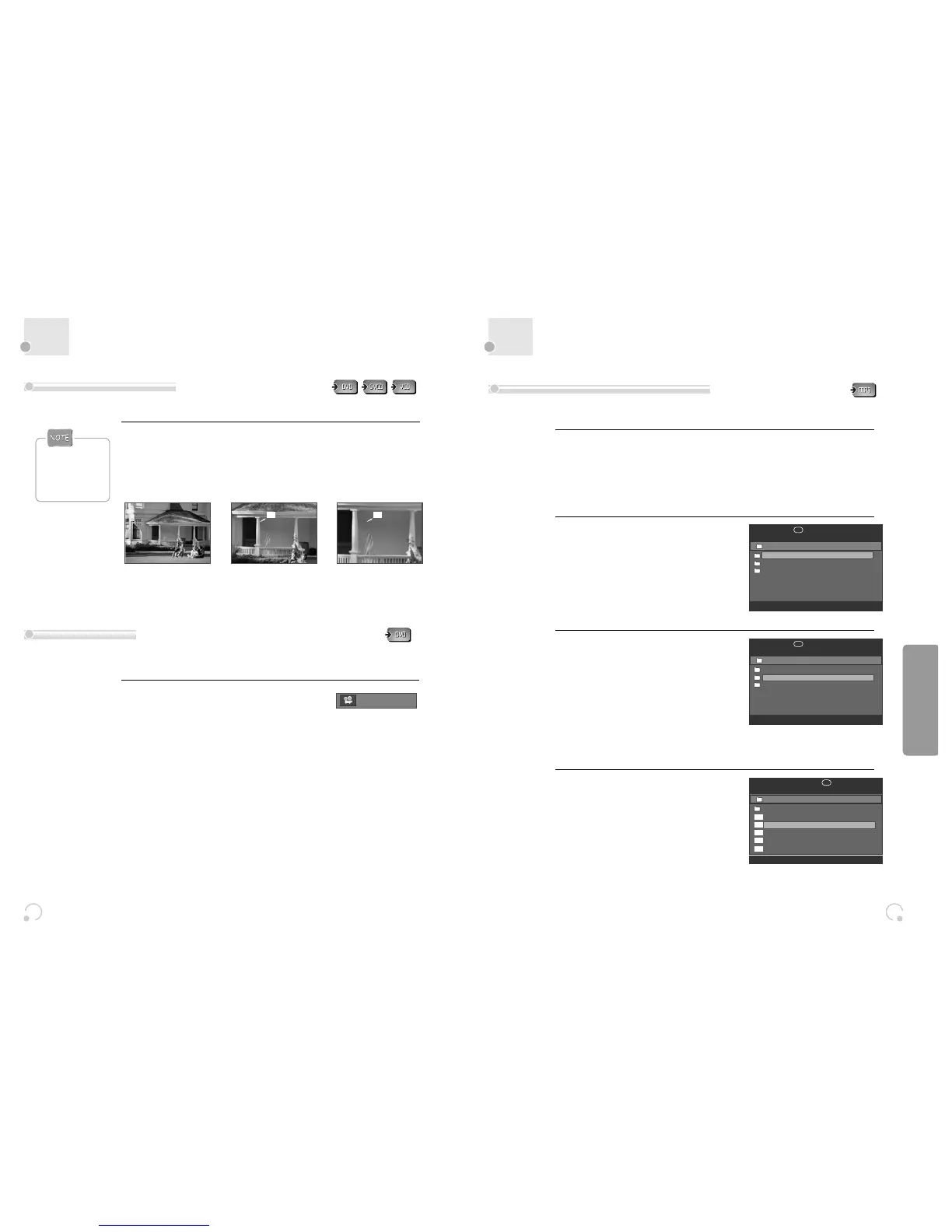
■ The user can enlarge the current screen about 2 , 3 or 4 times.
Keep pressing [ZOOM] button till the preferred zoom appears.
Every time the user presses [ZOOM] button, a zoom magnification changes 2 times (X2)
➝ 3 times (X3) ➝ 4 times (X4) ➝ OFF ➝ 2 times (X2) ➝ ... one by one.
A base point to be enlarged is centre and the point can be changed with the operation of
[œ √…†] button.
■ If a disc includes multi angle information, the user can watch a screen in multi angles. The function is limited
to a DVD disc supporting multi angle information.
Keep pressing [ANGLE] button till the preferred
angle appears.
Every time the user presses [ANGLE] button, an angle
degrees changes in a consecutive order.
01/01
Using a zoom function
Different Angle
• During zoom
mode, subtitle
language can’t be
seen.
2X
4X
This unit will play MP3 files recorded on CD-R and CD-RW discs.
Turn on your television and select the channel assigned to this DVD player.
Press the [DVD] button and press the [OPEN/CLOSE] button, the disc tray opens.
Put a MP3 on the disc tray with the label side up.
Press the [OPEN/CLOSE] button, the disc tray closes.
The unit will take a short while to load the disc and display the directory structure.
1
The right figure appears.
2
Select the file to listen to.
Move the cursor to desired file which you want
to listen to by pressing [œ √…†] button.
Press [PLAY] or [ENTER] to start playback.
The selected file will play.
Press [■ ] to stop playback.
4
Select the folder.
Move the cursor to desired folder by pressing
[œ √…†] button and press [ENTER] button
to confirm.
3
Playing a disc containing MP3 files
00:00
■
001:003
/
Sky
Winamp
max 6
00:00
■
001:003
/
max6
Sky
Winamp
Sky
00:10 04:22 192Kbps
√
002:030
/ Sky
..
1. 01 (musicfamily.i
2. 02 (musicfamily.i
3. 03 (musicfamily.i
4. 04 (musicfamily.i
5. 05 (musicfamily.i
2. 02 (musicfamily.i
mp3
mp3
mp3
mp3
mp3


 To Next Page