FIRST CONSOLE IP ADDRES ASSIGNMENT|TALKBOX CONNECTIONS
OXYGEN 1000 & OXYGEN 2000 · User Manual · ENG
2. FIRST CONSOLE IP ADDRES ASSIGNMENT
Connect a LAN cable to the OXYGEN 1000 or to your OXYGEN 2000 LAN port on the back panel of the
device.
The device is automatically discoverable as DHCP client in your network.
Download the Oxygen Remoter setup file from the following URL:
HTTPS://WWW.AXELTECHNOLOGY.COM/PUBLIC/OXYGENREMOTER/OXYGENREMOTERSETUP.EXE
Launch the downloaded OxygenRemoterSetup.exe installation file
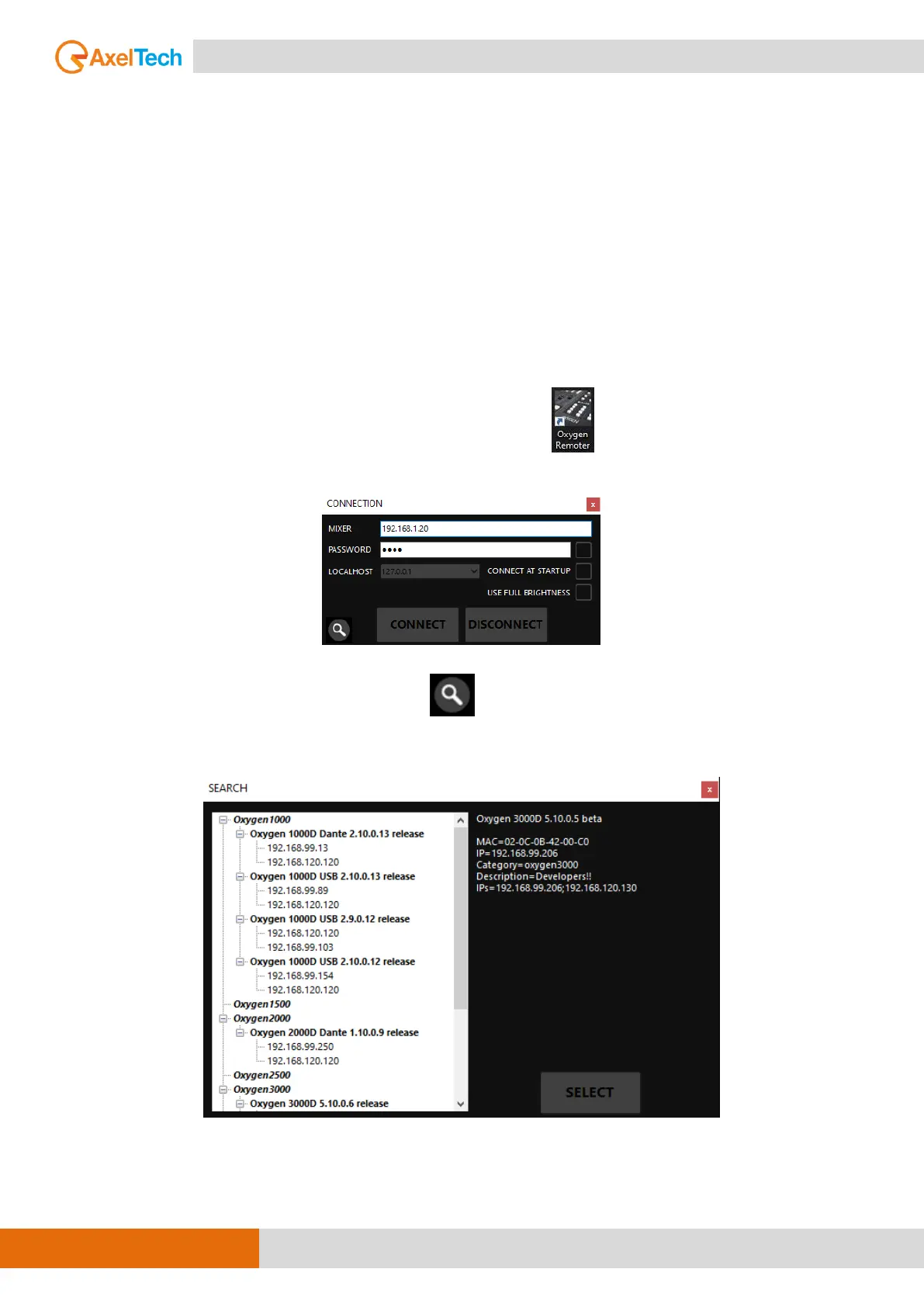
Open Oxygen Remoter by clicking on the OxygenRemoter.exe icon. You will see the following
window:
Click on the search device button on the mask bottom-left.
Look for your device into the following list:



 To Next Page