OXYGEN REMOTER - SETTINGS|OXYGEN REMOTER SIDE – ON BUTTON
OXYGEN 1000 & OXYGEN 2000 · User Manual · ENG
4. OXYGEN REMOTER - SETTINGS
4.1 OXYGEN REMOTER SIDE – ON BUTTON
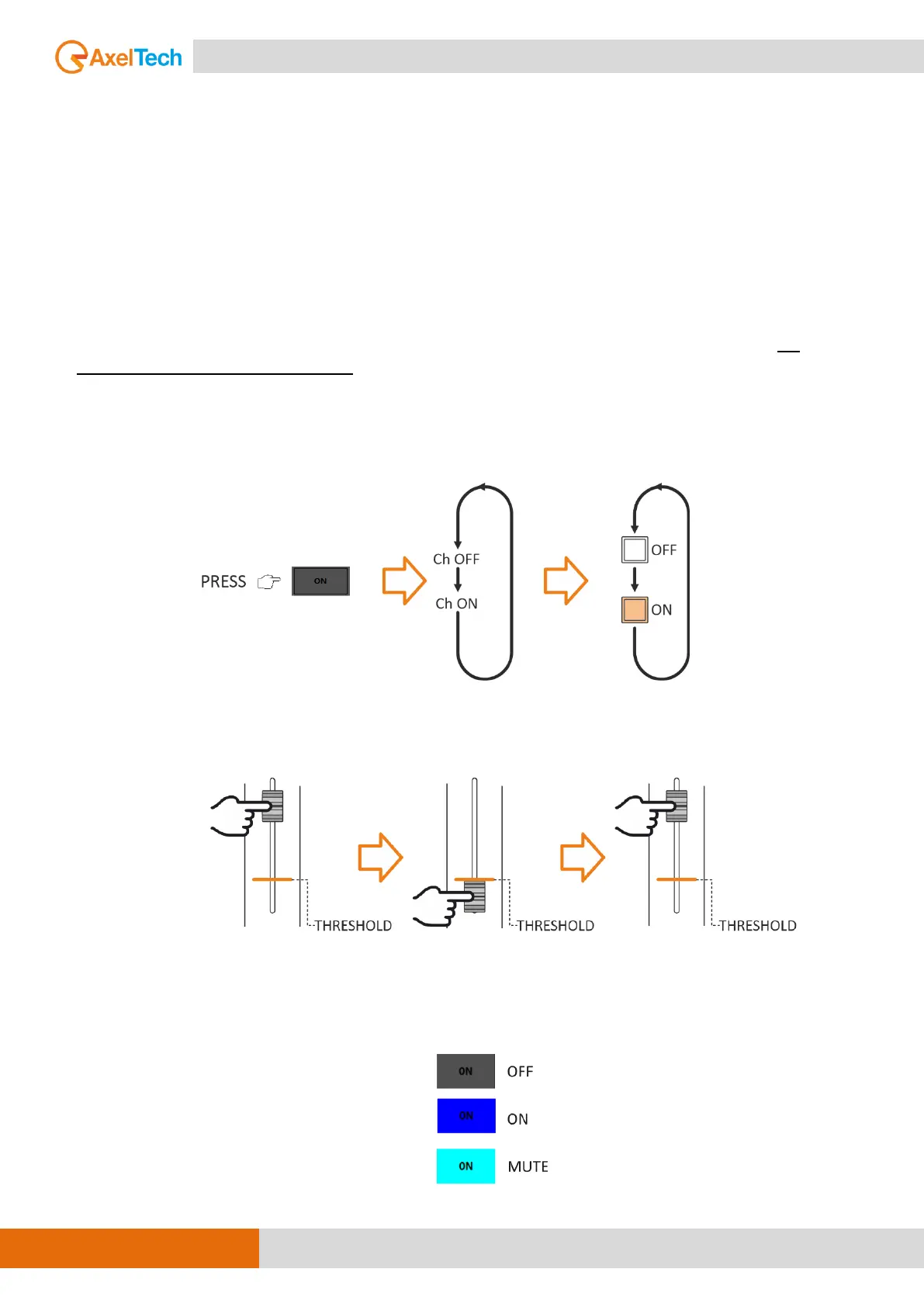
ON button enables or disables the channel (ON/OFF:
1) LED OFF - OFF status
2) LED ON - ON status – the channel is OPEN.
3) LED MUTE in (MUTE color) – standby/MUTE status.
Differently, from the EQ and the GAIN, the ON/OFF status is not associated with the source, it’s
associated with the physical channel. It’s unable to changing the sources between (ChA/ChB) if the
channel status is ON.
The ON/OFF channel status could be changed by:
- pressing the ON button as shown below.
- The passage of the fader through a previously set threshold value in:
SETUP / AUDIO / SETTINGS / Fader threshold
In the case of ON BY FADER active, it is possible to combine the FADER action with
the OXYGEN REMOTER - ON button.



 To Next Page