OXYGEN 1000 & OXYGEN 2000 · User Manual · ENG
HDMI OUTPUT – DISPLAYING MODE |EXTERNAL BLUETOOTH DEVICE
9. HDMI OUTPUT – DISPLAYING MODE
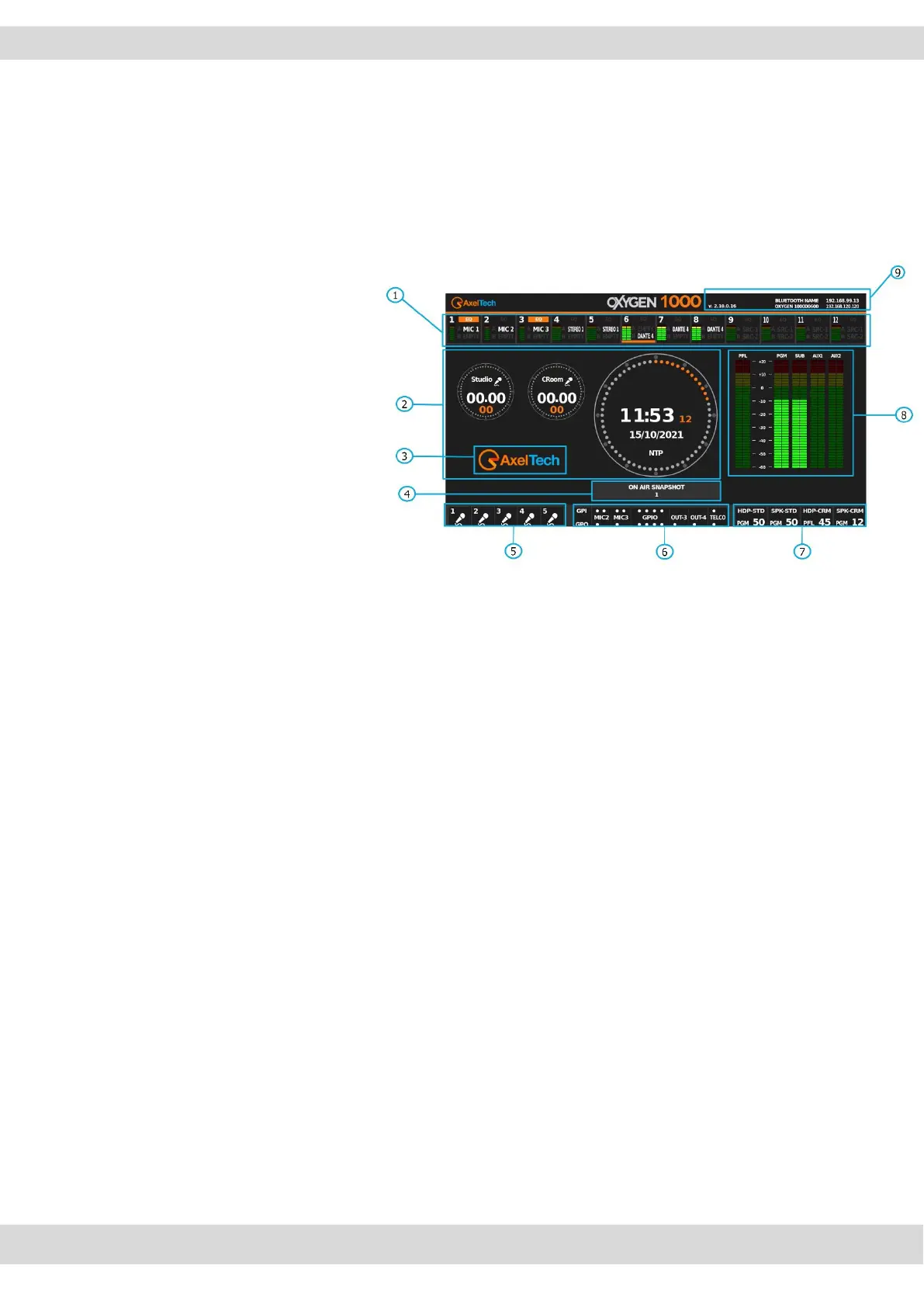
By connecting an HDMI screen to the console's HDMI port, it is possible to have a general view of the
current general status of the mixer in real time in a compact and beautifully designed display.
The following picture is the HDMI OUTPUT:
1. Channel numbers.
ON/OFF channel STATUS.
Source names associated with channels.
Audio Led Meters of the channels.
The added virtual channels too will be
visible.
2. STUDIO mics and CONTROL ROOM mics
timers.
NTP synchronized Date/Time.
3. Customizable - Station Logo
4. general Snapshot currently loaded
5. ONAIR MIC status
6. GPIO status
7. Speakers and Headphones status.
8. PFL / PGM / SUB / AUX1 / AUX2 output ledmeters
9. Firmware release and console IP Address.
4. NTP synchronized clock & Mic timer.
5. ONAIR mic status.
6. GPIO 1&2 status.
7. Speakers and Headphones status.
8. Firmware release and IP address.
However, it is possible to choose between the available display layouts from the menu:
SETUP / GENERAL / LIGHT&DISPLAY / DISPLAY
It is possible to choose a provided TEST PAGE to help you in the first HDMI screen connection.



 To Next Page