TELEPHONE LINES USAGE AND CONNECTIONS|INTEGRATED HYBRID LINE
OXYGEN 1000 & OXYGEN 2000 · User Manual · ENG
5. TELEPHONE LINES USAGE AND CONNECTIONS
The console could manage 3 PHONE CALLS mode:
INTEGRATED HYBRID LINE
EXTERNAL TELCO DEVICE
EXTERNAL BLUETOOTH DEVICE
5.1 INTEGRATED HYBRID LINE
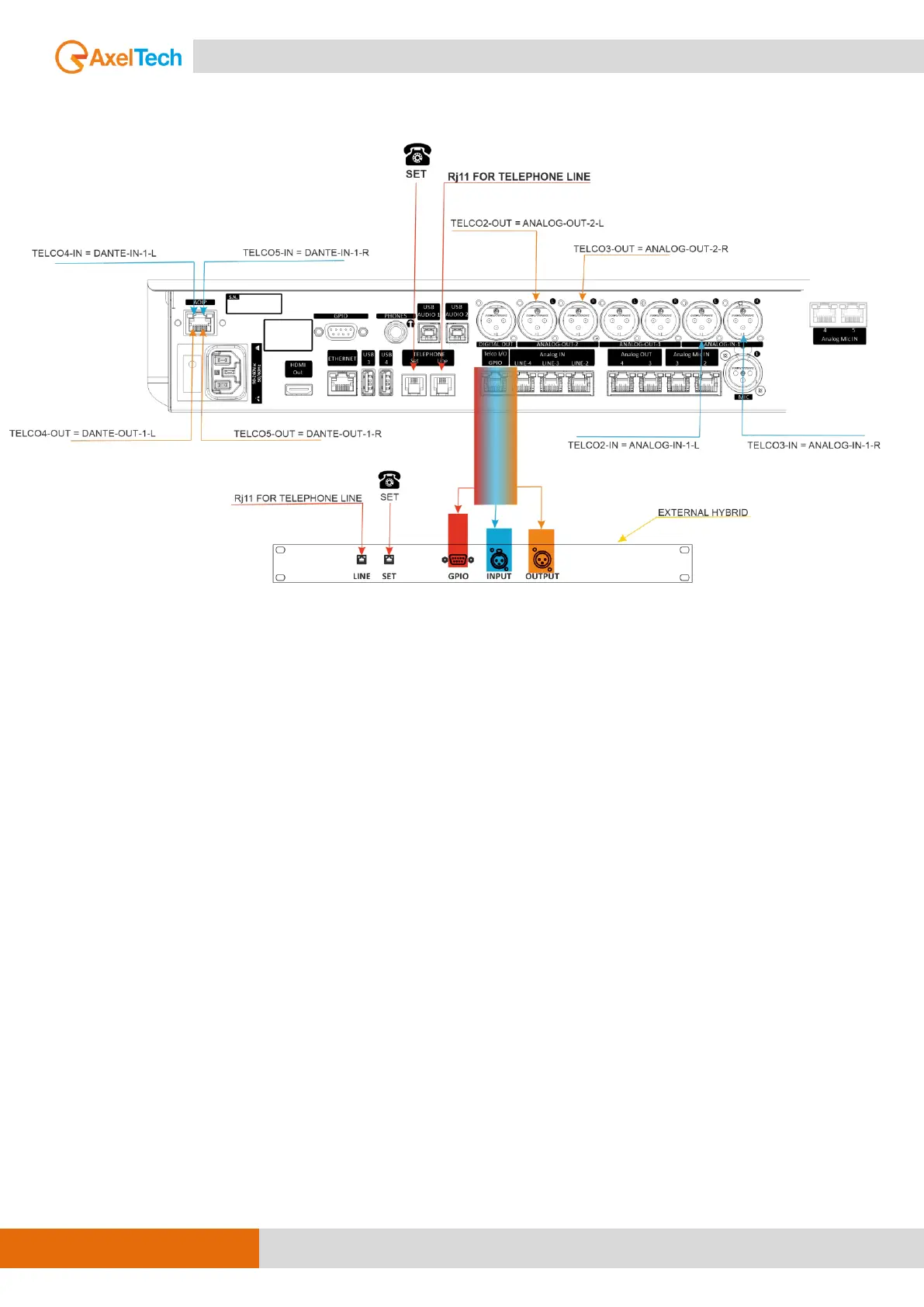
You can directly connect a POTS/PSTN phone line to the OXYGEN back panel through the RJ11
connector called TELEPHONE LINE.
Before to send the phone-call onair it is also possible to manage the phonecall through the parallel
POTS/PSTN phone device connected to the next SET port on the RJ11 connector.
The following parameter setting
SETUP / AUDIO / INPUTS / TEL/BT / TELEPHONE / GENERAL / F1 MODE = TELEPHONE
lets you assign the HOOK / DROP function to the related F1 button.
This parameter only affects the channel on which you have assigned the TELEPHONE source (so
TELCO, BLUETOOTH will not be affected).



 To Next Page