OXYGEN 1000 & OXYGEN 2000 · User Manual · ENG
DUCKING: |EXTERNAL BLUETOOTH DEVICE
7. DUCKING:
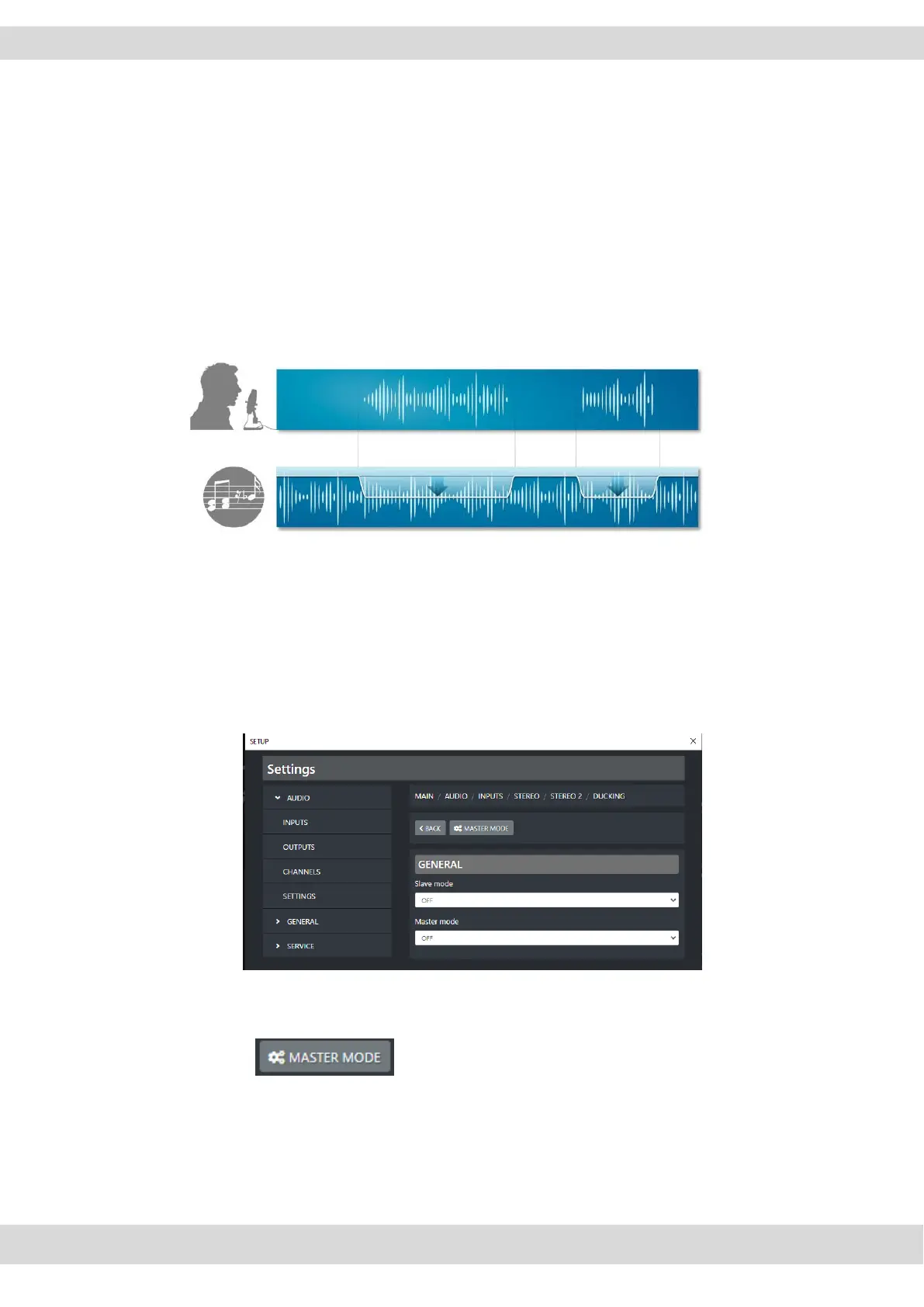
In a musical program it happens to have the music mixed with a speech. While the anchorman or
also guests are speaking you can automatically reduce the music level by this DUCKING function.
The background music level is lowered. After the anchorman or guests stop talking, the music is
automatically raised up again at the previous level.
Ducking can temporarily lower or “duck” the volume level of a specified audio signal as soon as a
second specified audio signal is detected. The ducking effect is disabled as soon as the microphone
signal is not detected anymore.
The MASTER-SLAVE logic is the one behind the ducking function. The source you want to be ducked
have to be checked as SLAVE, while the others that need to be in the foreground must be set as
MASTER. The not set sources will be automatically considered as SLAVEs.
On each sources you can set the interested parameters in the following menu:
SETUP / AUDIO / INPUTS / “source type” / “audio source” / DUCKING
On the sources desired as MASTER,
set MASTER MODE = ON and SLAVE MODE = OFF
By pressing you will be able to manage this MASTER behaviour in the
following parameters:



 To Next Page