OXYGEN 1000 & OXYGEN 2000 · User Manual · ENG
TELEPHONE LINES USAGE AND CONNECTIONS |EXTERNAL TELCO DEVICE
5.2 EXTERNAL TELCO DEVICE
A phonecall could be managed by an external TELCO DEVICE.
To use the device with the console you have only to connect one RJ45 connector to the related port
labeled as TELCO I/O GPIO.
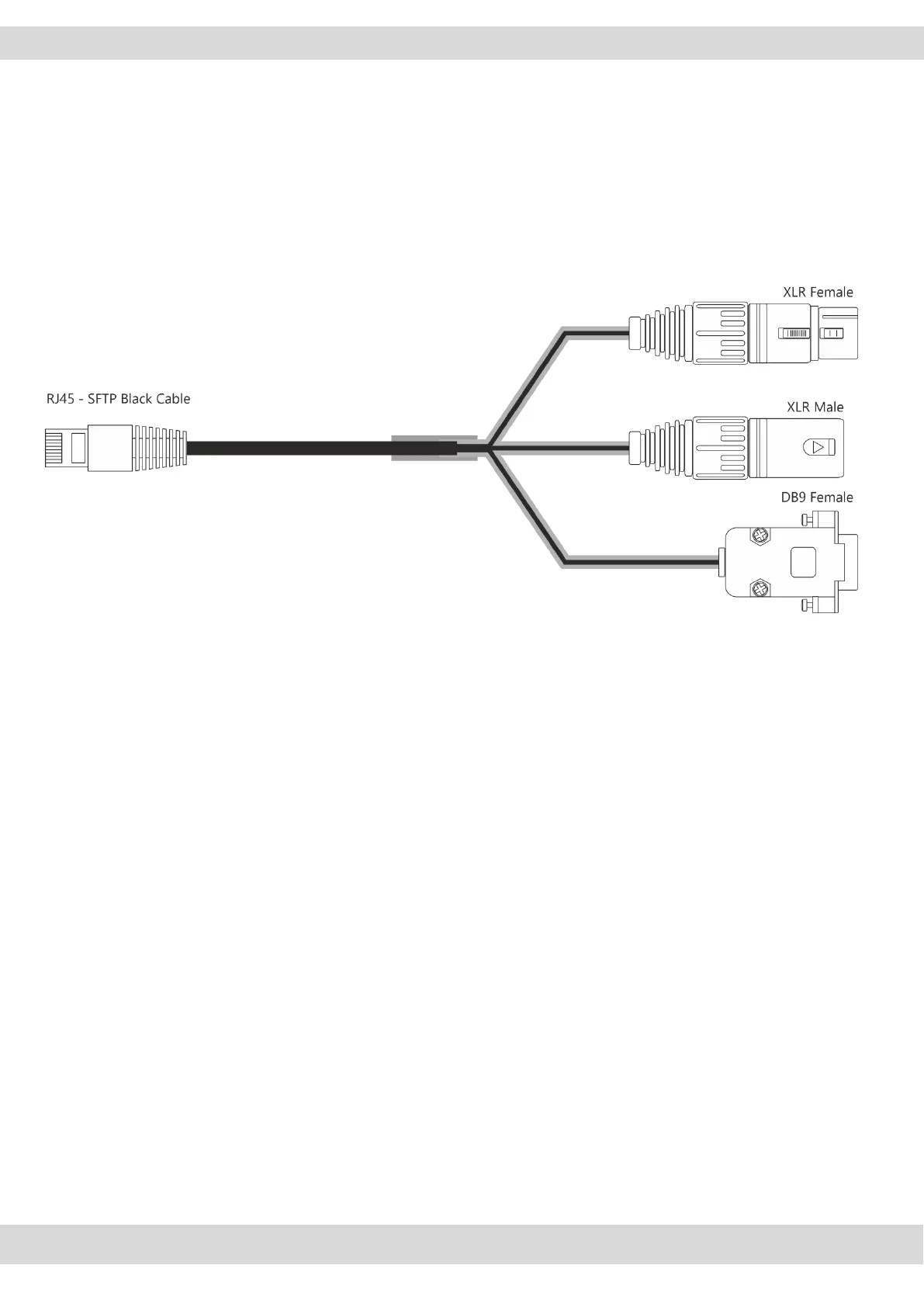
The correct cable pin-out is described in the +188-OXY1000/OXY2000-RJ45-TELCO scheme in the
PINOUT OF CONNECTIONS chapter. The cable appearance will be described in the picture below:
from this TELCO I / O GPIO port 4 different signals are carried: 2 audio-mono signals of the phone call
itself and 2 general purpose electrical signals.
mono telco INPUT signal
mono telco OUTPUT signal (designed with the cleanfield / N-1 technology avoiding the
INPUT signal return)
GPI signal incoming from the external TELCO device. GPI signal forwards to the console the
RING signal from the external device.
GPO signal outcoming towards the external TELCO device.
GPO signal forwards the HOOK command to the external device.
Set
SETUP / AUDIO / INPUTS / TEL/BT / TELCO 1 / GENERAL / F1 MODE = TELEPHONE
to assign the HOOK / DROP function to the related F1 button.
This parameter only affect the channel on which you have assigned the TELCO 1 source (not
TELEPHONE, BLUETOOTH, TELCO 2, TELCO 3, TELCO 4).



 To Next Page