HDMI OUTPUT – NAVIGATION MODE|NAVIGATION MODE - ACTIVATION
OXYGEN 1000 & OXYGEN 2000 · User Manual · ENG
10.1.1 BROWSING CONTROLS FOR THE HDMI - NAVIGATION MODE
After the special mode was successfully activated,
you will be able to move into all of your console menu pages and subsections by the same previously
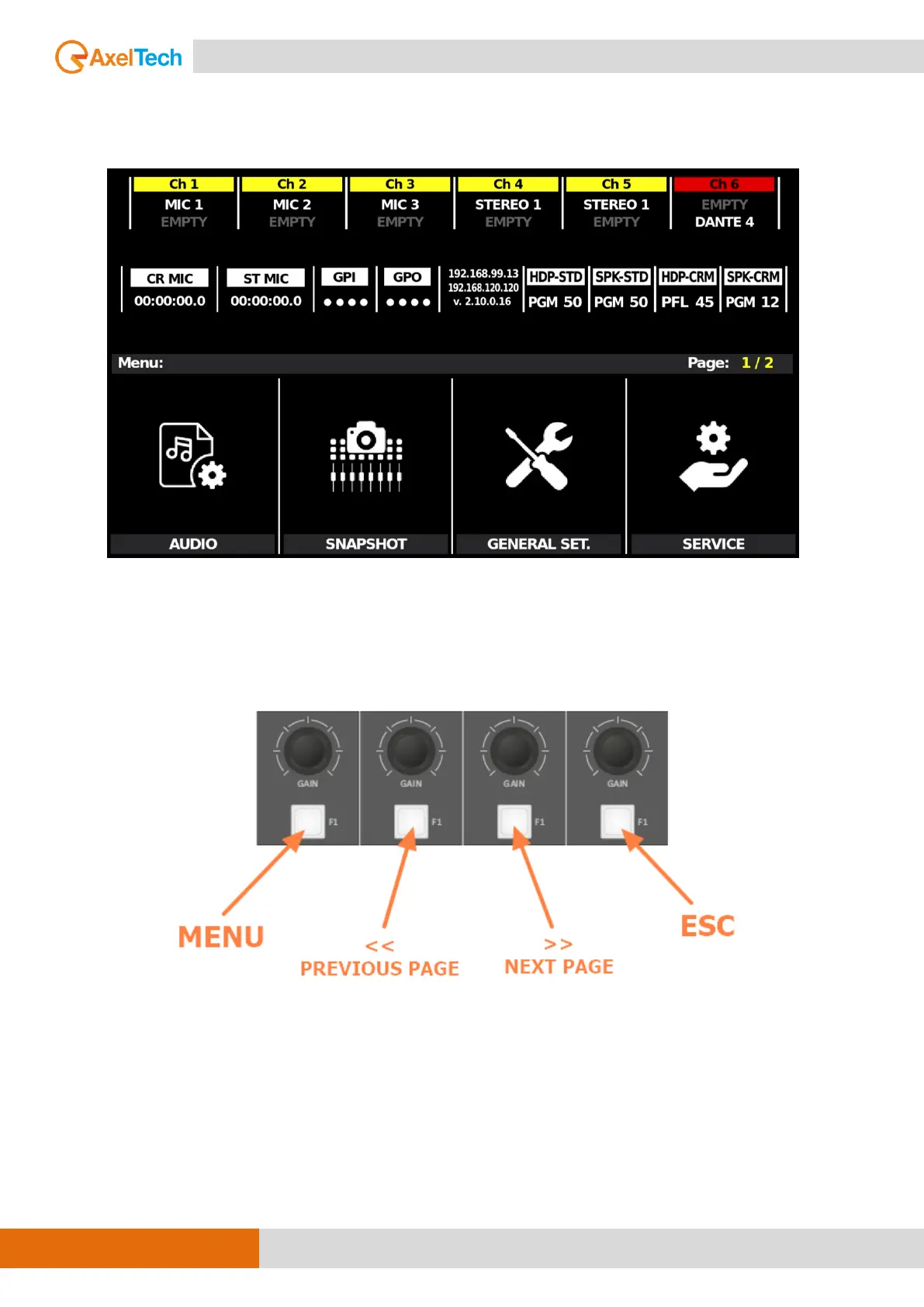
specified GAIN KNOBS and the related F1 BUTTONS as described by the following 2 pictures:
GENERAL NAVIGATION BUTTONS
Some menu needs more than a page to show you all the settable parameters and by
<< PREVIOUS PAGE
NEXT PAGE >>
It will be possible for you to skip to the desired page.



 To Next Page