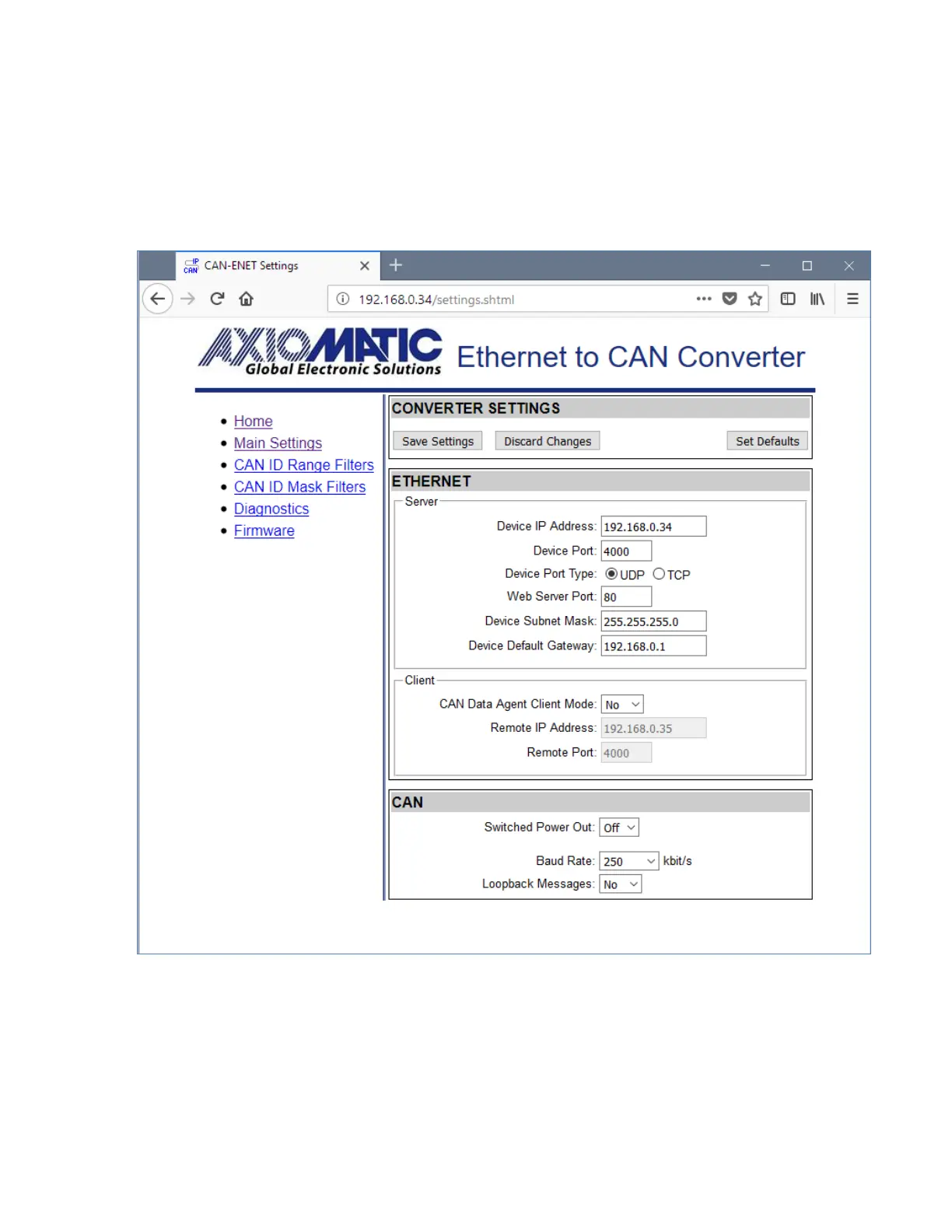
The Save Settings button will save configuration parameters to non-volatile memory and apply
the new settings. The appropriate converter subsystems will be restarted without rebooting of
the whole converter. The rebooting is available from the Diagnostics screen.
The Discharge Settings button will bring back the original converter settings before editing, and
the Set Defaults button will load the default values of the configuration parameters into the
data fields on the page.
Figure 8. Converter Main Settings Page
The configuration parameters have tooltips for the user convenience. The Remote IP Address
and Remote Port are disabled when Auto Connect to Remote is set to No.
The page runs a script to check the validity of the new configuration parameters before
uploading them to the web server. For example, the following alert message will be displayed if
the user enters the same value for the Device Port and the Web Server Port:


 To Next Page