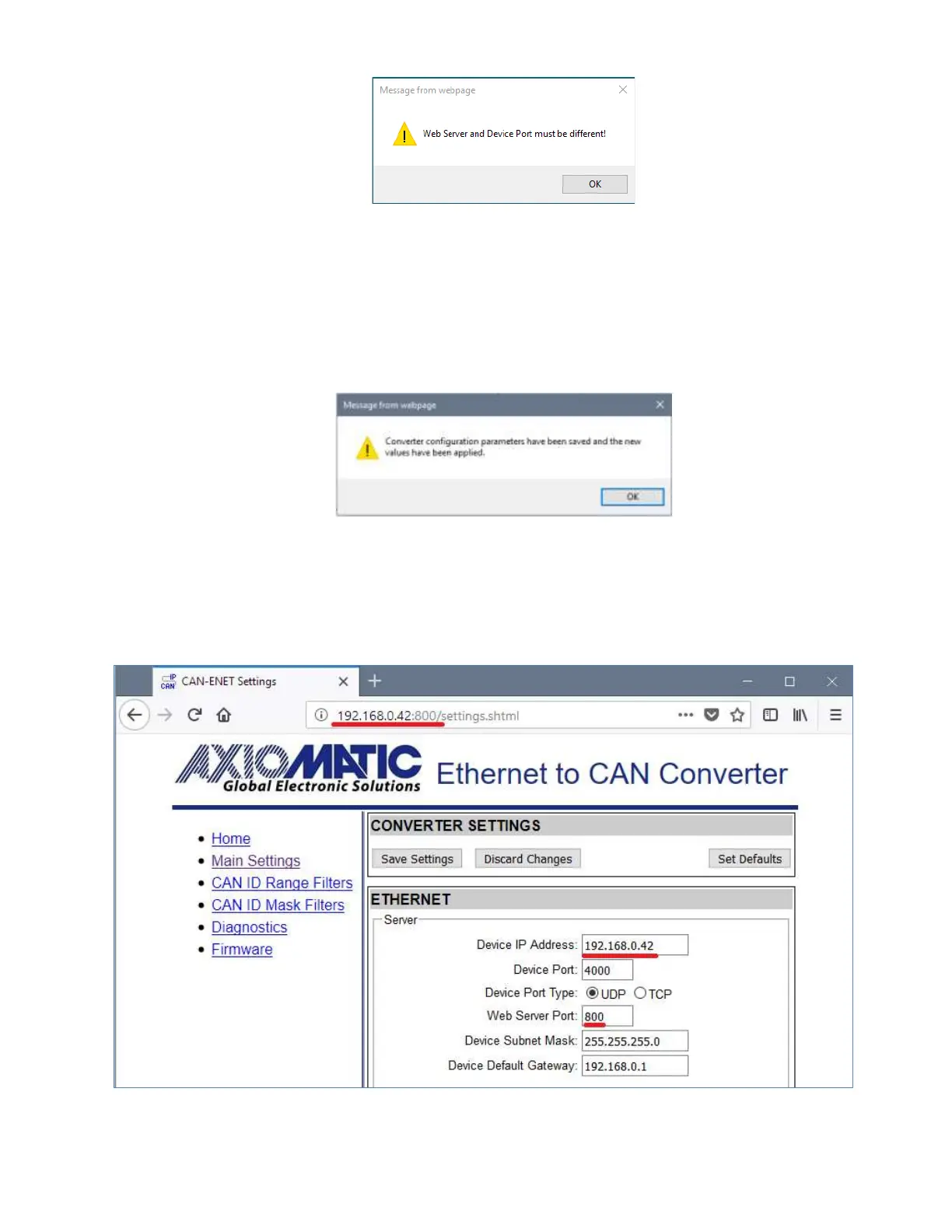
Figure 9. Settings Alert. Error in Configuration Parameters
The website messages should be enabled (not suppressed) in the browser to see this and
other feedback messages.
After pressing the Save Settings button and saving the configuration parameters, the converter
replies with a confirmation message showing a result of the saving operation. For example, if
the user has successfully changed the Device Port value, the following message will appear:
Figure 10. Settings Alert. Configuration Parameters have been Changed Successfully
The new configuration parameters are applied immediately after saving. The converter
performs all necessary internal reconfigurations and resets on the fly. If the user changed the
Device IP Address or the Web Server Port, the website will be automatically re-loaded at the
new location.
Figure 11. Website Automatic Relocation


 To Next Page