Page 4 AXIS 212 PTZ/-V Installation Guide
Description
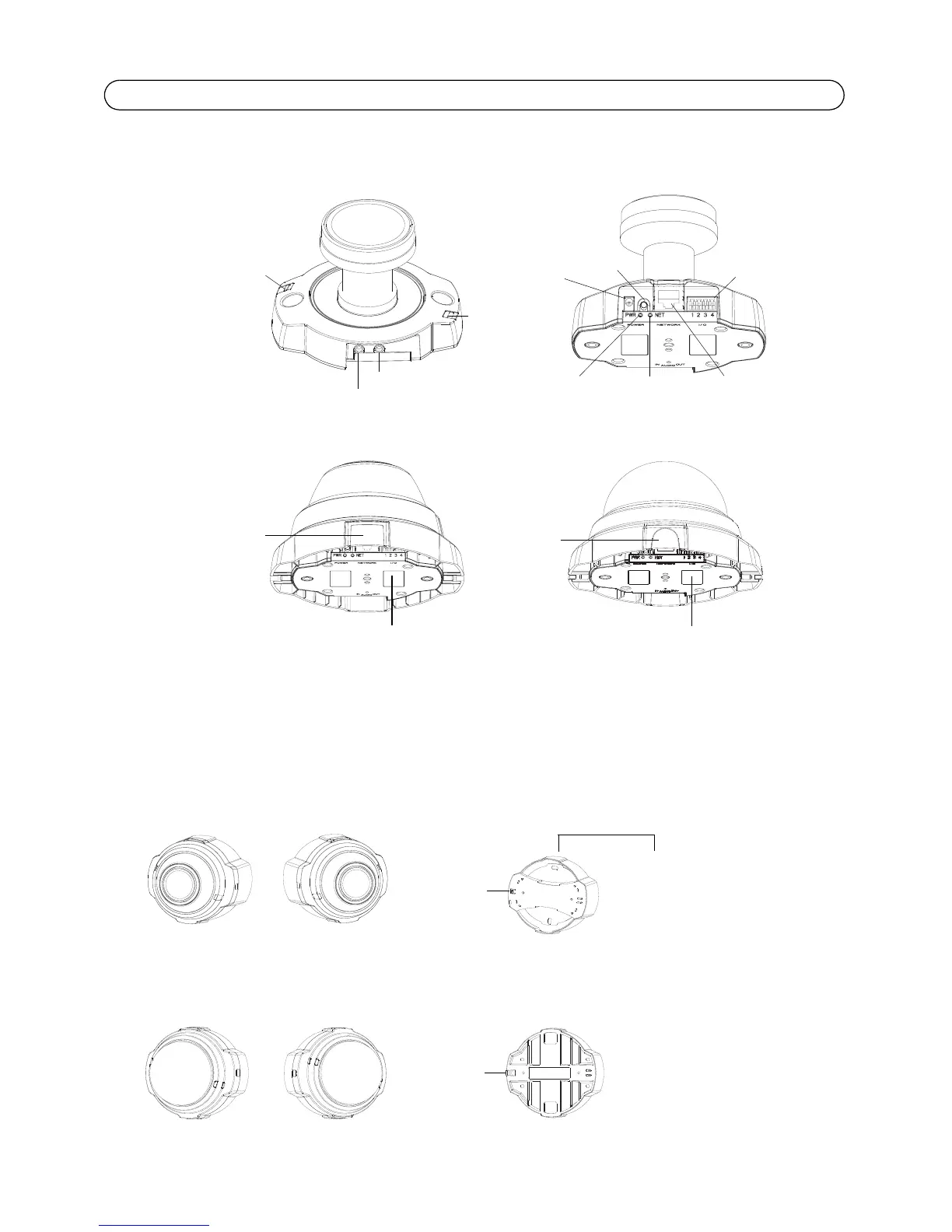
The AXIS 212 PTZ/-V is designed to be mounted on a wall or at an angle using the angled wall
mount. Positioned at an angle, the camera can monitor a specific area such as, along a wall or
corridor
Network
connector
Camera unit
Power
indicator
Network
indicator
Audio out
Audio in
(LED)
(LED)
Cover
plate
Power
connector
I/O terminal
connector
Control
button
Microphone
Status indicator
(
LED
)
Serial Number (S/N) - This is required during installation. Please retain for future reference.
AXIS 212 PTZ
AXIS 212 PTZ-V
Dome casing
Cover
plate
Tab
If necessary, cut
the plastic to route
the cables to the camera
Angled wall mount
AXIS 212 PTZ on angled wall mount
AXIS 212 PTZ-V on angled wall mount
Angled wall mount
Tabs



 To Next Page