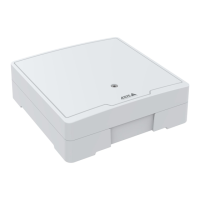
AXISA1001NetworkDoorController&AXISEntryManager
AccessManagement
IdenticationTypes
Identicationtypesareportablecredentialstoragedevices,piecesofmemorizedinformation,orvariouscombinationsofthetwothat
determinehowuserswillbegrantedaccesstothedoor.Commonidenticationtypesincludetokenssuchascardsorkeyfobs,
personalidenticationnumbers(PINs),andrequesttoexit(REX)devices.
Formoreinformationaboutcredentials,seeCredentials,onpage22.
Theavailableidenticationtypesare:
•Cardnumberonly–Theusercanaccessthedoorusingonlyacardorothertokenacceptedbythereader.Thecard
numberisauniquenumberthatisusuallyprintedonthecard.Seethecardmanufacturer’sinformationaboutwhereto
locatethecardnumber.Thecardnumbercanalsoberetrievedbythesystem.Swipethecardonaconnectedreader,
selectthereaderinthelist,andclickRetrieve.
•Cardrawonly–Theusercanaccessthedoorusingonlyacardorothertokenacceptedbythereader.Theinformationis
storedasrawdataonthecard.Thecardrawdatacanberetrievedbythesystem.Swipethecardonaconnectedreader,
selectthereaderinthelist,andclickRetrieve.Onlyusethisidenticationtypeifacardnumbercannotbelocated.
•PINonly–Theusercanaccessthedoorusingonlyafour-digitpersonalidenticationnumber(PIN).
•CardnumberandPIN–Theuserneedsboththecard,orothertokenacceptedbythereader,andaPINtoaccessthedoor.
Theusermustpresentthecredentialsinthespeciedorder(cardrst,thenPIN).
•CardrawandPIN–Theuserneedsboththecard,orothertokenacceptedbythereader,andaPINtoaccessthedoor.
Onlyusethisidenticationtypeifacardnumbercannotbelocated.Theusermustpresentthecredentialsinthespecied
order(cardrst,thenPIN).
•REX–Theusercanaccessthedoorbyactivatingarequesttoexit(REX)device,suchasabutton,sensor,orpushbar.
ScheduledUnlockStates
Toautomaticallykeepadoorunlockedforaspecicdurationoftime,youcanaddaScheduledunlockstatetoadoorandapplyan
accessscheduletoit.
Forexample,tokeepadoorunlockedduringofcehours:
1.GotoAccessManagementandselecttheDoorstab.
2.Click
nexttotheDoorslistitemyouwanttoedit.
3.ClickAddscheduledunlock.
4.SelecttheUnlockstate(unlockedorunlockbothlocksdependingonwhetherthedoorhasoneortwolocks).
5.ClickOK.
6.ApplythepredenedOfcehoursaccessscheduletotheScheduledunlockstate.
Toverifywhenthedoorisunlocked,click
.
Todeleteascheduledunlockstateoraccessschedule,click.
ManualDoorActions
DoorscanbeunlockedorlockedandtemporaryaccesscanbegrantedintheDoorstabthroughtheManualdooractions.Which
manualdooractionsareavailableforaspecicdoordependsonhowthedoorhasbeencongured.
Tousethemanualdooractions:
1.GotoAccessManagementandselecttheDoorstab.
21



 To Next Page