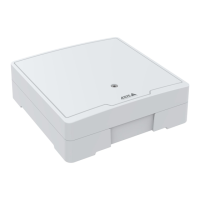
AXISA1001NetworkDoorController&AXISEntryManager
SystemOptions
SystemOptions
Security
Users
UseraccesscontrolisenabledbydefaultandcanbeconguredunderSetup>AdditionalControllerConguration>System
Options>Security>Users.Anadministratorcansetupotherusersbygivingthemusernamesandpasswords.
Theuserlistdisplaysauthorizedusersandusergroups(accesslevels):
Administrator-Unrestrictedaccesstoallsettings;canadd,modifyandremoveotherusers.
UnderHTTP/RTSPPasswordSettings,selectthetypeofpasswordtoallow.Youmayneedtoallowunencryptedpasswordsifthere
areviewingclientsthatdonotsupportencryption,orifyouupgradedthermwareandexistingclientssupportencryptionbutneed
tologinagainandbeconguredtousethisfunctionality.
DeselecttheEnableBasicSetupoptiontohidetheBasicSetupmenu.BasicSetupprovidesquickaccesstosettingsthatshouldbe
madebeforeusingtheAxisproduct.
ONVIF
ONVIF(OpenNetworkVideoInterfaceForum)isaglobalinterfacestandardthatmakesiteasierforendusers,integrators,consultants,
andmanufacturerstotakeadvantageofthepossibilitiesofferedbynetworkvideotechnology.ONVIFenablesinteroperablitybetween
differentvendorproducts,increasedexibility,reducedcostandfuture-proofsystems.
BycreatingauseryouautomaticallyenableONVIFcommunication.UsetheusernameandpasswordwithallONVIFcommunication
withtheproduct.Formoreinformationseewww.onvif.org
IPAddressFilter
IPaddresslteringisenabledontheSetup>AdditionalControllerConguration>SystemOptions>Security>IPAddress
Filterpage.Onceenabled,thelistedIPaddressareallowedordeniedaccesstotheAxisproduct.SelectAlloworDenyfromthelist
andclickApplytoenableIPaddressltering.
Theadministratorcanaddupto256IPaddressentriestothelist(asingleentrycancontainmultipleIPaddresses).
HTTPS
HTTPS(HyperTextTransferProtocoloverSecureSocketLayer,orHTTPoverSSL)isawebprotocolprovidingencryptedbrowsing.
HTTPScanalsobeusedbyusersandclientstoverifythatthecorrectdeviceisbeingaccessed.Thesecuritylevelprovidedby
HTTPSisconsideredadequateformostcommercialexchanges.
TheAxisproductcanbeconguredtorequireHTTPSwhenusersfromdifferentusergroups(administrator,operator,viewer)connect.
TouseHTTPS,anHTTPScerticatemustrstbeinstalled.GotoSetup>AdditionalControllerConguration>SystemOptions>
Security>Certicatestoinstallandmanagecerticates.SeeCerticates,onpage33.
ToenableHTTPSontheAxisproduct:
1.GotoSetup>AdditionalControllerConguration>SystemOptions>Security>HTTPS
2.SelectanHTTPScerticatefromthelistofinstalledcerticates.
3.Optionally,clickCiphersandselecttheencryptionalgorithmstouseforSSL.
4.SettheHTTPSConnectionPolicyforthedifferentusergroups.
5.ClickSavetoenablethesettings.
32



 To Next Page