AXISA1001NetworkDoorController&AXISEntryManager
AccessManagement
AccessManagement
TheAccessManagementpageallowsyoutocongureandmanagethesystem’susers,groups,doors,andschedules.Toopenthe
AccessManagementpage,clickAccessManagement.
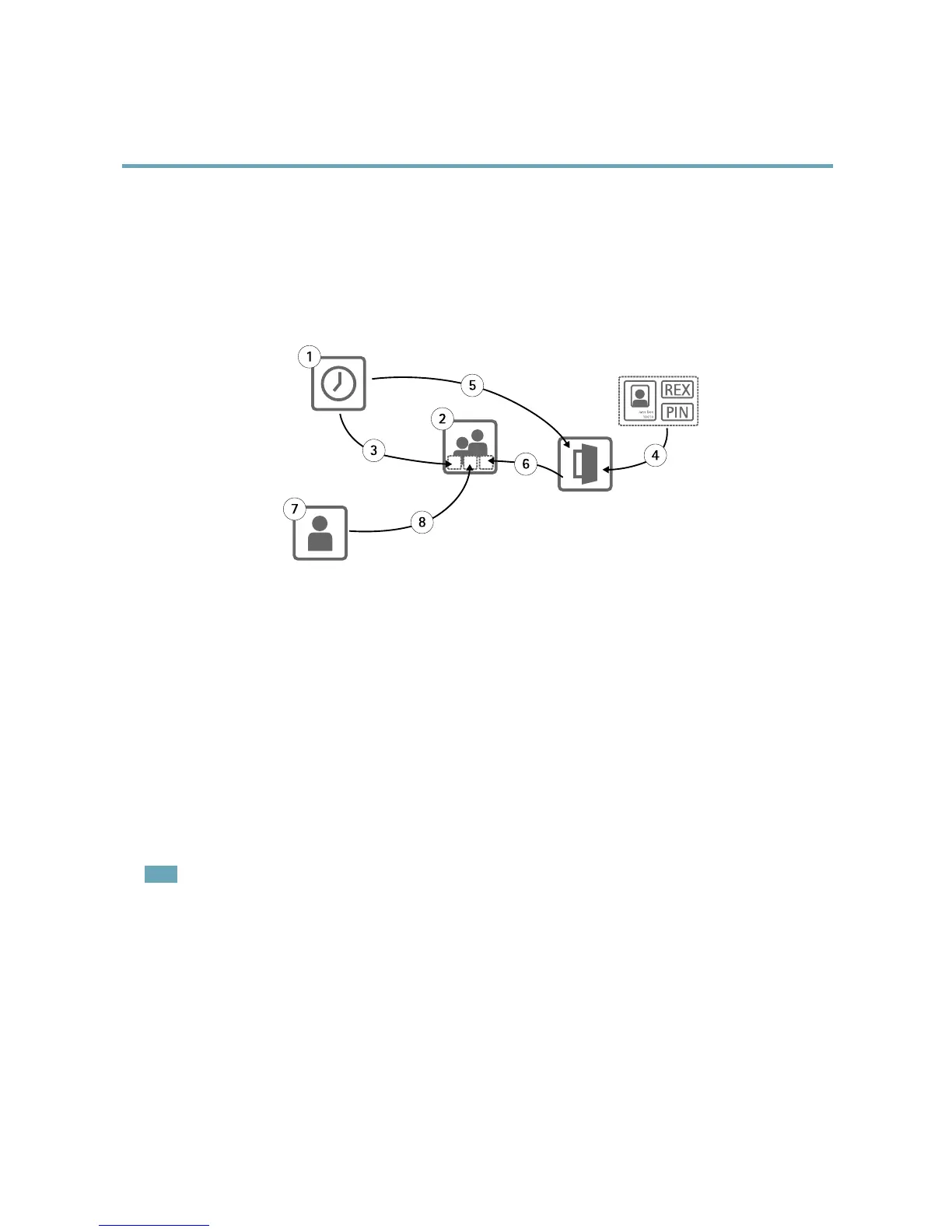
Theaccessmanagementstructureisexible,allowingyoutodevelopaworkowthatsuitsyourneeds.Thefollowingisaworkow
example:
1.Createaccessschedules.Seepage17.
2.Creategroups.Seepage19.
3.Applyaccessschedulestogroups.
4.Addidenticationtypestodoors.Seepage20andpage21.
5.Applyaccessschedulestoeachidenticationtype.
6.Applydoorstogroups.
7.Createusers.Seepage22.
8.Adduserstogroups.
Forappliedexamplesofthisworkow,seeExampleAccessScheduleCombinations,onpage24.
Toadduserstogroupsandapplyaccessschedulesanddoors,dragtheitemstotheirrespectivedestinationintheGroupsand
Doorslists.
Note
Messagesthatrequireactionareshowninredtext.
AccessSchedules
Accessschedulesareusedtodenegeneralrulesforwhendoorscanandcannotbeaccessed.Theyarealsousedtodenerulesfor
whengroupscanandcannotaccessthedoorsinthesystem.Formoreinformation,seeAccessScheduleTypes,onpage18.
Tocreateanewaccessschedule:
1.IntheAccessSchedulestab,clickAddnewschedule.
2.IntheAddaccessscheduledialog,entertheschedulename.
17



 To Next Page