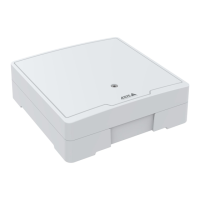
AXISA1001NetworkDoorController&AXISEntryManager
AlarmandEventConguration
Recipients
Recipientsreceivenoticationmessages.Thefollowingrecipientsareavailable:
•HTTP
•HTTPS
•Email
•TCP
Toaddarecipient:
1.GotoSetup>AdditionalControllerConguration>Events>RecipientsandclickAdd.
2.Enteradescriptivename.
3.SelectarecipientType.
4.Entertheinformationneededfortherecipienttype.
5.ClickTesttotesttheconnectiontotherecipient.
6.ClickOK.
Schedules
Schedulescanbeusedasactionruletriggersorasadditionalconditions.Useoneofthepredenedschedulesorcreateanew
scheduleasdescribedbelow.
Tocreateanewschedule:
1.GotoSetup>AdditionalControllerConguration>Events>SchedulesandclickAdd.
2.Enteradescriptivenameandtheinformationneededforadaily,weekly,monthlyoryearlyschedule.
3.ClickOK.
Tousethescheduleinanactionrule,selecttheschedulefromtheScheduledrop-downlistintheActionRuleSetuppage.
Recurrences
Recurrencesareusedtotriggeractionrulesrepeatedly,forexampleevery5minutesoreveryhour.
Tosetuparecurrence:
1.GotoSetup>AdditonalControllerConguration>Events>RecurrencesandclickAdd.
2.Enteradescriptivenameandrecurrencepattern.
3.ClickOK.
Tousetherecurrenceinanactionrule,rstselectTimefromtheTriggerdrop-downlistintheActionRuleSetuppageandthen
selecttherecurrencefromtheseconddrop-downlist.
Tomodifyorremoverecurrences,selecttherecurrenceintheRecurrencesListandclickModifyorRemove.
ReaderFeedback
ReadersuseLEDsandbeeperstosendfeedbackmessagestotheuser(thepersonaccessingortryingtoaccessthedoor).Thedoor
controllercantriggeranumberoffeedbackmessages,someofwhicharepreconguredinthedoorcontrollerandsupportedby
mostreaders.
30



 To Next Page