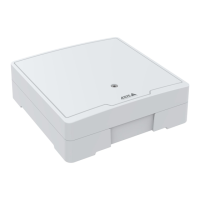
AXISA1001NetworkDoorController&AXISEntryManager
AlarmandEventConguration
•OutputPort–ActivateanI/Oporttocontrolanexternaldevice.
•SendNotications–Sendanoticationmessagetoarecipient.
•StatusLED–ThestatusLEDcanbesettoashforthedurationoftheactionruleorforasetnumberofseconds.The
statusLEDcanbeusedduringinstallationandcongurationtovisuallyvalidateifthetriggersettings,forexamplethe
dooropentoolongtrigger,workcorrectly.TosetthestatusLEDashcolor,selectanLEDColorfromthedrop-downlist.
SettingUpanActionRule
Anactionruledenestheconditionsthatmustbemetfortheproducttoperformanaction,forexamplesendanemailnotication
oractivateanoutputport.Ifmultipleconditionsaredened,allofthemmustbemettotriggertheaction.
Thefollowingexampledescribeshowtosetupanactionruletosendanemailnoticationwhenanyalarmistriggered.
1.Congurethealarms.SeeCongureEventandAlarmLogs,onpage26.
2.GotoSetup>AdditionalControllerConguration>Events>ActionRulesandclickAdd.
3.SelectEnableruleandenteradescriptivenamefortherule.
4.SelectEventLoggerfromtheTriggerdrop-downlist.
5.Optionally,selectaScheduleandAdditionalconditions.Seebelow.
6.UnderActions,selectSendNoticationfromtheTypedrop-downlist.
7.Selectanemailrecipientfromthedrop-downlist.SeeRecipients,onpage30.
Thefollowingexampledescribeshowtosetupanactionruletoactivateanoutputportwhenthedoorisforcedopen.
1.GotoSetup>AdditionalControllerConguration>SystemOptions>Ports&Devices>I/OPorts.
2.SelectOutputfromthedesiredI/OPortTypedrop-downlistandenteraName.
3.SelecttheI/Oport’sNormalstateandclickSave.
4.GotoEvents>ActionRulesandclickAdd.
5.SelectDoorfromtheTriggerdrop-downlist.
6.SelectDoorAlarmfromthedrop-downlist.
7.Selectthedesireddoorfromthedrop-downlist.
8.SelectDoorForcedOpenfromthedrop-downlist.
9.Optionally,selectaScheduleandAdditionalconditions.Seebelow.
10.UnderActions,selectOutputPortfromtheTypedrop-downlist.
11.SelectthedesiredoutputportfromthePortdrop-downlist.
12.SetstateActive.
13.SelectDurationandGotooppositestateafter.Thenenterthedesireddurationoftheaction.
14.ClickOK.
Toaddadditionalcriteria,selecttheAdditionalconditionsoptionandaddadditionaltriggers.Topreventanactionfrombeing
triggeredrepeatedly,aWaitatleasttimecanbeset.Enterthetimeinhours,minutesandseconds,duringwhichthetrigger
shouldbeignoredbeforetheactionrulecanbeactivatedagain.
Formoreinformation,seetheonlinehelp
.
29



 To Next Page