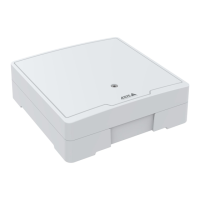
AXISA1001NetworkDoorController&AXISEntryManager
SystemOptions
TheAVHSsettingsareconguredunderSetup>AdditionalControllerConguration>SystemOptions>Network>TCPIP>
Basic.ThepossibilitytoconnecttoanAVHSserviceisenabledbydefault.Todisable,cleartheEnableAVHSbox.
One-clickenabled-Presstheproduct’scontrolbutton(seeHardwareOverview,onpage5)toconnecttoanAVHSserviceoverthe
Internet.Onceregistered,AlwayswillbeenabledandtheAxisproductstaysconnectedtotheAVHSservice.Iftheproductisnot
registeredwithin24hoursfromwhenthebuttonispressed,theproductwilldisconnectfromtheAVHSservice.
Always-TheAxisproductwillconstantlyattempttoconnecttotheAVHSserviceovertheInternet.Onceregisteredtheproductwill
stayconnectedtotheservice.Thisoptioncanbeusedwhentheproductisalreadyinstalledanditisnotconvenienttousethe
one-clickinstallation.
Note
AVHSsupportisdependentontheavailabilityofsubscriptionsfromserviceproviders.
AXISInternetDynamicDNSService
AXISInternetDynamicDNSServiceassignsahostnameforeasyaccesstotheproduct.Formoreinformation,seewww.axiscam.net
ToregistertheAxisproductwithAXISInternetDynamicDNSService,gotoSetup>AdditionalControllerConguration>System
Options>Network>TCP/IP>Basic.UnderServices,clicktheAXISInternetDynamicDNSServiceSettingsbutton(requiresaccessto
theInternet).ThedomainnamecurrentlyregisteredatAXISInternetDynamicDNSservicefortheproductcanatanytimeberemoved.
Note
AXISInternetDynamicDNSServicerequiresIPv4.
AdvancedTCP/IPSettings
DNSConguration
DNS(DomainNameService)providesthetranslationofhostnamestoIPaddresses.TheDNSsettingsareconguredunderSetup>
AdditionalControllerConguration>SystemOptions>Network>TCP/IP>Advanced.
SelectObtainDNSserveraddressviaDHCPtousetheDNSsettingsprovidedbytheDHCPserver.
Tomakemanualsettings,selectUsethefollowingDNSserveraddressandspecifythefollowing:
Domainname-Enterthedomain(s)tosearchforthehostnameusedbytheAxisproduct.Multipledomainscanbeseparatedby
semicolons.Thehostnameisalwaystherstpartofafullyqualieddomainname,forexample,myserveristhehostnameinthe
fullyqualieddomainnamemyserver.mycompany.comwheremycompany.comisthedomainname.
Primary/SecondaryDNSserver-EntertheIPaddressesoftheprimaryandsecondaryDNSservers.ThesecondaryDNSserveris
optionalandwillbeusediftheprimaryisunavailable.
NTPConguration
NTP(NetworkTimeProtocol)isusedtosynchronizetheclocktimesofdevicesinanetwork.TheNTPsettingsareconguredunder
Setup>AdditionalControllerConguration>SystemOptions>Network>TCP/IP>Advanced.
SelectObtainNTPserveraddressviaDHCPtousetheNTPsettingsprovidedbytheDHCPserver.
Tomakemanualsettings,selectUsethefollowingNTPserveraddressandenterthehostnameorIPaddressoftheNTPserver.
HostNameConguration
TheAxisproductcanbeaccessedusingahostnameinsteadofanIPaddress.Thehostnameisusuallythesameastheassigned
DNSname.ThehostnameisconguredunderSetup>AdditionalControllerConguration>SystemOptions>Network>
TCP/IP>Advanced.
SelectObtainhostnameviaIPv4DHCPtousehostnameprovidedbytheDHCPserverrunningonIPv4.
36



 To Next Page