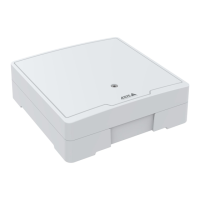
AXISA1001NetworkDoorController&AXISEntryManager
SystemOptions
Note
•AnalternativeHTTPportcanbeusedorbeactiveevenifNATtraversalisdisabled.ThisisusefulifyourNATrouterdoesnot
supportUPnPandyouneedtomanuallycongureportforwardingintheNATrouter.
•Ifyouattempttomanuallyenteraportthatisalreadyinuse,anotheravailableportisautomaticallyselected.
•Whentheportisselectedautomaticallyitisdisplayedinthiseld.Tochangethis,enteranewportnumberandclickSave.
FTP
TheFTPserverrunningintheAxisproductenablesuploadofnewrmware,userapplications,etc.TheFTPservercanbedisabled
underSetup>AdditionalControllerConguration>SystemOptions>Network>TCP/IP>Advanced.
RTSP
TheRTSPserverrunningintheAxisproductallowsaconnectingclienttostartaneventstream.TheRTSPportnumbercanbechanged
underSetup>AdditionalControllerConguration>SystemOptions>Network>TCP/IP>Advanced.Thedefaultportis554.
Note
EventstreamswillnotbeavailableiftheRTSPserverisdisabled.
SOCKS
SOCKSisanetworkingproxyprotocol.TheAxisproductcanbeconguredtouseaSOCKSservertoreachnetworksontheother
sideofarewallorproxyserver.ThisfunctionalityisusefuliftheAxisproductislocatedonalocalnetworkbehindarewall,and
notications,uploads,alarms,etcneedtobesenttoadestinationoutsidethelocalnetwork(forexampletheInternet).
SOCKSisconguredunderSetup>AdditionalControllerConguration>SystemOptions>Network>SOCKS.Formore
information,seetheonlinehelp
.
QoS(QualityofService)
QoS(QualityofService)guaranteesacertainlevelofaspeciedresourcetoselectedtrafconanetwork.AQoS-awarenetwork
prioritizesnetworktrafcandprovidesagreaternetworkreliabilitybycontrollingtheamountofbandwidthanapplicationmayuse.
TheQoSsettingsareconguredunderSetup>AdditionalControllerConguration>SystemOptions>Network>QoS.Using
DSCP(DifferentiatedServicesCodepoint)values,theAxisproductcanmarkevent/alarmtrafcandmanagementtrafc.
SNMP
TheSimpleNetworkManagementProtocol(SNMP)allowsremotemanagementofnetworkdevices.AnSNMPcommunityisthe
groupofdevicesandmanagementstationrunningSNMP.Communitynamesareusedtoidentifygroups.
TheAxisproductcanbeconguredtosupportSNMPontheSetup>AdditionalControllerConguration>SystemOptions
>Network>SNMPpage.
Dependingonthelevelofsecurityrequired,selecttheversiononSNMPtouse.
SNMPv1/v2providesthelowestlevelofsecurity.Thecommunitynamecanbespeciedasapasswordforreadorread/write
accesstoallsupportedSNMPdevices.ThedefaultpasswordfortheReadcommunityispublicandthedefaultpasswordforthe
Writecommunityiswrite.
Note
IfHTTPSisenabled,SNMPv1andSNMPv2cshouldbedisabled.
TrapsforSNMPv1/v2areusedbytheAxisproducttosendmessagestoamanagementsystemonimportanteventsandstatus
changes.CheckEnabletrapsandentertheIPaddresswherethetrapmessageshouldbesentandtheTrapcommunitythat
shouldreceivethemessage.
Thefollowingtrapsareavailable:
38



 To Next Page