33
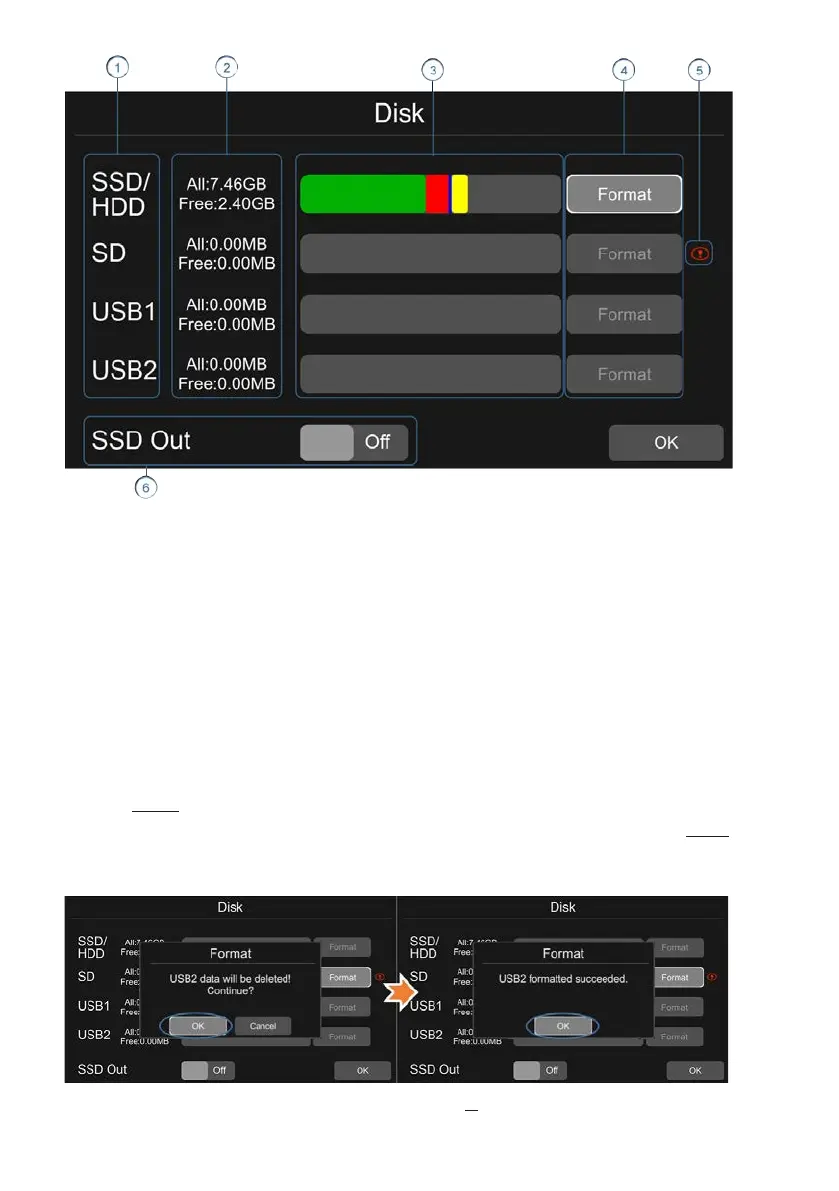
① Disk type
② ALL:The total capacity of disk,free:The remaining capacity of disk
If ALL shows 0.00MB, it means that DVR does not have access to this type of disk
③ Green area shows the capacity of all the recording files in the Normal list
Red area shows the capacity of all the recording files in the Event list
Blue area shows the capacity of all the pictures in the Capture list
Yellow area shows the capacity of all the other files except those above
④ Touch to format the disk.
A dialog box displaying “Disk data will be deleted! Continue?”will pop up. Press
OK to start formatting the disk
The following picture is an example of formatting USB2
If the disk cannot be formatted, please check if:
a. There is a disk in the slot



 To Next Page