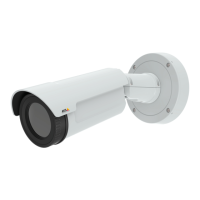
AXISQ1941-EThermalNetworkCamera
VideoandAudio
VideoandAudio
Thevideoandaudiosettingscanbeusedtooptimizevideoandaudioquality.Youcancongurethefollowing:
•Videostreamsettings.Seepage17.
•Streamproles.Seepage19.
•Camerasettings.Seepage19.
•Overlayimage.Seepage20.
•Privacymask.Seepage22.
•Audiosettings.Seepage22.
•Audioclips.Seepage24.
SetUpVideoStreams
Tosetuptheproduct’svideostreams,gotoVideo&Audio>VideoStream.
Thevideostreamsettingsaredividedintothefollowingtabs:
•Image.Seepage17.
•Audio.Seepage22.
•H.264.Seepage18.
•MJPEG.Seepage19.
PixelCounter
Thepixelcountershowsthenumberofpixelsinanareaoftheimage.Thepixelcounterisusefulinsituationswherethereisa
specicsizerequirement,forexampleforobjectidentication.
Thepixelcountercanbeused:
•Whensettingupavideostream,seeSetUpVideoStreamsonpage17.UnderPreview,clickOpenandselecttheShow
pixelcounteroptiontoenabletherectangleintheimage.Usethemousetomoveandresizetherectangle,orenterthe
numberofpixelsintheWidthandHeighteldsandclickApply.
•WhenaccessingtheLiveViewpageinInternetExplorerwithAXISMediaControl(AMC)inWindows.Right-clickinthe
imageandselectPixelcounter.Usethemousetomoveandresizetherectangle.
Image
ThedefaultimagesettingscanbeconguredunderVideo&Audio>VideoStream.SelecttheImagetab.
Thefollowingsettingsareavailable:
•Resolution.Selectthedefaultresolution.
•Compression.Thecompressionlevelaffectstheimagequality,bandwidthandlesizeofsavedimages;thelowerthe
compression,thehighertheimagequalitywithhigherbandwidthrequirementsandlargerlesizes.
•Mirrorimage.Ifrequired,theimagecanbemirrored.
•Rotateimage.Ifrequired,theimagecanberotated.
17



 To Next Page