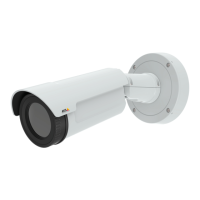
AXISQ1941-EThermalNetworkCamera
VideoandAudio
TheimageBrightnesscanbeadjustedintherange0–100,whereahighervalueproducesabrighterimage.
IncreasingtheSharpnesscanincreasebandwidthusage.Asharperimagemightincreaseimagenoiseespeciallyinlowdynamic
conditions.Alowersettingreducesimagenoise,butthewholeimagewillappearlesssharp.
TheContrastchangestherelativedifferenceinthermalradiation.Itcanbeadjustedusingtheslidebar.
ImageCorrection
TochangethesesettingsgotoSetup>Video&Audio>CameraSettings.
ElectronicImageStabilization(EIS)
Whenmonitoringanenvironmentthatissubjecttovibrationssuchasatrainstation,orwhenthecameraismountedonapole,
imagesmayappearunsteady.Toautomaticallyimproveimagestability,selectElectronicimagestabilization(EIS)fromVideo&
Audio>CameraSettings.
ExposureSettings
Conguretheexposuresettingstosuittheimagequalityrequirementsinrelationtotemperaturevariationsinthescene.
Automaticgaincontrol-Thissettingisusedtoautomaticallyadjustthegaintoanappropriaterange,theweakertheimagesignal,
thestrongerthegain.SelecttheLinearorEqualizationautomaticgaincontrolmethod.Thelatterusesahistogramequalization
method,whichadjuststhegaindynamicallybydistributingthemostfrequentintensityvalues.
Exposurezones-Thissettingsdetermineswhichpartoftheimageisusedtocalculatetheexposure.Formostsituations,theAuto
settingcanbeused.Forparticularrequirement,selectDenedandthenclickEditandselectoneofthepredenedareas.
Gain-Thissettingcontrolsthemaximumgain.Loweringthegainreducesthecontrastinthethermalimage.
Overlay
Overlaysareusedtoprovideextrainformation,suchasforensicvideoanalysisorduringproductinstallationandconguration.
Overlaysaresuperimposedoverthevideostream.
Anoverlaytextcandisplaythecurrentdateandtime,oratextstring.
Whenusingatextstring,modierscanbeusedtodisplayinformationsuchasthecurrentbitrateorthecurrentframerate.
Forinformationaboutavailablemodiers,seeFileNaming&Date/TimeFormatsintheonlinehelp
.
Itisalsopossibletodisplaytextwhenanactionruleistriggered,seeUseOverlayTextinanActionRule.
Note
Toenableoverlays:
1.GotoVideo&Audio>VideoStreamandselecttheImagetab.
2.Toincludeanoverlayimage,selectIncludeoverlayimageatthecoordinates.Theoverlayimagemustrstbeuploadedto
theAxisproduct,seeOverlayImage.
3.Toincludedateandtime,selectIncludedateandIncludetime.
4.Toincludeatextstring,selectIncludetextandenterthetextintheeld.Modierscanbeused,seeFileNaming&
Date/TimeFormatsintheonlinehelp
.
5.Denetextoverlaycharacteristicsintherelevantelds.
6.ClickSave.
20



 To Next Page