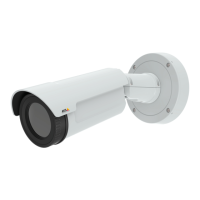
AXISQ1941-EThermalNetworkCamera
Detectors
Detectors
ShockDetection
EnableShockDetectionfromtheDetectorsmenu.Shockdetectionisused,forexample,togenerateanalarmiftheproductishit
byanobjectoriftheproductistamperedwith.
UsetheShocksensitivityslidertoadjustthesensitivitylevelatwhichtheproductshouldsendanalarm.Lowsensitivityvalue
impliesthattheproductwillgenerateanalarmonlyifthehitispowerful.Ahighsensitivityvalueimpliesthattheproductwill
generateanalarmevenwithmildtampering.
AudioDetection
TheAxisproductcanbeconguredtogenerateanalarmwhenaudiorisesaboveorfallsbelowthethresholdvalue.Thethreshold
valuecanbesetintherange0–100where0isthemostsensitiveand100theleastsensitive.
1.GotoDetectors>AudioDetection.
2.SettheaudioalarmlevelandclickSave.
3.GotoEvents>ActionRulesandsetupanactionrule,seeSetUpActionRulesonpage35.
Note
AnAxismulticableisrequiredwhenconnectingexternalaudioequipmenttotheAxisproduct.SeeAxismulticable(sold
separately)onpage56.
DetectedaudioisindicatedbycoloredpeaksintheActivityindicator.Aneventistriggeredwhendetectedaudiorisesaboveorfalls
belowthethresholdvalue,whichisrepresentedbythebar.
27



 To Next Page