AXISQ6055PTZDomeNetworkCamera
Detectors
•ObjectCounter,seepage39
Important
•Toactivateadetector,thesavedpresetmustbeselectedinthedrop-downlist.Thedetectorwillonlybeenabledatthe
preset,seeAboutpresetpositionsonpage29.NotethattheAreaofinterestandObjectsizearenotvisibleinPreset
Positions,onlyundertheDetectorsmenu.Ifthepan/tilt/zoompositionischanged,thedetectorisdisabled.
•Thedetectorwillnotregisteranobjectifthespeedoftheobjectistoohigh,iftheobjectistooclosetothecamera,ifthe
differenceinluminancebetweentheobjectandthebackgroundisinsufcient,orifthecameraisautofocusing.
ObjectRemoved
ObjectRemovedisusedtotriggeranalarmifadetectedobjectwithinapre-denedareaofinteresthasdisappeared.Dothe
followingtosetthedetector:
Note
UsetheDrawingOpacityslidebartodenehowtransparenttheareaofinterestorobjectsizeshapeshouldbe.Note
thatthischangewillnotbesaved.
1.ChooseAreaofinterestfromthedrop-downlist.Setthevirtualareatodetectifanobjecthasdisappearedfromthis
areaofinterest.
Important
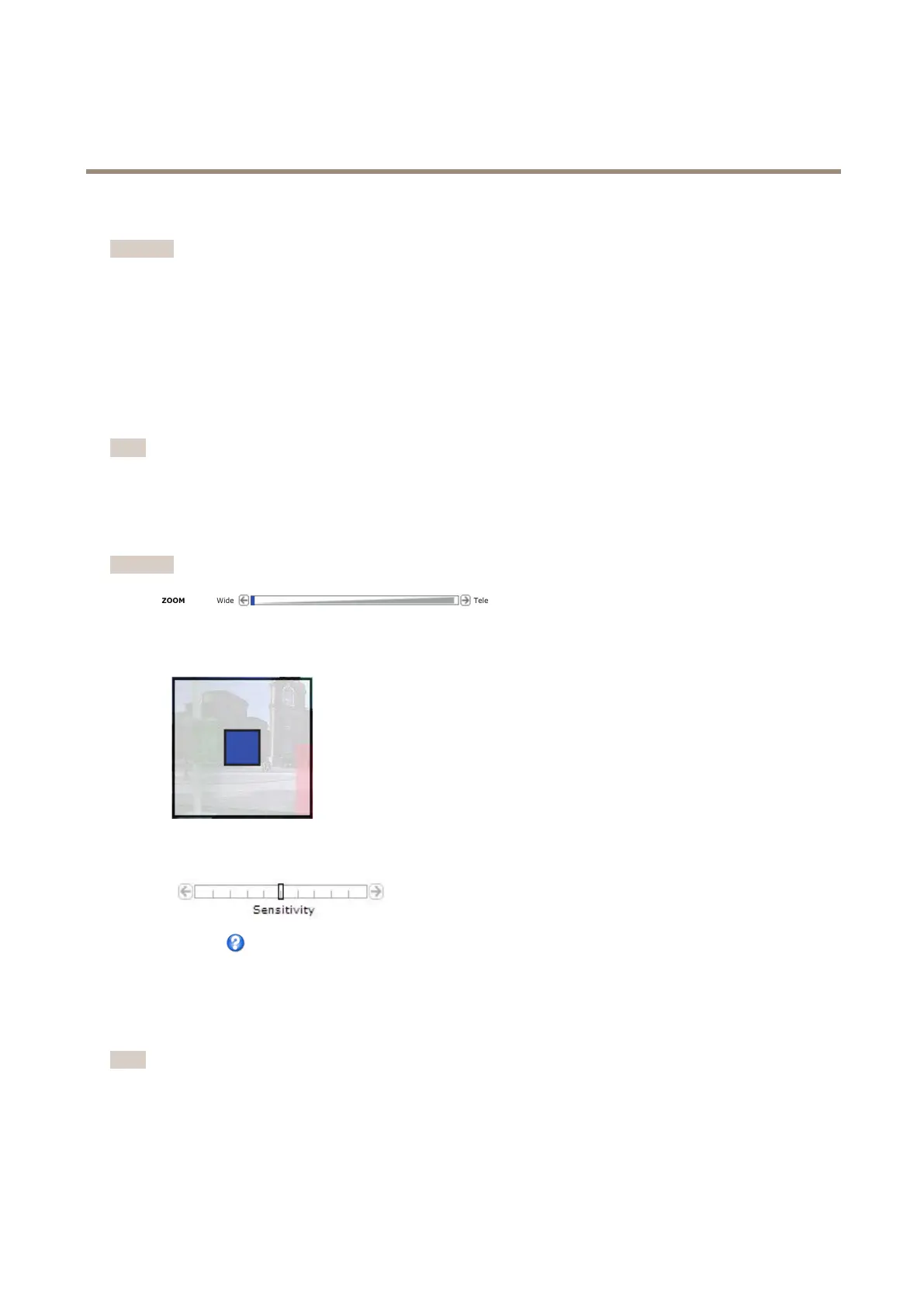
WhenconguringObjectsizetheviewshallbezoomedouttoWideposition.
2.ChooseObjectsizefromthedrop-downlist.Setthesizelimitsoftheobjectthatshouldbedetected.Thecamerawill
detectanyobjectwhosesizefallsinbetweentheminimum(blueshape)andmaximum(whiteshape)range.
3.UsetheSensitivityslidebartodenehowsensitivethedetectionshouldbe.ThelowersensitivityselectedontheSensitivity
bar,thegreaterdifferenceinluminanceisneededbetweentheobjectandthebackgroundforthedetectortobeactivated.
Seetheonlinehelpformoreinformation.
Enter/ExitDetector
Enter/ExitDetectorisusedtotriggeranalarmifanobjectwithinapre-denedareaofinteresthasenteredorleftthearea.
Dothefollowingtosetthedetector:
Note
UsetheDrawingOpacityslidebartodenehowtransparenttheareaofinterestorobjectsizeshapeshouldbe.Note
thatthischangewillnotbesaved.
1.ChooseAreaofinterestinthedrop-downlist.Setthevirtualareatodetectmovingifanyobjectsareenteringor
exitingtheareaofinterest.
37



 To Next Page