3-
Chapter 3 Wi-Set Wizard
3.1 Launch Wi-Set Wizard
In this section, you will obtain detail instruction in setting wireless configuration by following
Wi-Set Wizard. Please refer to Chapter 1.4 to understand the network types the AzureWave
802.11 b/g USB WLAN Module supports.
In the first time installation, Wi-Set Wizard is executed immediately after installation to help you
set the proper wireless configuration.
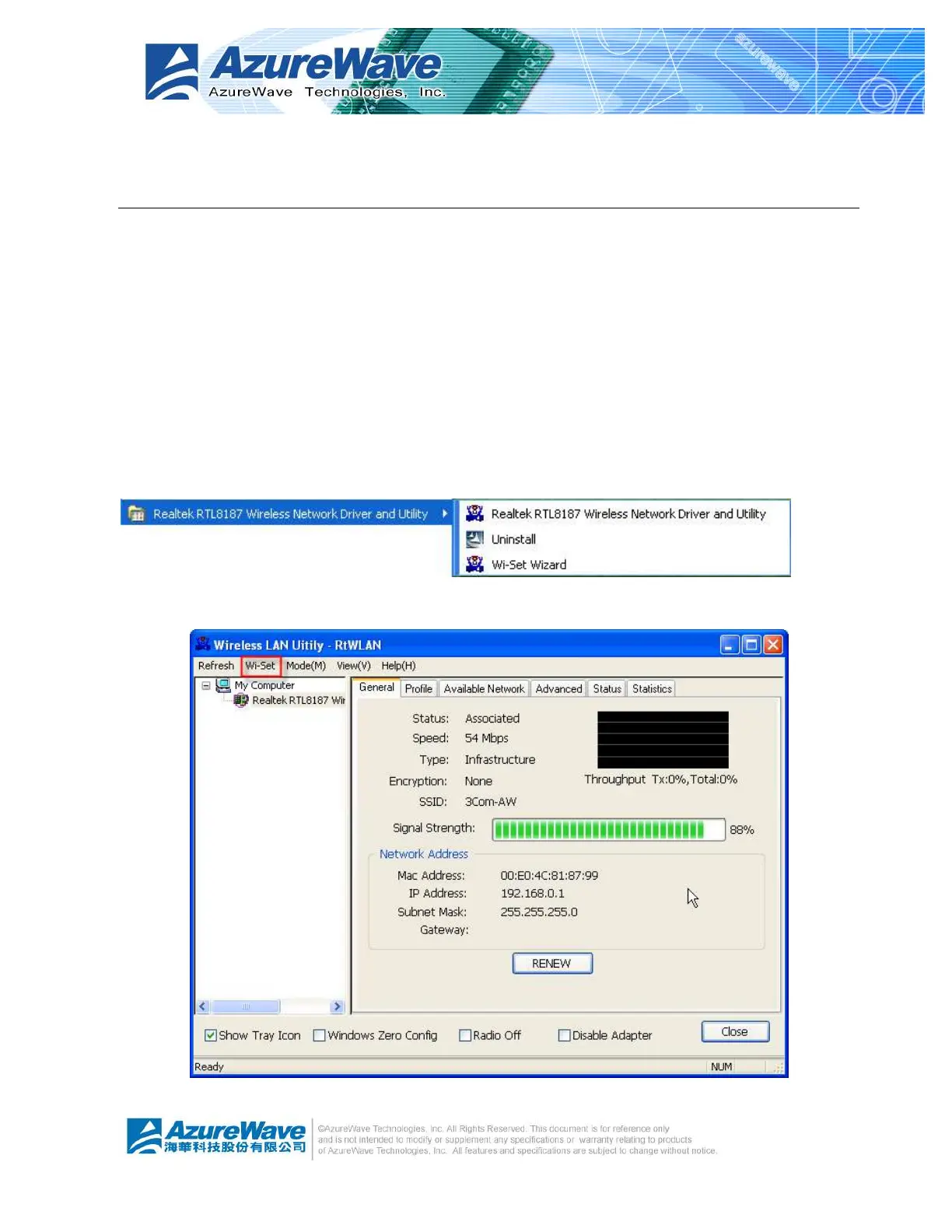
In addition, you could launch it from either program menu
or Wireless LAN Management GUI.
In the following sections, we represent the steps, the convenient and easy wireless set up, in


 To Next Page
 Loading...