Test Procedure
© b2 electronic GmbHDHV0086 Rev0652
Step Procedure (Run a manual test)
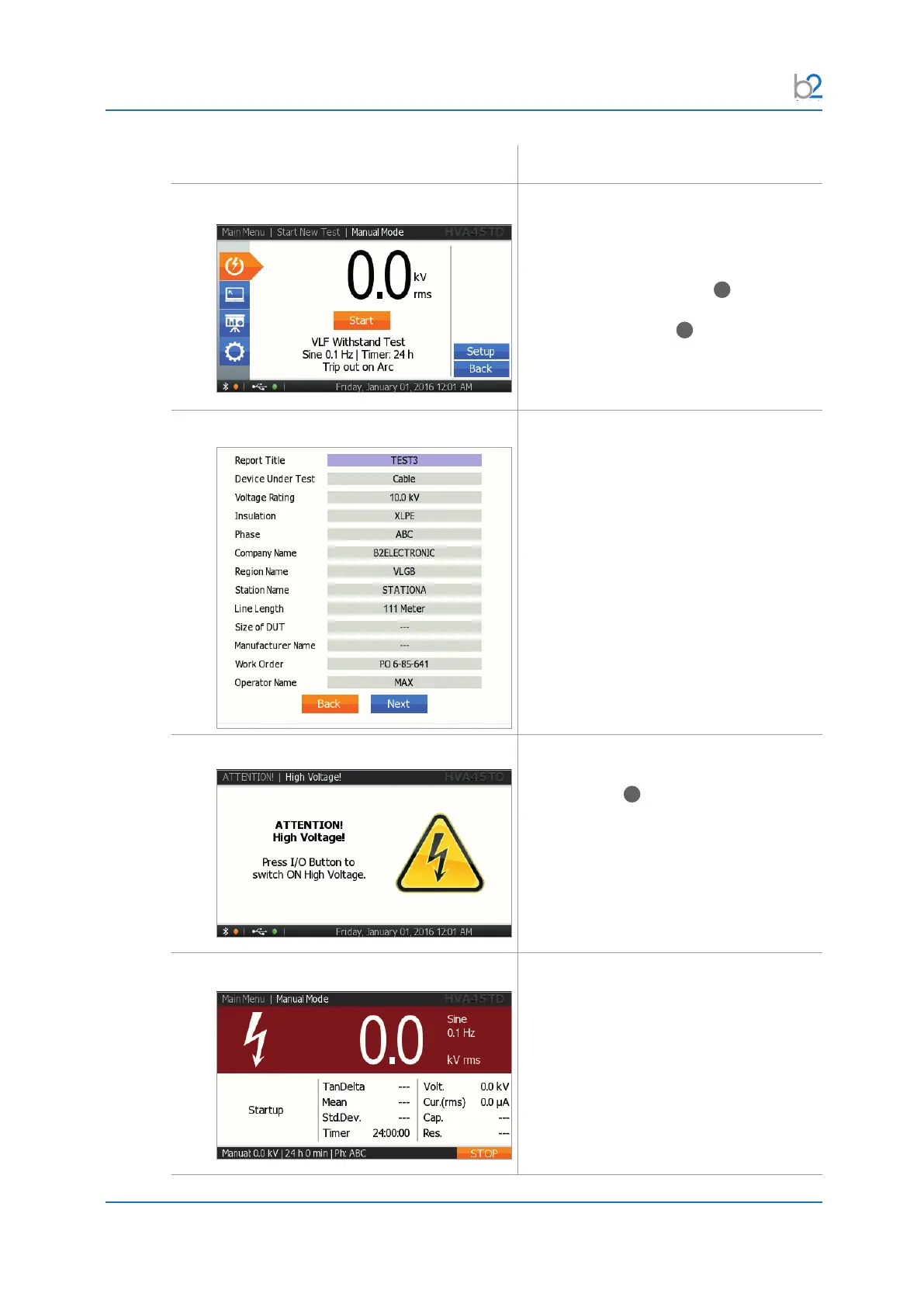
MR4: START Test
Start the test when the test parameters
displayed on the “Manual Test” screen are
correct.
Rotate the navigation knob
41
until the
“START”eldishighlighted.Torunthe
test, push in the knob
41
.
MR5: Report Settings
Select “Start Test”.
MR6: HV Activation
Once the activation screen appears, press
the HV switch
40
within 10 seconds.
If the HV switch is not activated within 10
seconds, the “Manual Mode” screen will
reappear.
MR7: Test Startup
“Startup” appears on the screen to
indicate that the HVA is initializing the test.



 To Next Page