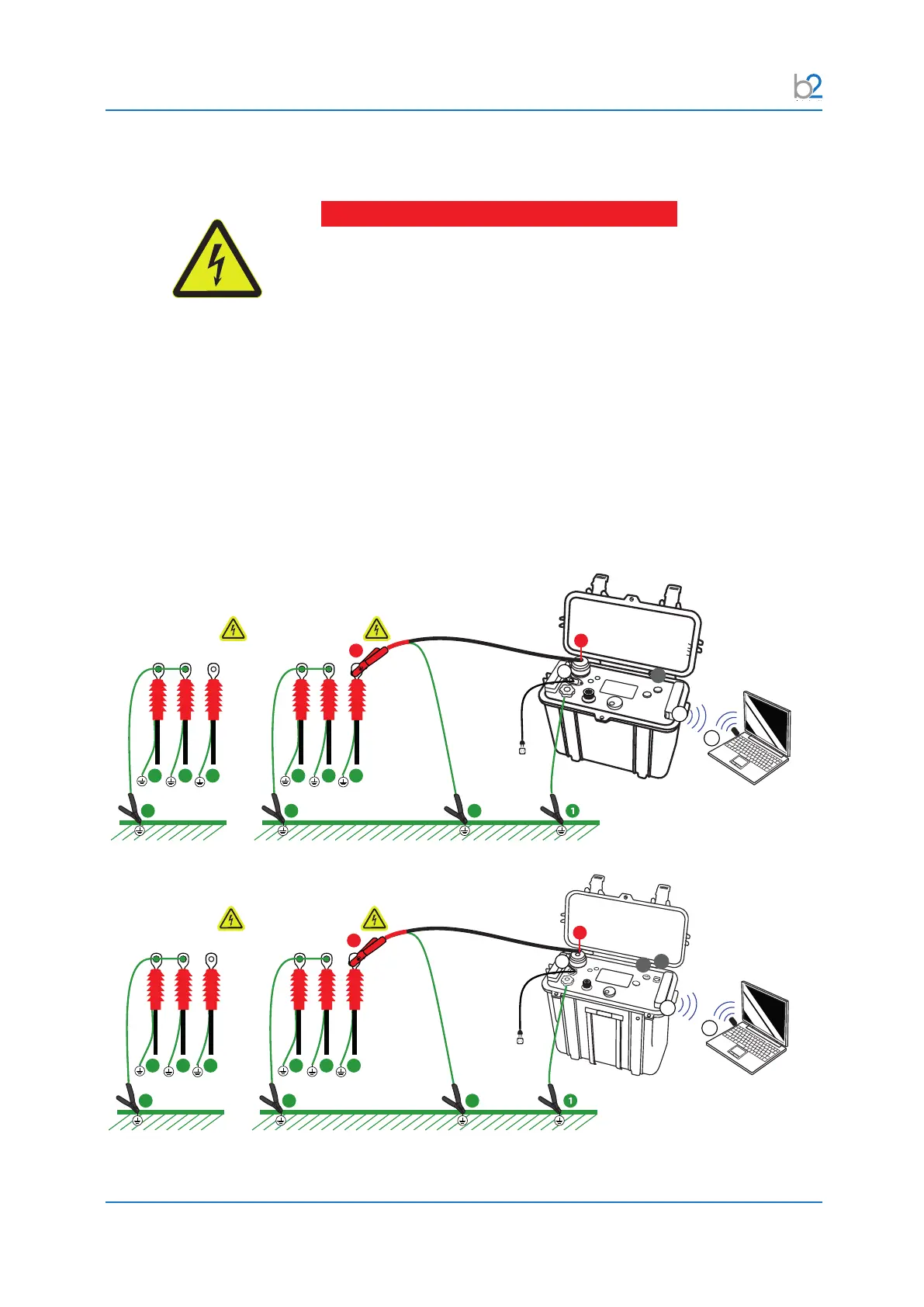
Disconnection Procedure
© b2 electronic GmbHDHV0086 Rev0696
8 Disconnection Procedure
DANGER
Electric Shock Hazard
Never assume that equipment is safe to handle without using the
necessary safety equipment and earthing procedures.
Disconnection procedures must comply with local safety
regulations�
• Before disconnecting test lead, DUT must be discharged and earthed.
• Earth connections must be removed last!
8�1 Disconnection Diagram - Normal Conditions
b2 High Voltage is a business division of b2 electronic GmbH - Riedstrase 1 - A-6833 Klaus - T +43 (0)5523 57373 - F +43 (0)5523/57373-5 - info@b2hv.at - www.b2hv.com
Subject to alternations - errors excepted. Illustrations are not binding. Text, images and applications presented on this page are protected under copyright law. - DHV5000 - Rev01
HVA28
PC (optional)
DUT
Far End
DUT
Near End
Mains
30
23
444
10
17
3
444
31
31
43
b2 electronic GmbH - Riedstrase 1 - A-6833 Klaus - T +43 (0)5523 57373 - F +43 (0)5523/57373-5 - info@b2hv.at - www.b2hv.com
Subject to alternations - errors excepted. Illustrations are not binding. Text, images and applications presented on this page are protected under copyright law. - DHV5008 - Rev00
HVA45 / HVA34-1
PC (optional)
DUT
Far End
DUT
Near End
Mains
30
23
444
10
17
3
444
31
31
43
47
Cable Connections
1) Connect all Earth Cables
2) Connect all HV Cables
3) Connect the Power supply plug
4) Bluetooth Connection (optional)
5) Turn key switch to the „ON“ position
31
30
2
2
3
3
4
4
10
17
43
Establish secure earthing via connection and .
Instrument is not earthed by connection !



 To Next Page