Test Procedure
© b2 electronic GmbHDHV0086 Rev0662
5�3�3
StepsAS1-AS15describehowtocongureatestsequence.
Step Procedure (Congureautomaticsequence)
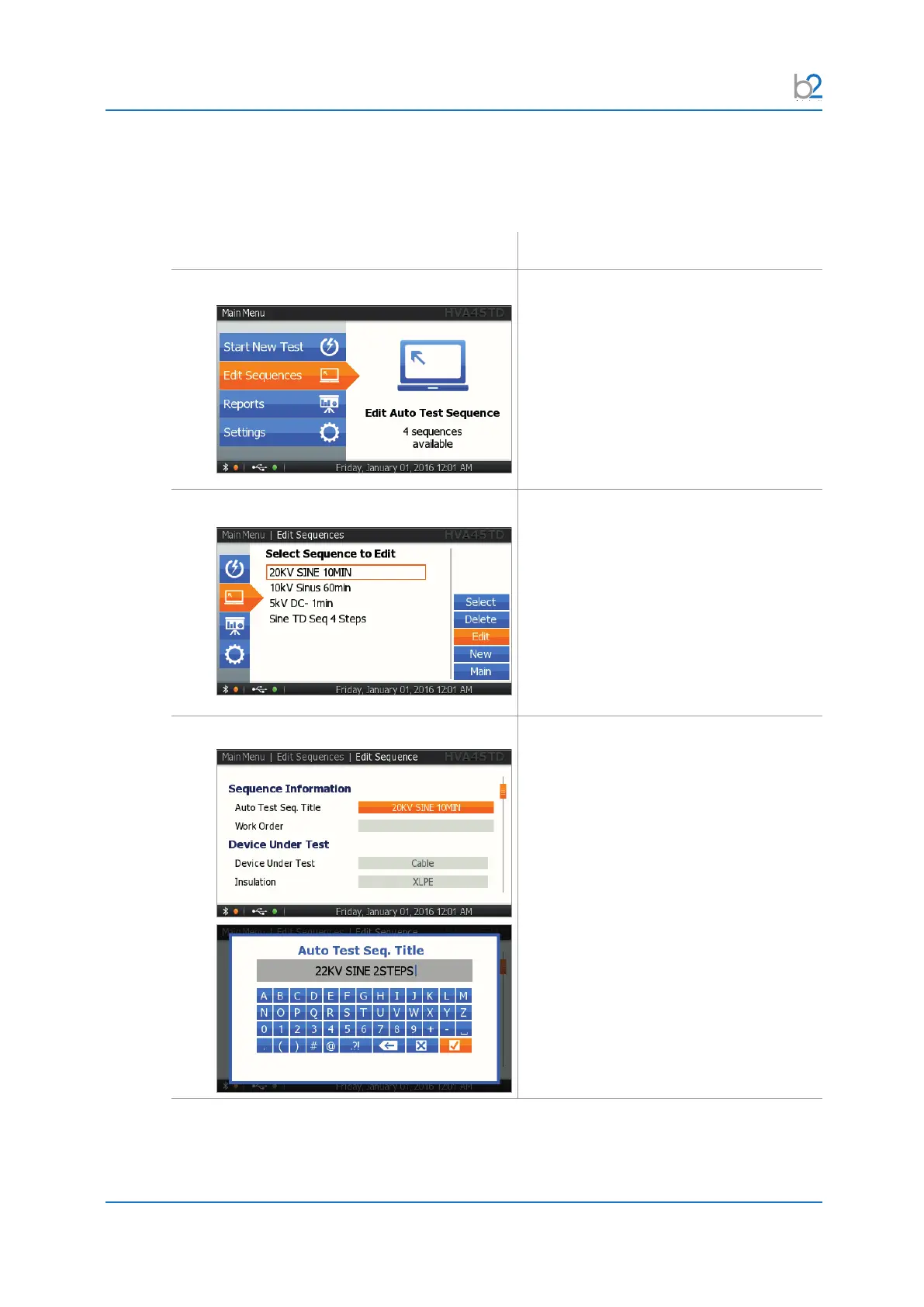
AS01: Edit Sequences
Select “Edit Sequences”.
AS02: Edit or New
The “Edit Sequences” menu displays the
sequences already stored in memory.
To modify an existing sequence, select the
corresponding sequence from the list and
select the “EDIT” option on the list.
To create a new sequence, select the
“New” option on the right-hand side of the
screen.
AS03: Title
For entering a test sequence title, activate
the keyboard and type the title.



 To Next Page