Tan Delta
© b2 electronic GmbHDHV0086 Rev0684
Step
Procedure (Manual TD test)
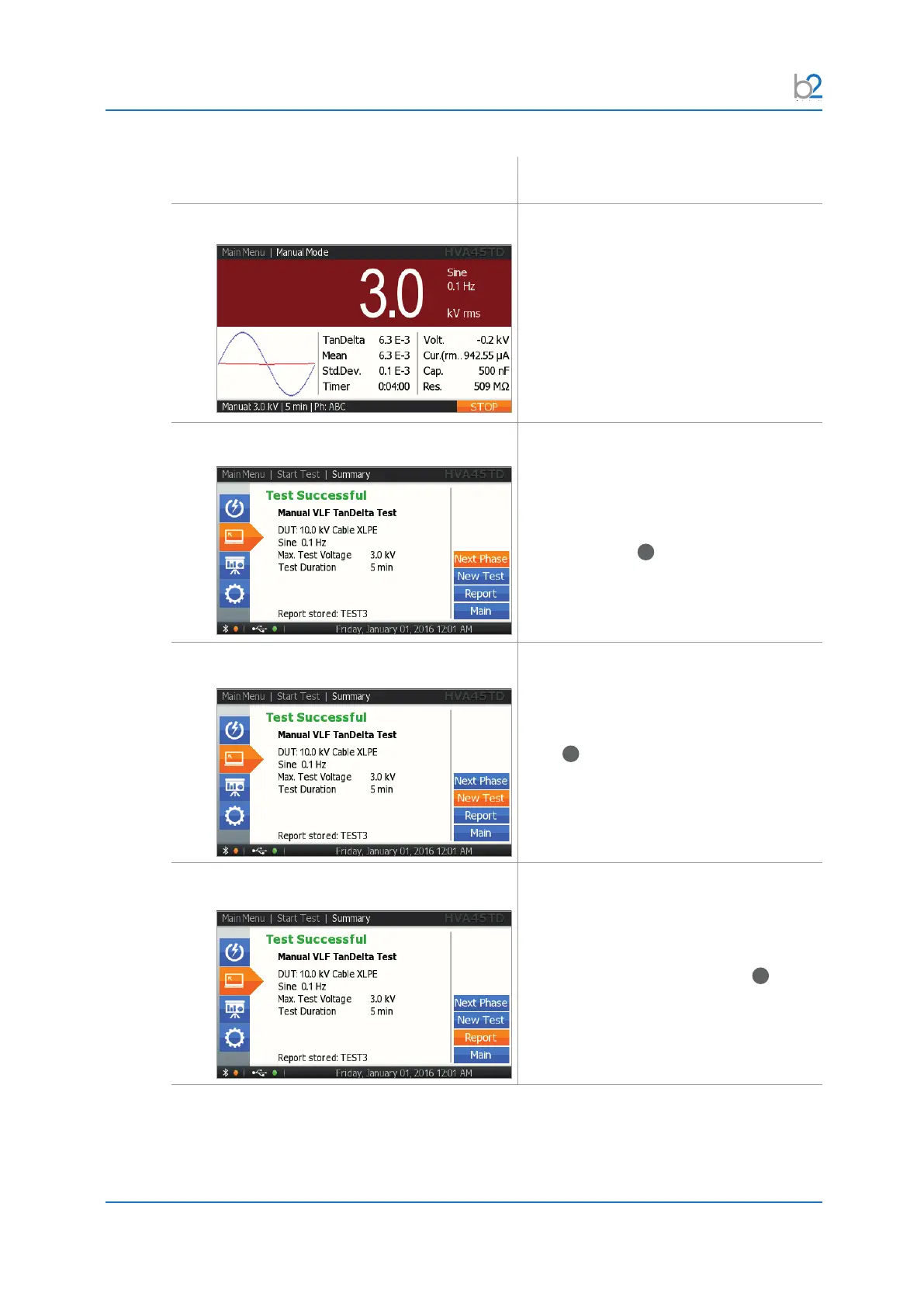
TD8: Test
Test begins automatically.
The bottom of the screen indicates
elapsed time
T: lapsed time / total test duration
TD9�1: Test End
Display indicates end of manual test.
For testing the next phase, select the
“Next Phase” button and push in/click the
navigation knob
41
.
TD9�2: Test End – New Test Display indicates end of manual test.
For starting a new test, select “Next Test”
button and push in/click the navigation
knob
41
.
TD9�3: Test End Report Display indicates end of manual test.
If you wish to view the corresponding
report, select the “Report” button and
push in/click the navigation knob
41
.



 To Next Page