Operation
4.24 Printing Test Data
PCA
O2 4.0 CO
12 HLD
DRAFT
C2 9.5 NX 15 NG
DRAFT
–
0.25 WC
TA 68.0 TS 374 «P
HOT SPOT 374 °F
«
P
EF 82.6 EA 21 S
S
Before printing, ensure that the correct
connection and printer has been selected per
Section 4.19.
The Print function is available in either the
Combustion Test Screen or the Draft Screen.
NOTE:
The data which is stored in
memory can also be printed. First go to
the Memory Directory Screen (Section
4.10) and display the data to be
printed; then print the data as de-
scribed below.
When using an infrared printer:
1.
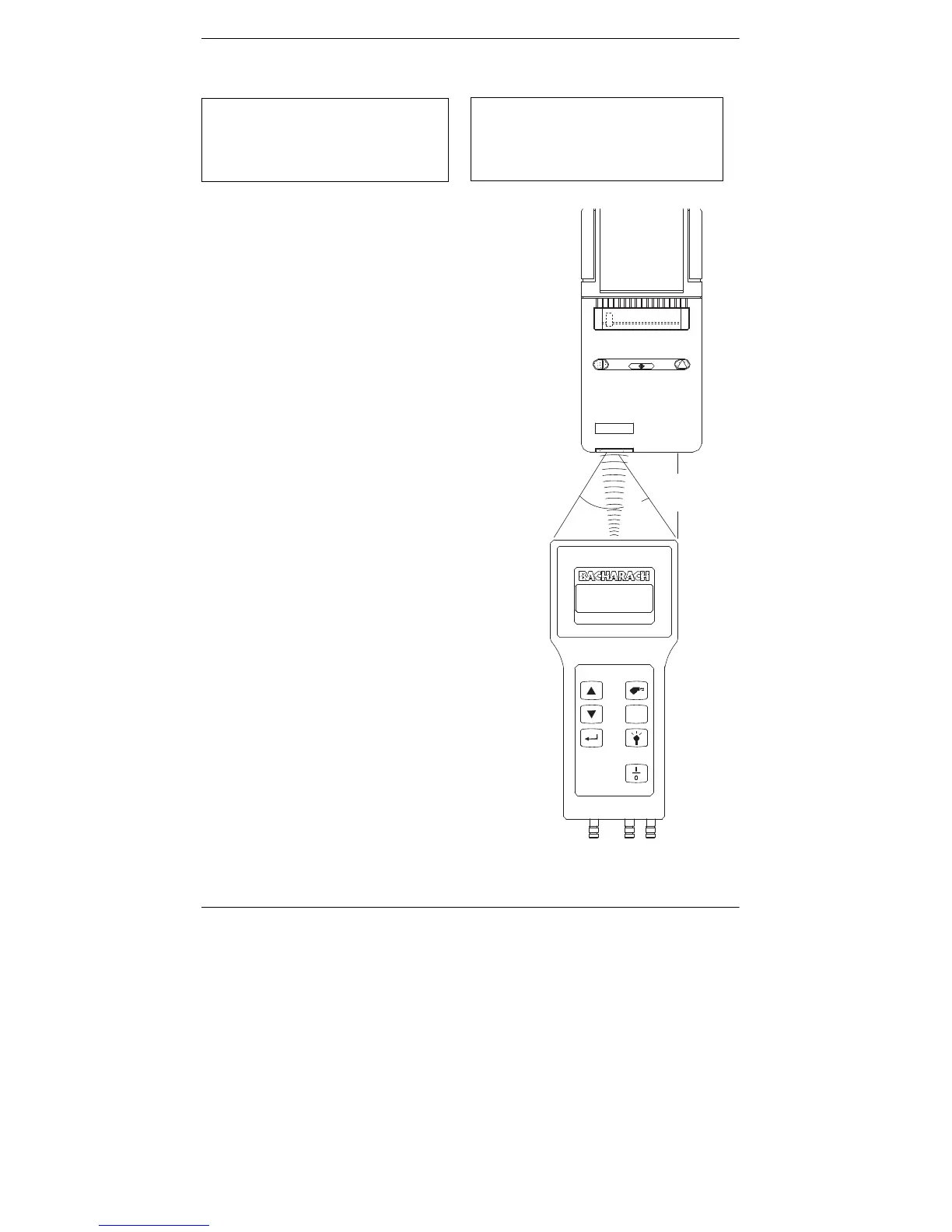
Place analyzer in-line with the printer’s
IR input (see Figure 4-5).
2.
Use the
st
keys to move the cursor (
z
) in
front of the print (
P
) function.
3.
Press the
ENTER
key to start printing.
)
)
/)0
.
Figure 4-5. Aligning the Printer’s
IR input to the Analyzer
4-30
Instruction 0024-9219



 To Next Page