USER MANUAL DP C10.UART
11
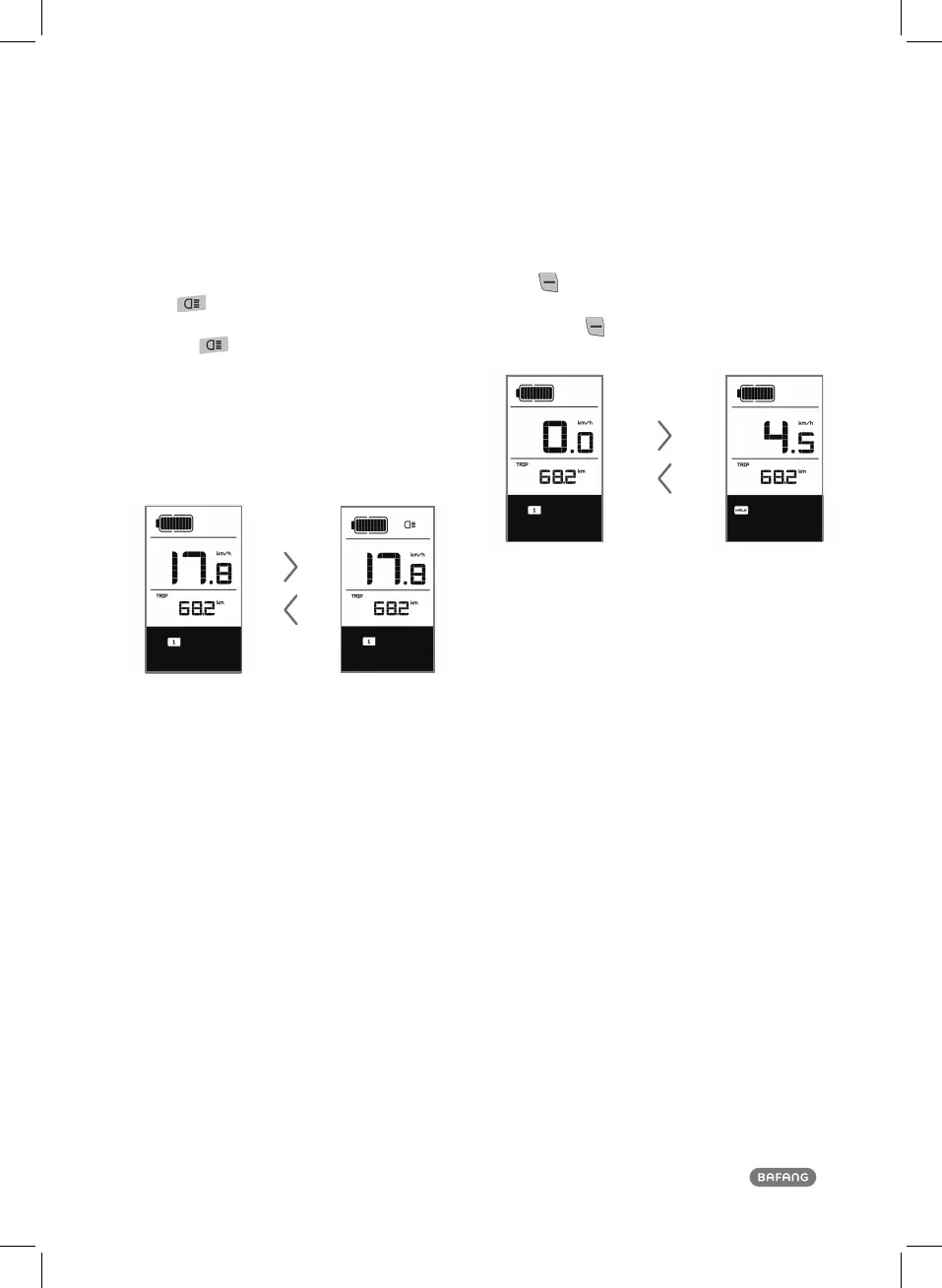
4.4 Headlight/ Display Backlight
Switch
Press for 2 seconds. The backlight of the display
as well as the headlight and taillight will be turned
on. Press
again for 2 seconds to power off the
display backlight/headlight/taillight. (If the display is
turned on in a dark environment, the display ba-
cklight/headlight/taillight will be turned on auto-
matically. If the display backlight/headlight/taillight
are turned off manually, they also need to be turned
on manually afterwards).
Display backlight, headlight and taillight
There are 5 levels of backlight brightness
that can be selected by the user.
4.5
Walk Assistance
Press
for 2 seconds. The e-bike enters the walk
assistance mode, and the symbol WALK is displayed.
Once the key
is released, the e-bike will exit the
walk assistance mode.
Switch between power assistance and walk assistance mode













 To Next Page