HEATING SYSTEMS
Truma CP Plus Digital Control Panel
• The device may only be operated if it is in
perfect working order.
• Arrange for malfunctions to be rectified
immediately.
• Do not repair or modify the device.
• Only allow the manufacturer or its customer
service to repair a faulty device.
If the power supply to the system
is interrupted for longer than 20
minutes, the time and date need to be
entered again.
If the Truma Combi heater is connected to the
control panel Truma CP Plus, the heater can no
longer be switched via a ZUCB timer.
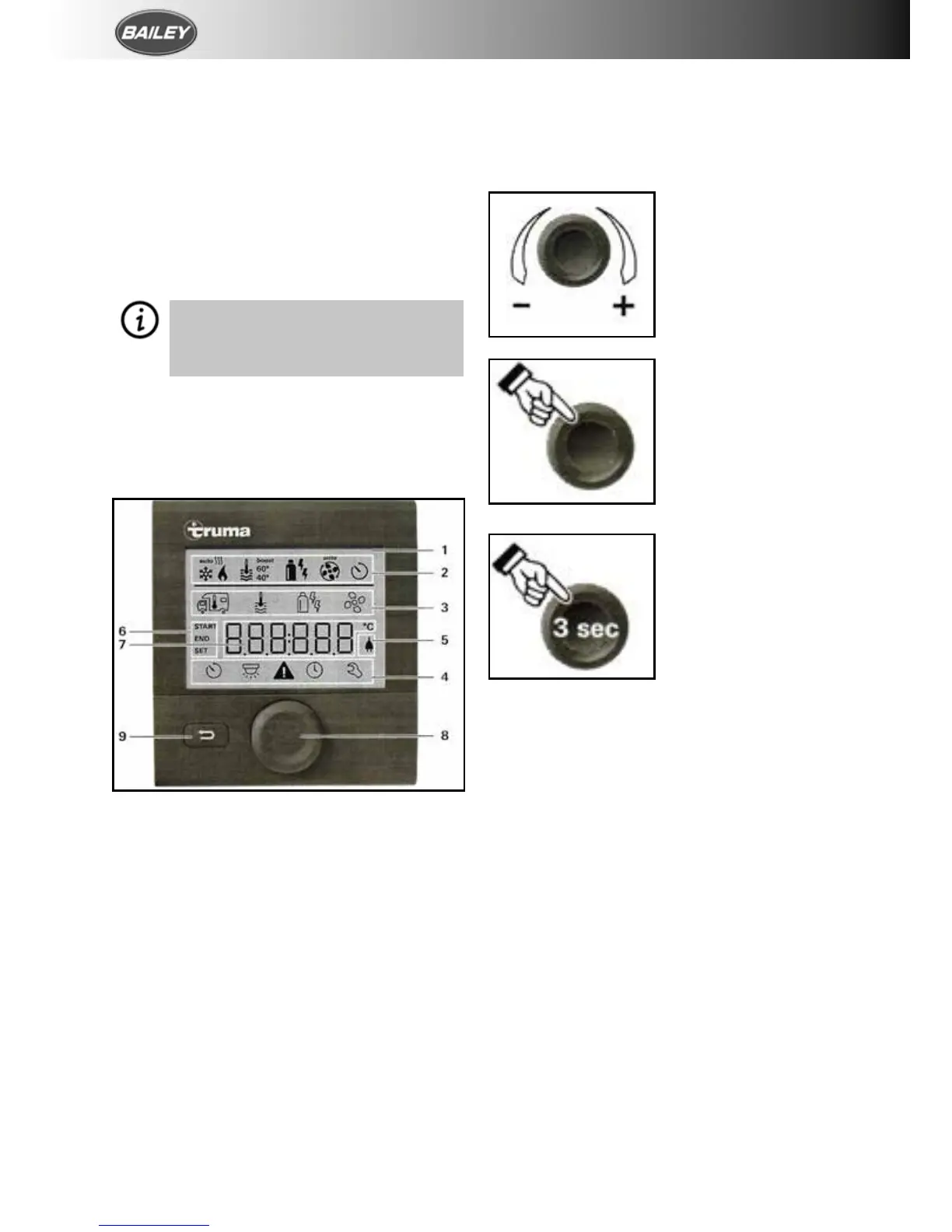
DISPLAY AND CONTROL ELEMENTS
1. Display
2. Status bar
3. Menu line (Upper)
4. Menu line (Lower)
5. Display of mains voltage 230v (Power)
6. Time switch display
7. Settings/values
8. Rotary push button
9. Back button
The menus can be selected in lines (3 + 4) and
settings can be made using the rotary push
button (8). The display (1) has an illuminated
background. The Back button (9) can be used
to return from a menu.
Set points and parameters can be selected,
modified and saved by tapping on it using the
rotary push button (8). Selected menu items
flash.
Pressing the Back button (9) returns you from
a menu and discards settings. This means that
the previous values are retained.
Turn to the right (+)
Menu is paged from
left to right. Increase
values.
Turn to the left (–)
Menu is paged from
right to left. Reduce
values.
Clicking Accept (save) a
selected value.
Select a menu item or
a change to the setting
level.
Press (3 seconds) Main
switch function ON/
OFF






 To Next Page