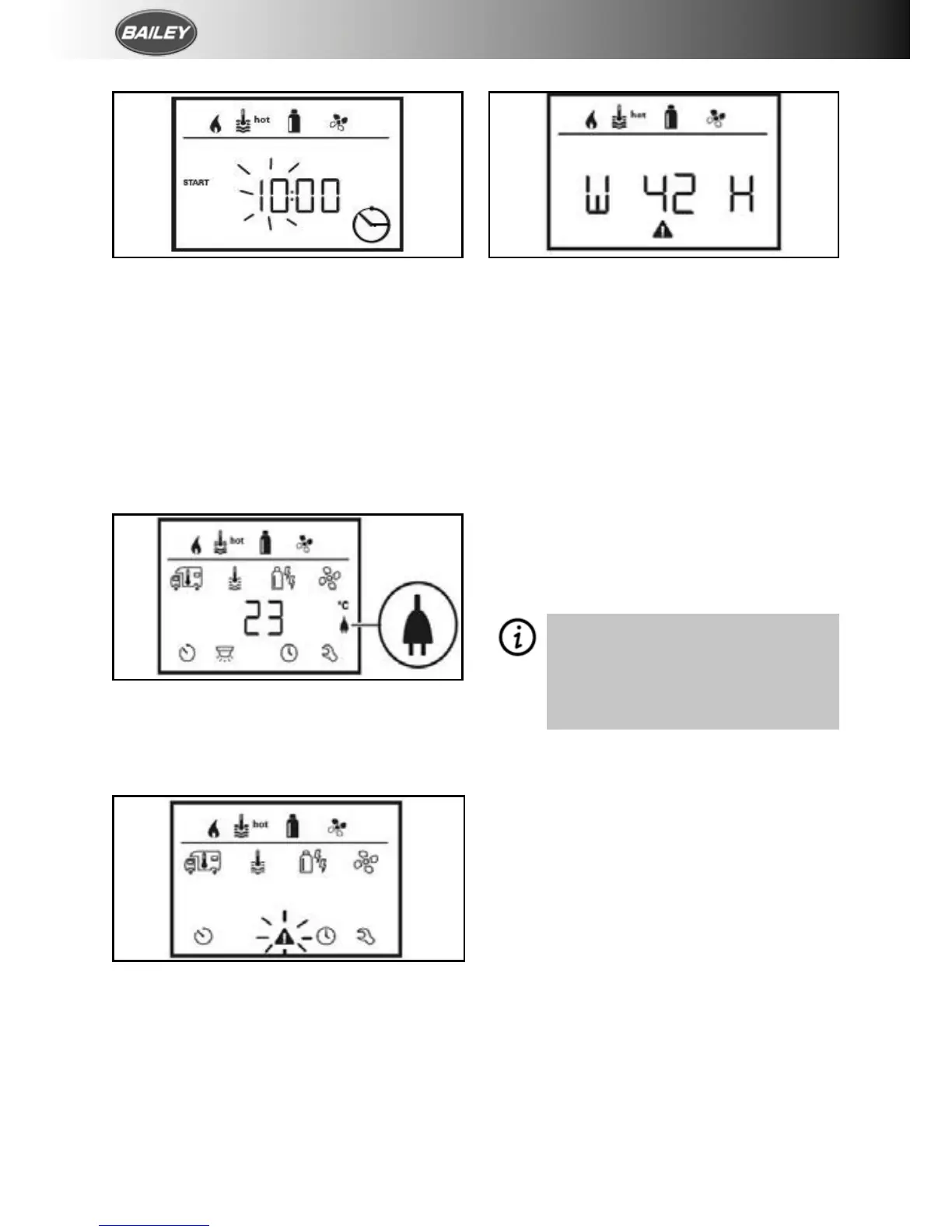
1. Select the clock icon.
2. The hour display flashes.
3. Use the control knob/push button to set the
hour (24h mode).
4. After clicking the control knob/push button
again, the minute display will flash.
5. Use the control knob/push button to set the
minutes.
6. Click the control knob/push button to
confirm the value.
DISPLAY MAINS VOLTAGE 230V
This symbol indicates that 230v mains voltage
is available.
In the event of a warning, a warning symbol
appears to indicate that an operating
parameter has reached an undefined status.
In this case, the affected device continues
to run. As soon as the operating parameter
returns to set range, this symbol will turn off
automatically.
W = Warning
42 = Fault code
H = Device (H=Heater)
1. Use the control knob/push button to select
the symbol.
2. Click the control knob/push button. The
current warning code is shown. The
cause of the warning can be identified and
rectified via the error list.
CAUSE RECTIFIED/RETURN TO SETTING LEVEL
• Click the control knob/push button.
CAUSE NOT RECTIFIED/RETURN TO SETTING LEVEL
• Press the back button.
In this case, the warning is not
acknowledged on the control panel
and the warning symbol remains. The
control panel remains in the warning
status. Devices connected to the
control panel can be operated.






 To Next Page