EasyManua.ls Logo

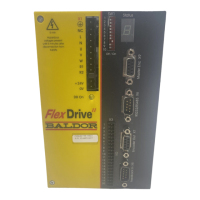
Baldor MotiFlex e100 - User Manual

Baldor MotiFlex e100
220 pages
Print Icon
To Next Page IconTo Next Page
Loading...

Table of Contents

Questions and Answers

Baldor MotiFlex e100 Specifications

General IconGeneral
Protection Class/RatingIP20
Humidity5% to 95% non-condensing
DimensionsVaries by model
WeightVaries by model
Control TypeDigital
Communication ProtocolsModbus TCP
Feedback TypeResolver
Operating Temperature0°C to 40°C

Summary

General Information

Safety Notice and Precautions

Provides critical safety warnings and essential precautions for operating the MotiFlex e100 equipment safely.

Basic Installation

Introduction and Requirements

Covers the introduction, power sources, and hardware needed for basic installation.

Mechanical Installation

Details the essential steps and considerations for physically mounting the MotiFlex e100.

AC Power Connections

Instructions for correctly connecting the AC power supply to the MotiFlex e100.

Earthing; Grounding

Explains the importance and methods for proper earthing/grounding of the MotiFlex e100.

Motor Connections

Guides on how to connect the motor to the MotiFlex e100, including shielding.

Feedback

Input; Output

Drive Enable Input

Configuration and connection for the dedicated drive enable input.

Configuration

Connecting to PC and Software Installation

Steps for connecting the MotiFlex e100 to a PC and installing Mint software.

Commissioning Wizard

Step-by-step guide to tuning the MotiFlex e100 and creating configuration.

Autotune Wizard

Procedure for using the Autotune Wizard to optimize motor performance.

Further Tuning Procedures

Adjusting tuning parameters for optimal response with and without load.

Troubleshooting

Problem Diagnosis and SupportMe

Steps for diagnosing problems and using the SupportMe feature for assistance.

MotiFlex e100 Indicators

Describes the meaning of the STATUS, CAN, and ETHERNET LEDs.

Communication Issues

Troubleshooting steps for communication problems with USB, Ethernet, and CAN.

Specifications

Related product manuals