OUTDOOR CHANNEL
WEATHER FORECAST
4. Press and hold “MEM/▼” will clear the max and min record and reactivate
the memory.
5. Normally, the Max and Min record will update every 24 hours on 0:00.
The weather forecast icon will show after power on. There are 5 kinds of
weather modes: Sunny, Sunny To Cloudy, Cloudy, Rainy, Stormy.
The weather icon displays are based on the hourly calculation of indoor/
outdoor temperature and humidity data.
The forecast is for next 12-24 hours.
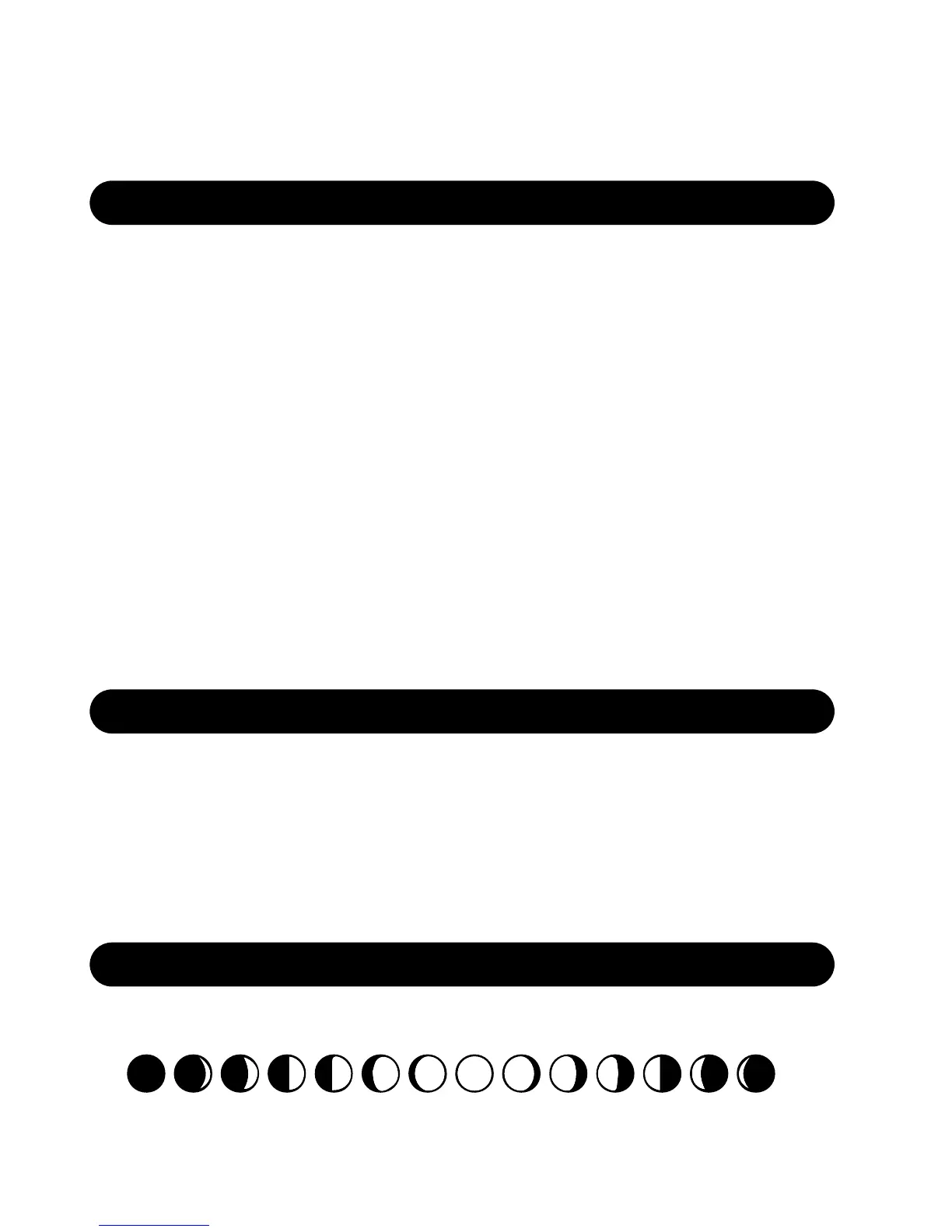
MOON PHASE
The moon phase will be changed when calendar changes:
1. Hygrometer will auto receive outdoor signal after power on, the receiving
status will last for max 3 minutes, the receiving antenna signal will flash,
if no signal received in 3 minutes, will not exist and stop receiving outdoor
signal
2. Press “CH/▲” button to change the channel
3. The setting order is CH1 --> CH2--> CH3 -->Channel scan (from CH1 to
CH2 to CH3, 10 seconds intervals)
4. Press and hold “CH/▲” button for more than 3 seconds to manually enter
into RF re-registration, press and hold “CH/▲” button for 3 seconds again
will exit RF registration
5. The current outdoor temperature and humidity data will be cleared during
re-registration status
6. Remark: if hygrometer has received outdoor data successfully before, in
next 60 minutes if lost signal, the hygrometer outdoor area will display “--.--”













 To Next Page