5
You must find the cause of the overload and rectify this before continuing to use the
compressor.
• Drain tap not closed properly
• Air leaks on the pneumatic fittings
• Compressor not the correct size for the work load
• Cooling fan outlets restricted
Contact your service engineer to investigate the cause.
7) Technical
We recommend the compressor has a maximum 50% duty cycle to prolong pump life.
Note !
The motor must never be allowed to run continuously otherwise it will overheat and
may become damaged.
Do not ignore air leaks. All air connections must be leak free to prevent the
compressor from over heating.
The compressor is fitted with 2 thermal overloads. In the event of excessive
temperature the compressor will switch off and the external thermal protector will
activate. To re-set follow the procedure below-
Models: VT75/75D, VT150/150D, VT200/200D, VT250/250D
Switch off at the pressure switch [see Fig. 2]. Allow 50 minutes for the motor to cool
down then switch back on at the pressure switch. The compressor will now restart.
Models: VTS75/75D, VTS150/150D, VTS200/200D, VTS250/250D
Do not switch the compressor off after overheating as this will prevent the internal
cooling fans which reduce the temperature inside the housing from running.
Allow 50 minutes for the motor to cool down.
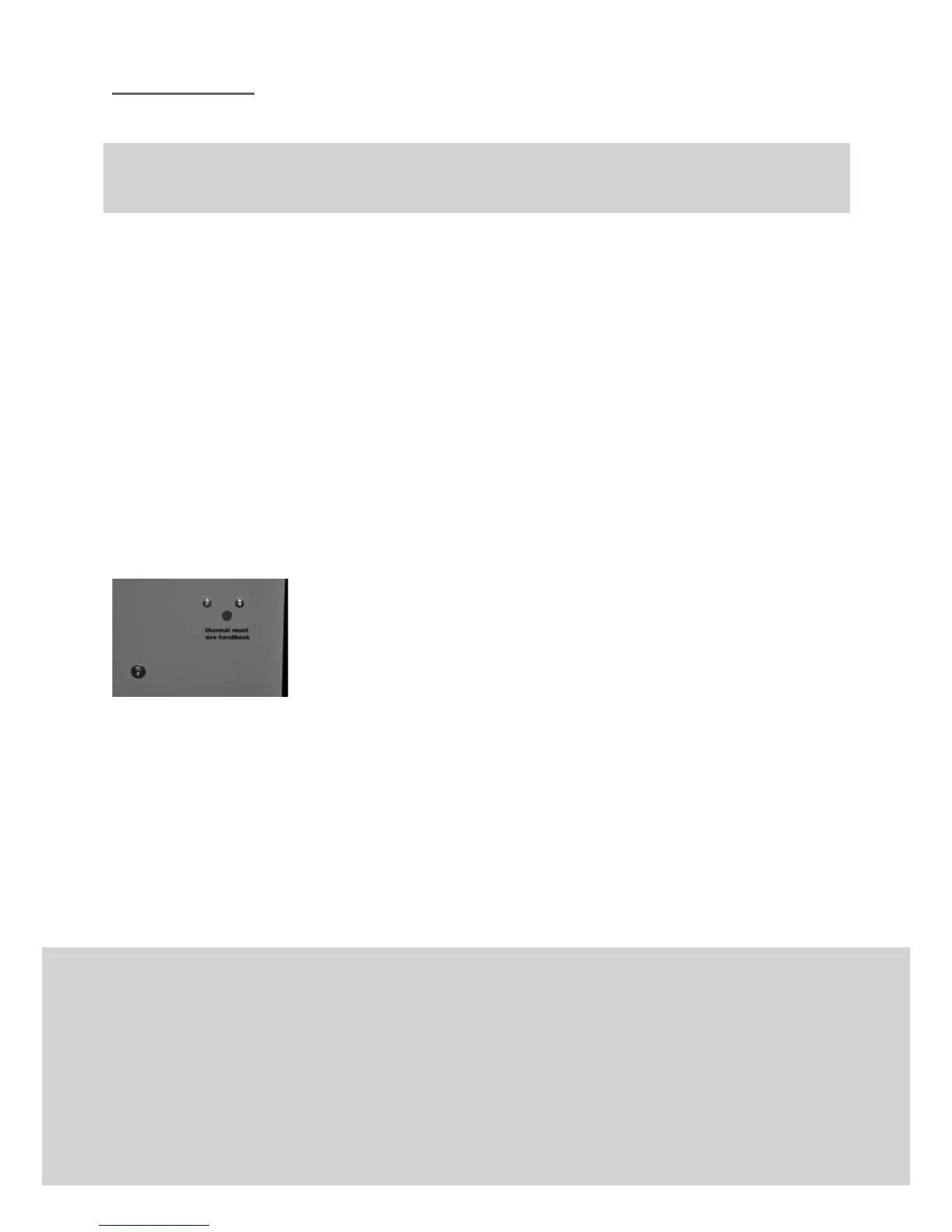
Press the thermal re-set button, you will hear an audible click –
see fig 8.
The compressor will now restart.
Models: VT300/300D, VT400/400D
The re-set is integral with the pressure switch.
The pressure switch will automatically turn off (0) in the event of motor overload.
Turn the pressure switch to the on position [see Fig. 3].
The compressor will now restart.
If the compressor still does not run, switch off immediately and disconnect from the
mains supply.
Fig. 8 Thermal re- set button
Check for -


 To Next Page