22 Manual Documentation Number M3640D1598
B&B Electronics -- PO Box 1040 -- Ottawa, IL 61350
PH (815) 433-5100 -- FAX (815) 433-5104
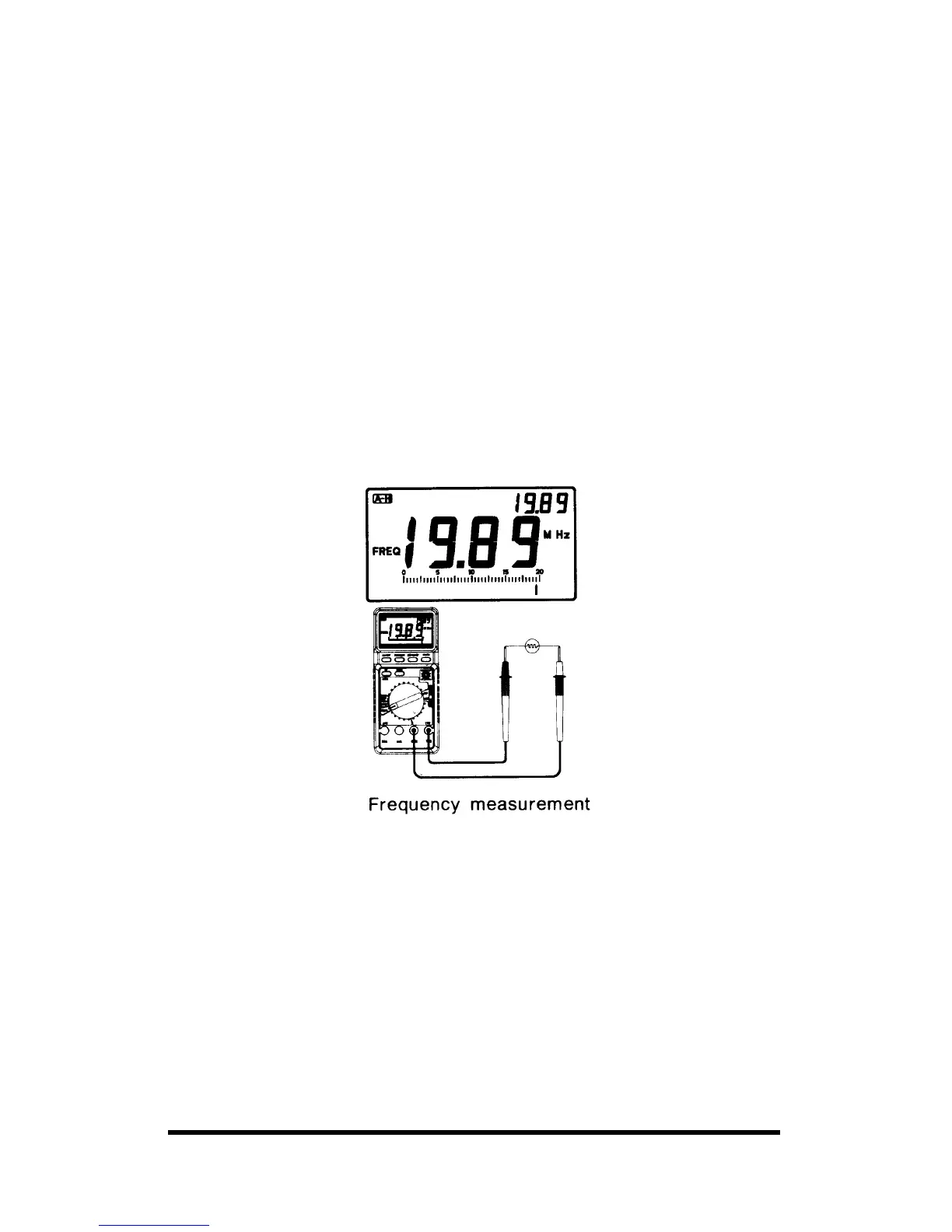
6-6. Measuring Frequency
WARNING: IF YOU TRY TO MEASURE THE FREQUENCY OF A
SIGNAL THAT EXCEEDS 750 VOLTS AC RMS, YOU MIGHT
DAMAGE YOUR METER AND EXPOSE YOURSELF TO SEVERE
SHOCK HAZARD.
Follow these steps to measure the frequency of a signal.
1. Set the function selector to the FREQ position with 4 steps: 2, 20,
200KHz & 1 MHz (for M3610D/3630D/3640D) and 5 steps: 2, 20,
200 KHz, 2, 20 MHz (for M-3650D/3660D).
2. Plug the test probes into the COM and V/Q terminals.
3. Connect the test leads to the frequency source.
Caution: (M3610D/M3630D/M3640D)
• For measurement 200KHz above, neither interface the meter with a
P.C nor select the function mode COM. Doing so, your meter will
displays the ambiguous value.
Notes:
• When the test probes are connected to an AC outlet, do not turn the
function selector switch to another range. It may damage the internal
components, or you.
• Overload Protection: 750V DC/AC RMS
• Input limit voltage: AC 20V rms w/dual mode & PC interface.
• For the most accurate measurement, we strongly recommend you to use
the type of BNC cable.



 To Next Page