8 Manual Documentation Number M3640D1598
B&B Electronics -- PO Box 1040 -- Ottawa, IL 61350
PH (815) 433-5100 -- FAX (815) 433-5104
The sign
will be displayed on the LCD when you turn the power
on.
Press the FUNCTION button to enter the function mode. You can
select a function mode at your desire by pressing the FUNCTION
button and SET/RESET button by turns.
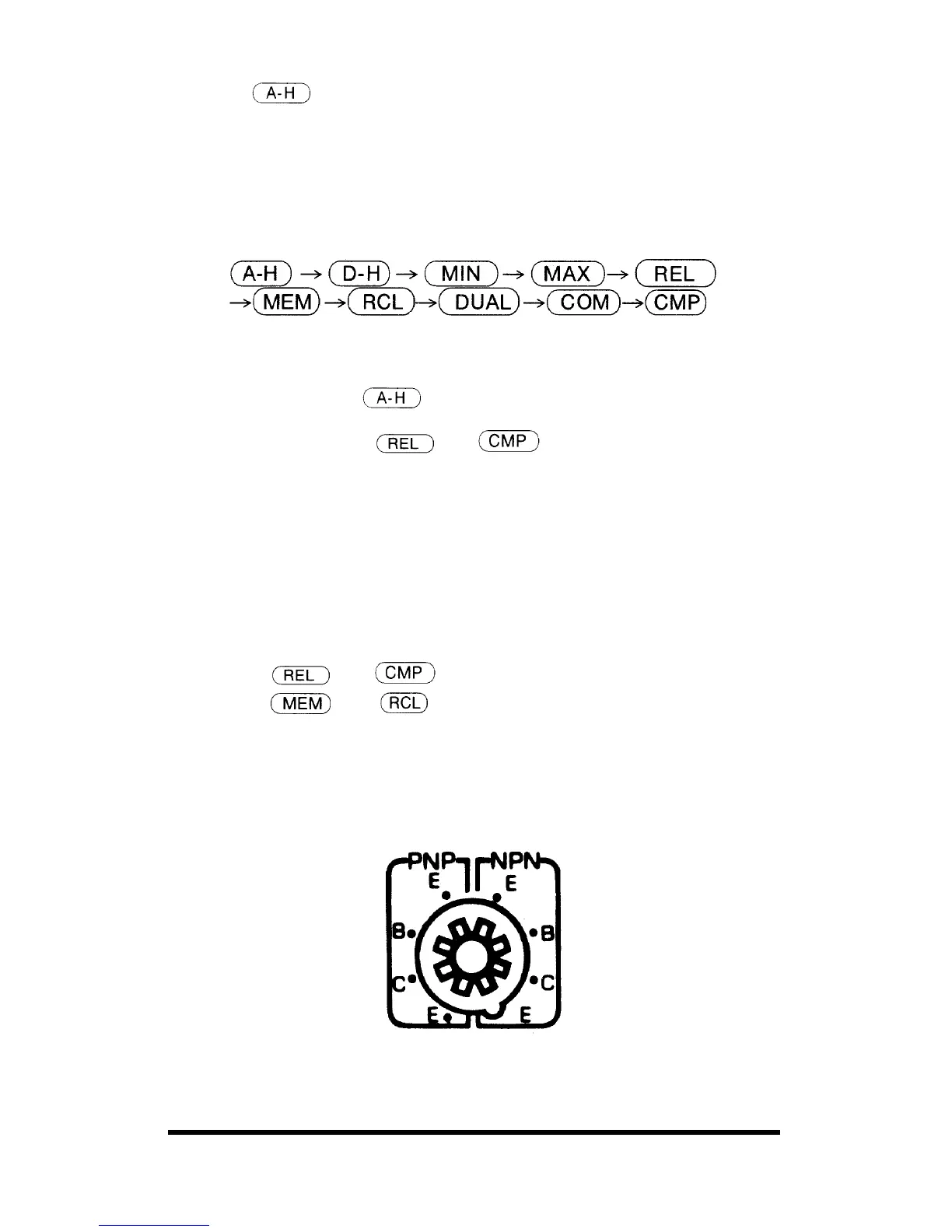
• Sequence of scroll in the Function modes
3. SET/RESET
Press the SET/RESET button to enter the selected function mode and press
again to exit. Then the
will be displayed on the LCD.
In the function modes of
and , the RESET function does
not work. To exit from these modes, you have to move the selector switch
to an adjacent range or press the function key.
4. DC/AC
Press DC/AC button to toggle between DC and AC when the rotary switch
is set to Voltage or Current.
5 & 6. UP DOWN
Press UP DOWN buttons to determine the polarity, value of the reference
value in the
and modes, to address the stored reference
value in the
and modes.
5-2. Items 7-8 describe the Sockets.
7. TRANSISTOR hFE
Insert the base, collector, and emitter pins in the correct sockets, as
marked.
8. CAPACITOR (excluding M-3610D)
TEMPERATURE SOCKET (M-3640D/M-3660D only)



 To Next Page