7
Smart Pro installation instructions
7. Bracket Position
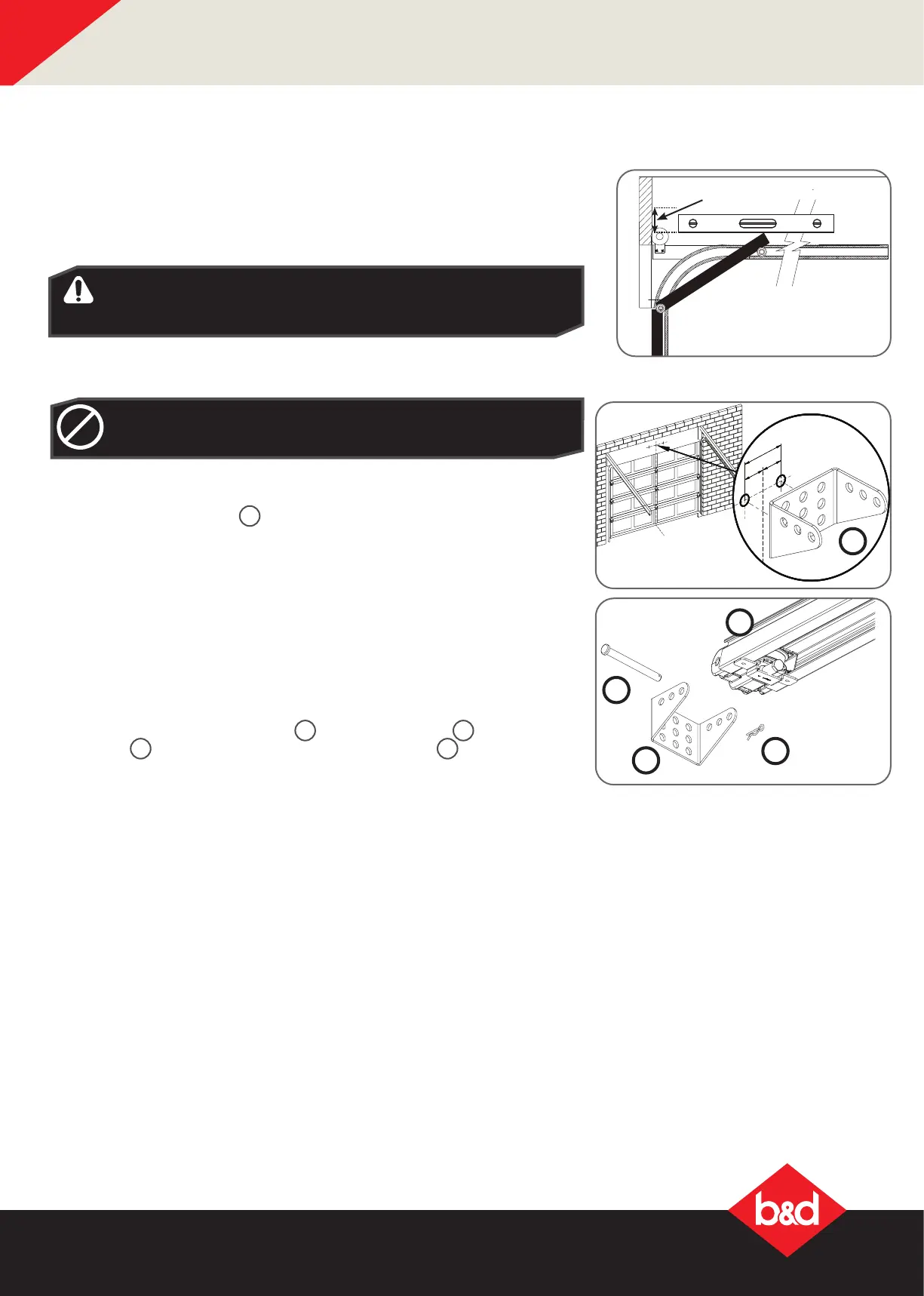
7.1 Wall Bracket Position:
a. Determine the centre of the door and mark this point with a line on the
wall above.
b. Raise the door and nd the highest point of travel of the rst (top) door
panel.
60mm
Level
WARNING! The Opener must be securely fastened to structural
supports, otherwise opener failure may ensue causing serious
personal injury and / or property damage.
DO NOT DO IT YOURSELF: If sufcient structural support can
not be found, contact a door profressional for installation.
DIY
c. Using step ladder and a level, transfer this height to the wall above the
door and mark a line 60mm above it, across the centre line.
7.2 Mounting the Wall Bracket:
a. Draw two lines extending 21.5mm from each side of the centre point.
b. Centre the wall bracket
6
over the intersection of these two lines. Mark
centres for at least two holes and ensure it is into a solid mounting point.
c. Drill holes in the wall with an appropriate bit.
d. Secure to the wall using:
i. IF CONCRETE OR BRICK:
8mm (5/6”) loxins/dynabolts.
ii. IF TIMBER:
wood screw #20 or similar (min. 50mm).
7.3 Attach the Track to the Wall Bracket
a. Leave the drive unit in its packing box on the oor for protection and lift
the other end of the C-Rail.
b. Attach the pre-assembled track
18
to the wall bracket
6
with the 90mm
long pin
11
and secure with the supplied pin snap
9
.
18
11
9
6
6



 To Next Page