B&G LCD Plotter
Part 2 - Operating Information
HB-0847-02
2-11
2.10 Displaying Port Services
Entering in a port, place the cursor on the sail boat shown on the map
(zoom minimum 1 NM) and press the ENTER key to open the information
window.
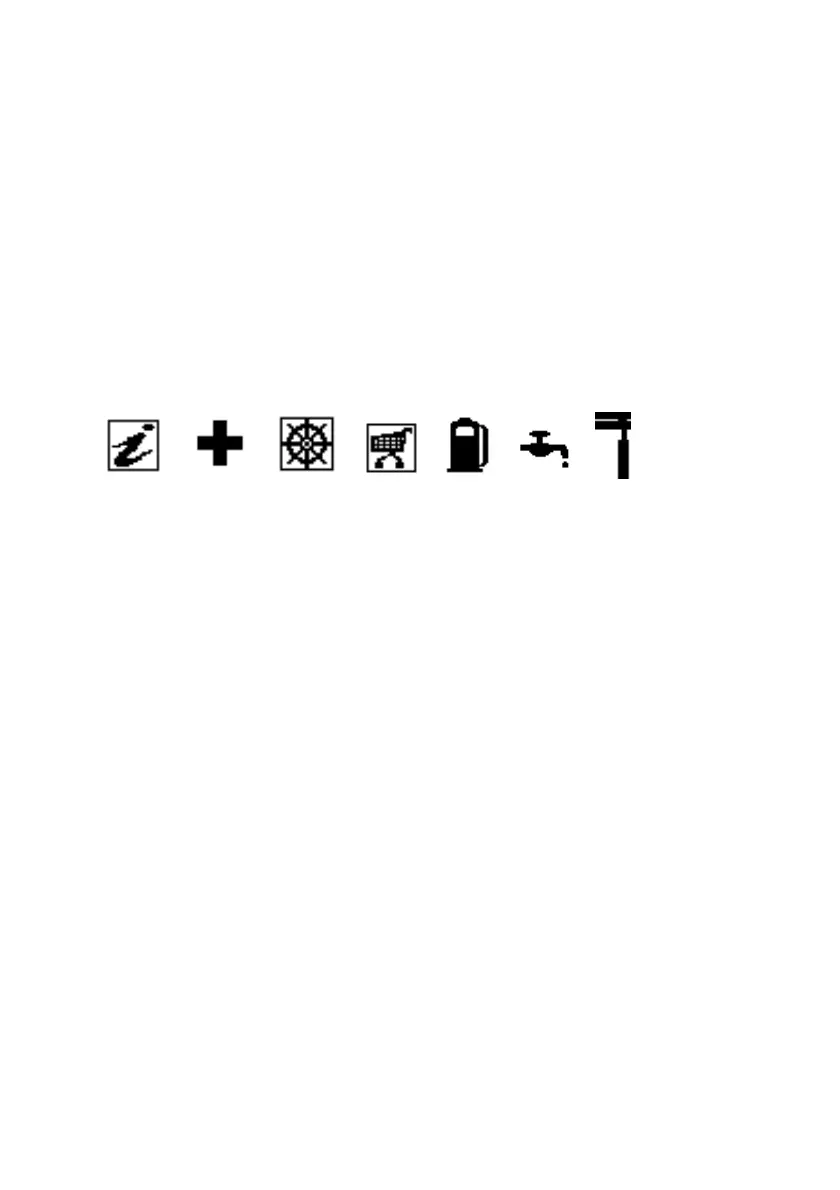
This window will display different icons which represent the services
provided by the port. Select the icon with the CURSOR key. The number of
the icons shown is dependent on the services provided by that port.
These icons open a list of services provided by the particular port.
(a) (b) (c) (d) (e) (f) (g)
(a) Information and port authorities
(b) Sanitary and first aid services
(c) Customer services
(d) Tourist services and shops
(e) Fuel
(f) Water
(g) Engine, boat and electronic servicing
Note
Port Services are available on supported Microchart cartridges only.
Please contact your Navionics stockist for further information.
2.11 INFORMATION WINDOWS IN CURSOR MODE
The LCD Plotter will display different windows depending on whether the
unit is operating in cursor mode (cross-hair shown) or navigation mode.
2.11.1 No Route Present in Cursor Mode
• Total route length
• Time enroute (with the set speed)
• Distance from the last waypoint to the cursor
• Cursor position
• Chart range



 To Next Page